



October 2, 2026



Website accessibility means every visitor, including people using screen readers, keyboard navigation, or captions, can use your site and get the same information as everyone else. The baseline to aim for is WCAG 2.1 Level AA, the technical benchmark referenced in federal guidance. Your first move should be running an automated scan and fixing the three issues that cause the most friction: broken keyboard navigation, missing alt text, and uncaptioned video.
TL;DR:
- Fix the three most common issues first: broken keyboard navigation, missing alt text, and uncaptioned videos, to improve accessibility significantly.
- WCAG 2.1 Level AA remains the essential technical standard, with deadlines for public entities in 2027 and 2028, while private businesses should follow the same guidelines for compliance.
- Manual testing and user feedback are crucial because automated tools cannot detect all accessibility barriers, especially for real-world usability.
- Address legacy content and third-party widgets with vendor contracts or alternative solutions to maintain accessibility across your entire site.
- Incorporate accessibility into ongoing workflows by design reviews, component libraries, and routine scans to prevent issues from reemerging.
Table of Contents
- Why accessibility matters: legal risk, inclusion, and business value
- Standards and legal baseline: WCAG, Section 508, and DOJ compliance timelines
- POUR: the four accessibility principles and where sites go wrong
- Your prioritized accessibility checklist for marketing and media sites
- How to test for accessibility without false confidence
- Making accessibility part of how your team builds and maintains sites
- A 30/60/90-day plan to start remediation now
- What accessible media production taught us about reach
- Getting hands-on help with accessible design and captioning
- Where to verify the rules yourself
- Sources
- FAQ
Why accessibility matters: legal risk, inclusion, and business value
Accessibility is a legal obligation, a social responsibility, and a business opportunity rolled into one project. Under the Americans with Disabilities Act, Title II and Title III require equal access online, and the Department of Justice has made clear that this extends to websites, not just physical locations. The guidance lists the same barriers that show up on marketing sites every day: low color contrast, missing alt text, and video without captions.
The exclusionary impact is concrete. A visitor using a screen reader cannot navigate a site with unlabeled form fields. Someone who cannot use a mouse gets stuck when a dropdown menu only responds to hover. A person who is deaf or hard of hearing skips your product demo entirely if it has no captions. Each of these moments is a lost customer, and for public-facing businesses, a potential legal complaint.
There’s a business case layered on top of the legal one:
- Accessible sites tend to rank better because many fixes, like descriptive alt text and clean heading structure, overlap directly with SEO fundamentals.
- Fixing keyboard navigation and form labeling improves the experience for every visitor, not just those using assistive technology.
- Addressing known barriers before launch reduces exposure to complaints and litigation tied to inaccessible web content.
WCAG 2.1 Level AA is the standard referenced in ADA.gov’s web guidance as a helpful technical benchmark for businesses and public entities working toward compliance. Treat it as the finish line for any redesign or remediation project, not an optional nice-to-have.
Standards and legal baseline: WCAG, Section 508, and DOJ compliance timelines
Knowing which standard applies to your organization saves time and prevents over-building or under-building your compliance plan. Three frameworks come up again and again, and they serve different purposes.
WCAG 2.1 Level AA is the technical standard most often cited by regulators and courts. It is not a law itself, but ADA.gov points to it as the practical way to demonstrate that a site provides equal access. It covers everything from color contrast ratios to keyboard operability to how forms announce errors.
Title II and Title III of the ADA cover different groups. Title II applies to state and local government entities, while Title III covers businesses open to the public, including most commercial websites. The distinction matters for compliance timelines. The Department of Justice adopted WCAG 2.1 Level AA as the technical standard for web content under Title II and published an Interim Final Rule extending compliance dates for state and local government entities: April 26, 2027 for entities serving populations of 50,000 or more, and April 26, 2028 for smaller entities. Businesses covered under Title III do not have a published compliance date in the same rule, but the same technical standard applies when demonstrating accessible access.
Section 508 governs federal agencies and their vendors. If you sell software, websites, or digital content to a federal agency, you will likely be asked for a Voluntary Product Accessibility Template (VPAT), which becomes an Accessibility Conformance Report (ACR) once completed. Section508 that a VPAT documents how a product conforms to accessibility standards for procurement purposes, but it is not a legal certification. Independent testing has to back up whatever the ACR claims.
A few practical distinctions worth keeping straight:
- WCAG 2.1 AA is the technical yardstick almost everyone references, regardless of which law applies to you.
- Title II deadlines apply specifically to public entities and follow the population-based schedule above.
- Section 508 and VPAT/ACR paperwork only come into play if you are selling to a federal agency or a contractor who requires one.
Even before a formal deadline applies to your organization, ADA.gov’s small-entity compliance guide notes that covered entities still need to provide effective communication, sometimes through accessible alternatives, while longer-term fixes are underway.
POUR: the four accessibility principles and where sites go wrong
WCAG organizes every accessibility requirement into four principles, commonly known by the acronym POUR: perceivable, operable, understandable, and robust. Content has to be perceivable through at least one sense, operable without requiring a specific input method, understandable in language and behavior, and robust enough to work across browsers and assistive technologies.
- Perceivable barrier: missing alt text. Images with no alternative text are invisible to screen reader users. Fix: write a short, descriptive alt attribute for every meaningful image.
- Perceivable barrier: poor color contrast. Light gray text on a white background is unreadable for many users. Fix: check contrast ratios against WCAG thresholds before finalizing a color palette.
- Perceivable barrier: uncaptioned video. A product demo with no captions excludes deaf and hard-of-hearing visitors. Fix: add accurate captions and a transcript to every video.
- Operable barrier: keyboard traps. A modal window that cannot be closed without a mouse strands keyboard users. Fix: make sure every interactive element can be reached and dismissed using only the keyboard.
- Operable barrier: no visible focus indicator. Without a focus outline, keyboard users lose track of where they are on the page. Fix: keep default focus styles visible or style a clear custom version.
- Understandable barrier: unclear form errors. A field that just turns red with no explanation forces users to guess. Fix: pair every error with specific, readable instructions.
- Understandable barrier: inconsistent navigation. Menus that change structure from page to page confuse everyone, especially users relying on memory or assistive technology. Fix: keep navigation patterns consistent sitewide.
- Robust barrier: non-semantic headings. Styling text to look like a heading without using actual heading tags breaks screen reader navigation. Fix: use proper HTML heading levels in order, not visual formatting alone.
Your prioritized accessibility checklist for marketing and media sites
Most marketing sites carry the same handful of problems, and fixing them in the right order gets you the fastest measurable progress. Start with what affects the largest number of visitors, then work toward the more detailed technical items.
High-impact fixes first:
- Make every interactive element (links, buttons, menus, form fields) reachable and usable with the Tab key alone.
- Use real heading tags (H1 through H6) in a logical order instead of bold or large text pretending to be a heading.
- Write descriptive alt text for meaningful images and mark purely decorative images so screen readers skip them.
- Label every form field clearly and tie error messages to the field they describe.
- Check text and background color combinations against standard contrast ratios, especially on buttons and links.
- Add accurate captions and a transcript to every video, including short social clips used for marketing.
Code-level patterns worth adopting:
Semantic HTML does most of the heavy lifting before you ever touch ARIA. A <button> element is operable by keyboard by default; a <div> styled to look like a button is not, unless you manually add keyboard event handling and ARIA roles. Reserve ARIA attributes for cases semantic HTML cannot cover, like custom widgets or live regions that announce dynamic updates. A skip link at the top of the page, hidden until focused, lets keyboard users jump past repeated navigation straight to the main content. Focus management matters most in single-page applications and modals: when a modal opens, move focus into it, and when it closes, return focus to the element that triggered it.
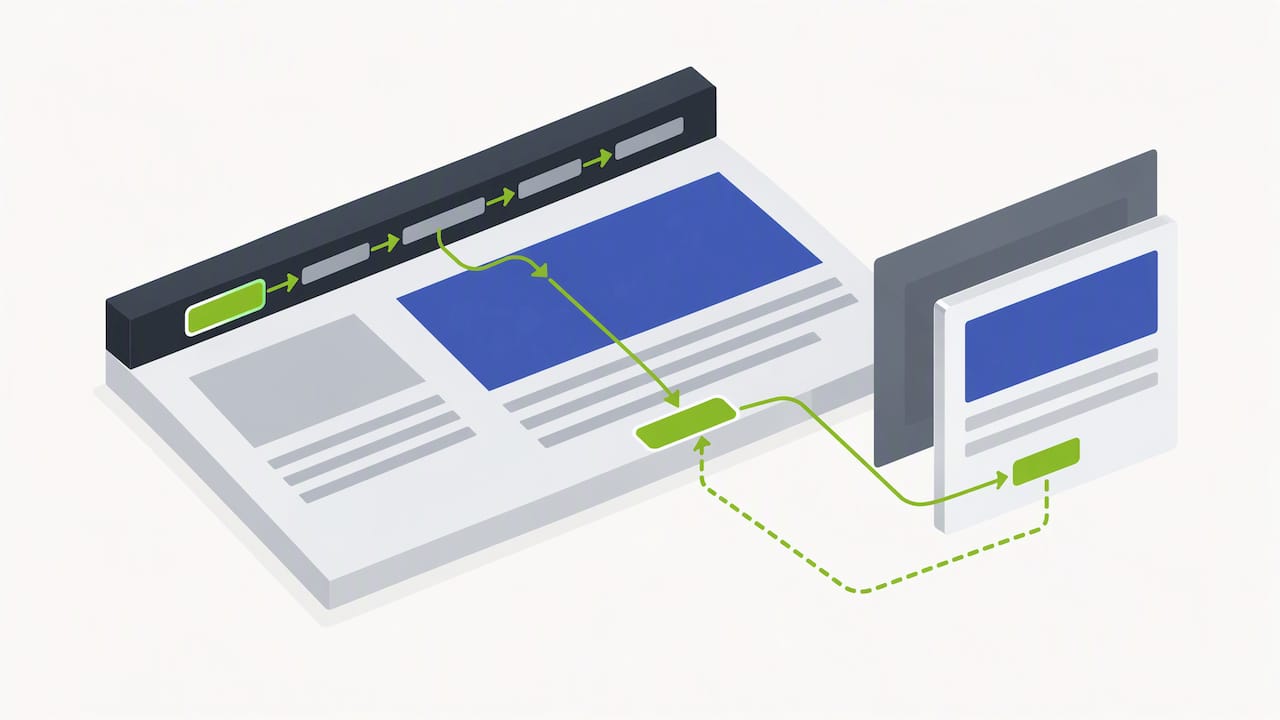
Pro Tip: Run a keyboard-only test on your homepage before anything else. If you cannot reach every link and button using only the Tab and Enter keys, that is your highest-priority fix.
Legacy content and third-party widgets are where most sites get stuck. Old PDFs, embedded calendars, payment processors, and map widgets are often built by someone else and are hard to change directly. Two mitigation strategies work well: require accessibility clauses in vendor contracts so suppliers are responsible for conformance, and maintain a documented “acceptable alternative” plan, such as a phone number or contact form, for any widget that cannot be made fully accessible right away.
How to test for accessibility without false confidence
Automated scanners are a fast way to find obvious problems, but Section508.gov’s testing guidance is direct about their limits: automated tools cannot catch every issue, and a clean scan does not mean a site is accessible. Scanners reliably flag missing alt text, low contrast, and malformed HTML. They cannot tell you whether an alt description actually makes sense, whether a form’s error messaging is understandable, or whether a custom dropdown actually works with a screen reader.
A reliable testing workflow combines three layers:
- Run automated scans sitewide using tools like axe, WAVE, or Lighthouse to catch the low-hanging fruit quickly.
- Follow with manual testing on high-traffic pages: navigate using only the keyboard, spot-check with a screen reader like NVDA or VoiceOver, and confirm form validation messages are read aloud correctly.
- Run task-based testing with a small group of assistive-technology users, ideally three to five, on your most critical user journeys, such as checkout or contact forms.
Pro Tip: Treat a passed automated scan as a starting point, never a finish line. The sites that get sued are often the ones that ran one scan, fixed the flagged items, and stopped there.
If you are selling to a government agency, a VPAT or ACR becomes part of the conversation. Section508.gov is clear that completing a VPAT is not a legal certification: it is a disclosure document, and whatever it claims needs to be backed by actual testing, not assumptions.
Making accessibility part of how your team builds and maintains sites
Treating accessibility as a one-time project guarantees it will break again at the next redesign. The fix is building it into the workflow itself, the same way you would build in SEO or performance checks.
- Include accessibility review in design critiques, before a single line of code gets written, so color contrast and layout issues get caught early.
- Build accessible patterns into your component library once (buttons, form fields, modals) so every new page inherits them instead of reinventing the wheel.
- Schedule automated scans on a recurring basis and treat flagged issues like any other bug, tracked and triaged by severity.
- Assign an accessibility champion, even informally, who owns the checklist and knows when an issue needs an outside auditor.
Catching problems at the design stage is far cheaper than retrofitting a launched site, and it keeps new content from quietly reintroducing old barriers.
A 30/60/90-day plan to start remediation now
You do not need a year-long roadmap to make real progress. A focused 90-day plan gets most marketing sites from reactive to reasonably solid.
- Days 1 to 30: Run a sitewide automated scan, then fix the highest-impact items: keyboard navigation, missing alt text, and uncaptioned videos.
- Days 31 to 60: Conduct a manual audit of high-traffic pages, fix flagged components in your design system, and draft a public accessibility statement.
- Days 61 to 90: Run task-based testing with assistive-technology users, set up ongoing monitoring, and prepare a VPAT or ACR if you sell to government clients.
Our own ADA website compliance workflow walks through the sequence in more detail for businesses that want a structured starting point.
What accessible media production taught us about reach
Captions and transcripts are not an afterthought in our production process, they are part of the script from day one. Accurate captions make video content usable for people who are deaf or hard of hearing, and they also feed search engines readable text that boosts discoverability. Captioning and transcribing podcasts, training videos, and social clips is an important step to improve accessibility and discoverability.
— Dean Spinato, CEO & Founder of Idea Stream Marketing
Getting hands-on help with accessible design and captioning
Fixing accessibility issues across an entire site, on top of running a business, is a lot to take on alone. We build website design and development with accessible patterns from the start, caption and transcribe every video and podcast episode we produce, and offer ongoing monitoring retainers so fixes do not quietly break at the next update.

If your marketing site, podcast, or video library needs an accessibility review, or you want captioning and transcripts built into your next production, schedule a consultation with our team through Idea Stream Marketing and we will map out what needs fixing first.
Where to verify the rules yourself
- Ada
- DOJ Interim Final Rule on compliance dates
- Section508
- Section508
- Web accessibility and SEO impact
This article is general information, not a substitute for advice from a qualified lawyer. Consult a qualified legal professional about your own circumstances before acting on anything here.
Sources
- Ada
- Section508
- Extension of Compliance Dates for Nondiscrimination on the Basis of Disability; Accessibility of Web Information and Services of State and Local Government Entities
- Accessibility Conformance Report/Voluntary Product Accessibility Template (VPAT®) FAQ
FAQ
How do I make my website accessible?
Start with an automated scan to catch obvious issues like missing alt text and low contrast, then fix keyboard navigation, form labels, and video captions since these affect the widest range of visitors. Follow up with manual testing and, ideally, feedback from actual assistive-technology users before calling the work done.
What is the accessibility of a website?
Website accessibility refers to whether people with disabilities, including those using screen readers, keyboard navigation, or captions, can perceive, operate, and understand everything on a site. ADA.gov’s guidance recommends WCAG 2.1 Level AA as the technical benchmark for demonstrating that access.
What are the four principles of web accessibility?
The four principles are perceivable, operable, understandable, and robust, often shortened to POUR. Content must be perceivable through at least one sense, usable without a specific input device, written and structured clearly, and compatible across browsers and assistive technologies.
What is the 20% rule for accessibility?
The reliable approach is still a hybrid one: combine automated scans with manual and user testing rather than relying on a single percentage-based shortcut.
When do public entities need to comply with web accessibility rules?
The Department of Justice’s Interim Final Rule sets compliance dates of April 26, 2027 for entities serving populations of 50,000 or more, and April 26, 2028 for smaller entities. These dates apply specifically to state and local government entities under Title II, not to private businesses.