



October 31, 2026

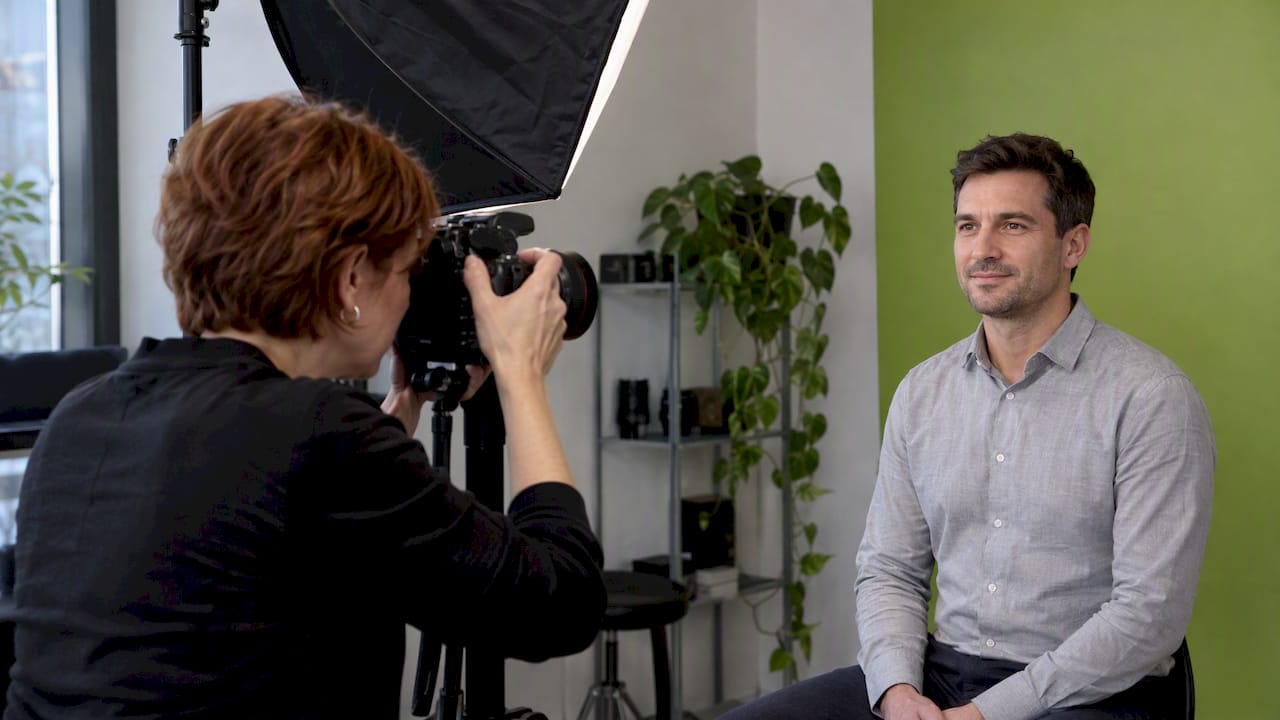

Video pre-production is everything you decide and arrange before the camera rolls: the goal, the message, the script, the storyboard or shot list, the budget, the crew, the locations, the schedule and the permissions. Do it well and the shoot is a matter of executing a plan. Skip it and you pay for the same decisions on set, with the crew waiting. This guide walks through each step in the order we work, with a checklist you can use on your next project, whether it is a brand film, a podcast episode or a batch of short-form reels.
TL;DR
- Pre-production is the planning phase of a video project. Start with the goal, audience and call to action, then build the script, shot list, schedule and logistics around them.
- Working out the story on paper is far cheaper than working it out in front of the lens.
- Get releases signed, locations confirmed and an approval owner named before shoot day.
- Plan for the finished video’s destinations (website, YouTube, Reels, TikTok, Shorts) now, so you shoot the right shapes and framing.
- Use the checklist in this guide as your sign-off: if every line is done, you are ready to film.
Table of Contents
- What video pre-production covers
- Step 1: Define the goal, audience and call to action
- Step 2: Develop the concept and message
- Step 3: Write the script
- Step 4: Storyboard and shot list
- Step 5: Budget, resources and people
- Step 6: Locations, schedule and permissions
- Video pre-production checklist
- The pre-production meeting
- Pre-production for podcasts and short-form video
- Common pre-production mistakes
- Our perspective
- Plan your next video with Idea Stream Marketing
- FAQ
- Sources
What video pre-production covers
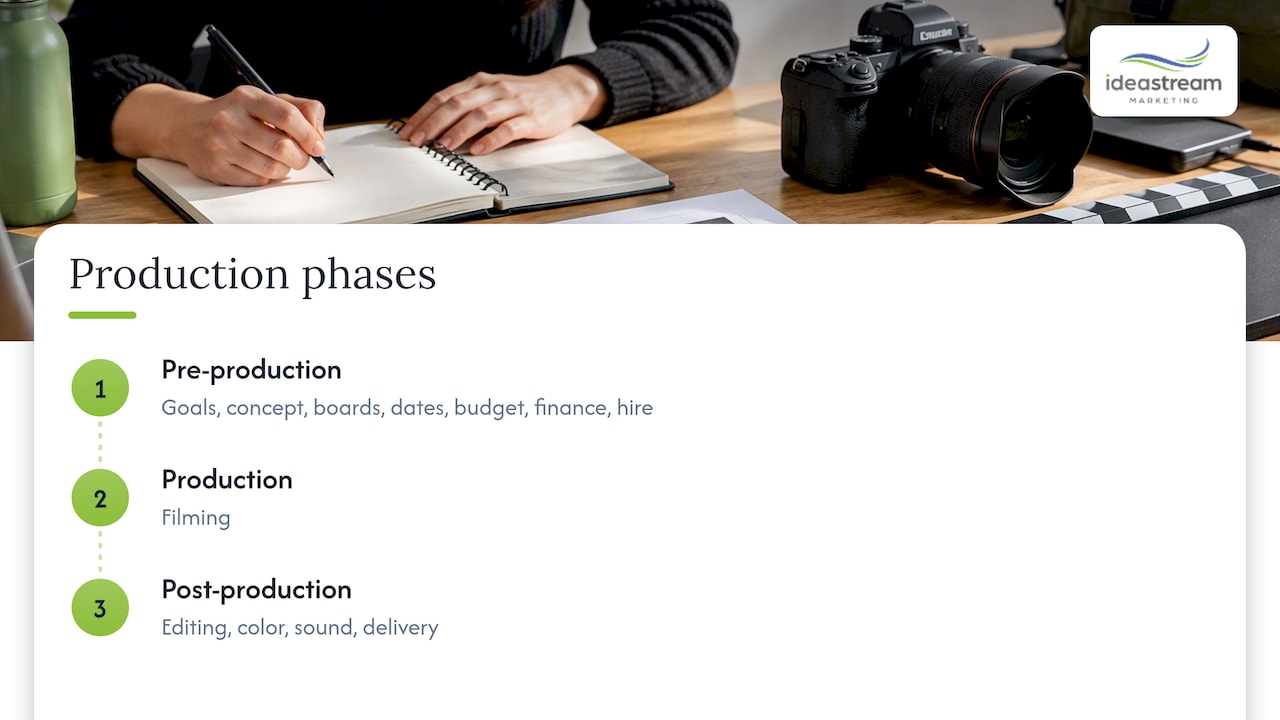
Production has three phases: pre-production, production (filming) and post-production (editing, color, sound, delivery). Pre-production is the first and, in our experience, the one that decides how the other two go. Adobe describes it as the initial and critical planning phase, covering goal setting, concept development, storyboarding, scheduling, budgeting, financing and hiring.
The payoff is simple. Problems found at the planning stage cost a conversation. The same problems found on set cost crew hours, reshoots or a weaker video. As Videomaker puts it, it is much less expensive to work out the story or message on paper than in front of the lens.
For a business, there is a second reason. A video is a marketing asset, and its job (generate leads, train staff, recruit, build trust) has to be defined before anyone picks a camera. Pre-production is where that job gets written down.
Step 1: Define the goal, audience and call to action
Every good plan starts with a short brief. Georgia Tech’s library guide says pre-production should begin by defining the project: the target audience, purpose, objectives, story and available resources such as budget, equipment, talent and time. Smartsheet makes the same point from a project-management angle: agree on objectives, audience, core concept and the reason for making the video at the start.
Write answers to these questions in a single page:
- Goal. What should this video accomplish? Book consultations, explain a service, recruit, train, build awareness?
- Audience. Who exactly is watching, and what do they already know?
- Message. What is the one idea they should leave with?
- Call to action. What should they do next?
- Format. Is video the right format, and where will it live?
- Success measures. How will you judge it?
That last question deserves care. One enterprise video brief recommends separating production acceptance from overall channel or business performance metrics. In plain terms: “the crew delivered what we approved” is one test, and “the video generated leads” is another. Define both so nobody argues about them later.
The Video Production Planning Worksheet from MSKTC is a useful model. It is designed to help an organization communicate its vision to an outside producer, assess feasibility and production limits, and name who will coordinate the shoot. If you hire a production company, that is the conversation your first call should have.
Step 2: Develop the concept and message
A focused video built around one clear idea is easier to follow and easier to act on. Georgia Tech’s guide notes that this gives viewers clearer instructions and understanding. For a business, “one idea” usually means one audience, one problem and one next step.
A few ways we keep concepts sharp:
- Start from the viewer’s question, not your service list. A homeowner asks “how do I know this contractor is reliable?” A patient asks “what will the visit be like?”
- Pick a format that fits the goal. Customer testimonials build trust, product videos explain, training videos teach, interview-style videos put a face to expertise.
- Look at what already works for your audience. When you study reference videos, a YouTube video to text workflow makes it faster to pull out structure, pacing and the points that landed.
- Decide the distribution plan now. A video built for your website homepage is framed differently from one cut for Instagram Reels, Facebook Reels, TikTok or YouTube Shorts.
For a deeper look at how video supports growth, see our piece on the role of video production in brand growth.
Step 3: Write the script
The script turns the concept into words and, just as important, into things the viewer will see. The University of California Agriculture and Natural Resources script guide recommends building the script from audience needs, key points, the action you want viewers to take, context, story, connections, steps and a call to action. It also advises reading the script aloud, showing rather than merely telling, and iterating through drafting, review and editing.
Practical rules we follow:
- Write for the ear. If a sentence is awkward to say, rewrite it.
- Front-load the point. Viewers decide quickly whether to keep watching.
- Show, don’t narrate. If the speaker says “our clean, modern office,” the camera should be showing it.
- Cut anything that does not serve the goal. Shorter usually wins, especially for social.
- Get one approver. Two rounds of feedback from a named owner beat six rounds from a committee.
We cover scripting in more detail in how to script marketing videos that captivate your audience.
Not every video needs a word-for-word script. Interviews, testimonials and podcasts often work better from a rundown: a list of topics and questions, with a few key lines you want captured. Send questions to guests ahead of time so they arrive prepared, but not rehearsed.
Step 4: Storyboard and shot list
A storyboard shows the sequence of frames. A shot list names every shot the crew must capture. You do not need both for every project, but you need at least one.
Vanderbilt’s video development process places information gathering first, then a design document, script, finalized storyboard, visual design and placeholder voice-over. Its storyboard template identifies each frame’s description, on-screen representation, voice-over and the items needed. That last column is the one many business storyboards forget: the props, graphics, locations or people required for the frame.
A workable shot list includes:
| Item | What to note |
|---|---|
| Shot number | Order of capture, not necessarily final edit order |
| Description | What the viewer sees |
| Framing | Wide, medium, close-up, overhead, drone |
| Movement | Static, handheld, slider, gimbal, aerial |
| Location | Where it is shot |
| Audio | Dialogue, voice-over, ambient sound, music |
| Needs | Props, wardrobe, graphics, people |
The shot list also saves money in post-production. When editors know the intended sequence, they spend time on polish rather than hunting for missing coverage. Our guide to video storyboard examples for business shows the six details crews need on set.
Step 5: Budget, resources and people
A budget is a set of decisions about trade-offs. The WIPO guide for independent filmmakers advises checking whether creative elements are compatible with available resources, citing examples like high talent salaries, famous music, expensive locations and costly post-production. The same logic applies at business scale: if the concept needs three locations, aerial footage and animation, the budget has to say so, or the concept has to shrink.
List your resources in these buckets:
- Crew. Director or producer, camera operator, sound, lighting, editor. A small corporate shoot may need only two or three people. Larger productions add more.
- Talent. Employees, customers, hired actors or a presenter. Prepare non-professionals with the questions, wardrobe guidance and a clear start time.
- Equipment. Cameras, lenses, lights, microphones, teleprompter, drone, batteries and storage.
- Post-production. Editing, color grading, motion graphics, captions, music licensing and deliverable versions.
- Contingency. Leave room for a pickup shot or a second edit round.
When you work with an outside producer, ask who the single point of contact is on each side. The MSKTC worksheet specifically asks who will coordinate the shoot and work with the producer. That person handles access, schedules and approvals.
Step 6: Locations, schedule and permissions
Scout the location
Adobe notes that a director and cinematographer should generally scout locations together to discuss which would and would not work. Visit at the time of day you plan to shoot. Check:
- Natural light and how it changes over the day
- Background noise: HVAC, traffic, nearby construction, flight paths on Long Island
- Power outlets, parking, loading access and elevators
- Space for lights and gear
- Whether the space can be cleared of customers or staff
Build the schedule and call sheet
Work backward from your publish date. Allow time for scripting, approvals, shooting, an edit, feedback rounds and final delivery. On shoot day, a call sheet gives everyone the same information: the location address, call times, contacts, shot order, weather plan and the nearest parking. Smartsheet’s checklist includes preparing a call sheet and scheduling as standard pre-production tasks.
Get releases signed
The Georgia Tech communications team states that all video or photo subjects should sign a model release form before filming, and that the forms should be kept on file. For businesses, that includes employees and customers who appear on camera. Also check location permission, music licensing and any restrictions on filming in medical, hospitality or other sensitive settings. If drones are involved, have your operator confirm the rules that apply to the flight location before the date is set. Ask your attorney about anything specific to your industry.
Video pre-production checklist
Use this as your final sign-off. If every line has an answer, you are ready to film.
Strategy
- [ ] Written brief with goal, audience, message and call to action
- [ ] Success measures agreed
- [ ] Named approval owner for each stage
- [ ] Distribution plan (site, YouTube, social, email, sales team)
Creative
- [ ] Script or interview rundown approved
- [ ] Storyboard, if the video is visual or animated
- [ ] Shot list including B-roll
- [ ] Graphics, logos, lower thirds and captions planned
- [ ] Music selected and licensed
Logistics
- [ ] Budget approved, with contingency
- [ ] Crew and talent confirmed
- [ ] Location scouted and permission in writing
- [ ] Schedule and call sheet sent
- [ ] Equipment, batteries, cards and backups checked
- [ ] Props and wardrobe ready
Legal
- [ ] Model releases for everyone on camera
- [ ] Location releases
- [ ] Music and stock footage licenses
Smartsheet’s pre-production checklist is a longer template that adds items like script breakdowns, tech scouting and music releases. For marketing-specific items, see our video content checklist for marketing pros.
The pre-production meeting
A kickoff meeting focuses the team on the project’s goals, and a written brief guides the approach, as Smartsheet’s planning resource recommends. A good meeting runs 30 to 60 minutes and covers:
- Goal and audience. Read the brief aloud and confirm it.
- Creative direction. Script, tone, look, references.
- Logistics. Dates, locations, who is on camera, access.
- Approvals. Who signs off, and by when.
- Deliverables. Lengths, aspect ratios and platforms.
- Risks. Weather, availability, noise, anything that could derail the day.
End with a written summary of decisions and next steps. Anything not in writing tends to be remembered three different ways.
Pre-production for podcasts and short-form video
The same principles apply, scaled to the format.
Business podcasts. Define the show’s audience and purpose, then plan episode topics, guest outreach, a recording schedule and a release cadence. Before a recording session, confirm the studio or room, microphones, guest bios, questions and releases. If you record video of the conversation, plan camera angles, set design and lighting as well as audio. Our team handles podcast production from planning through recording and editing.
Short-form reels. Instagram Reels, Facebook Reels, TikTok and YouTube Shorts are vertical, quick and sound-aware. Plan hooks for the first seconds, on-screen text for viewers watching without sound, and captions. Shoot with vertical framing in mind, or leave safe margins if you will crop from a wide shot.
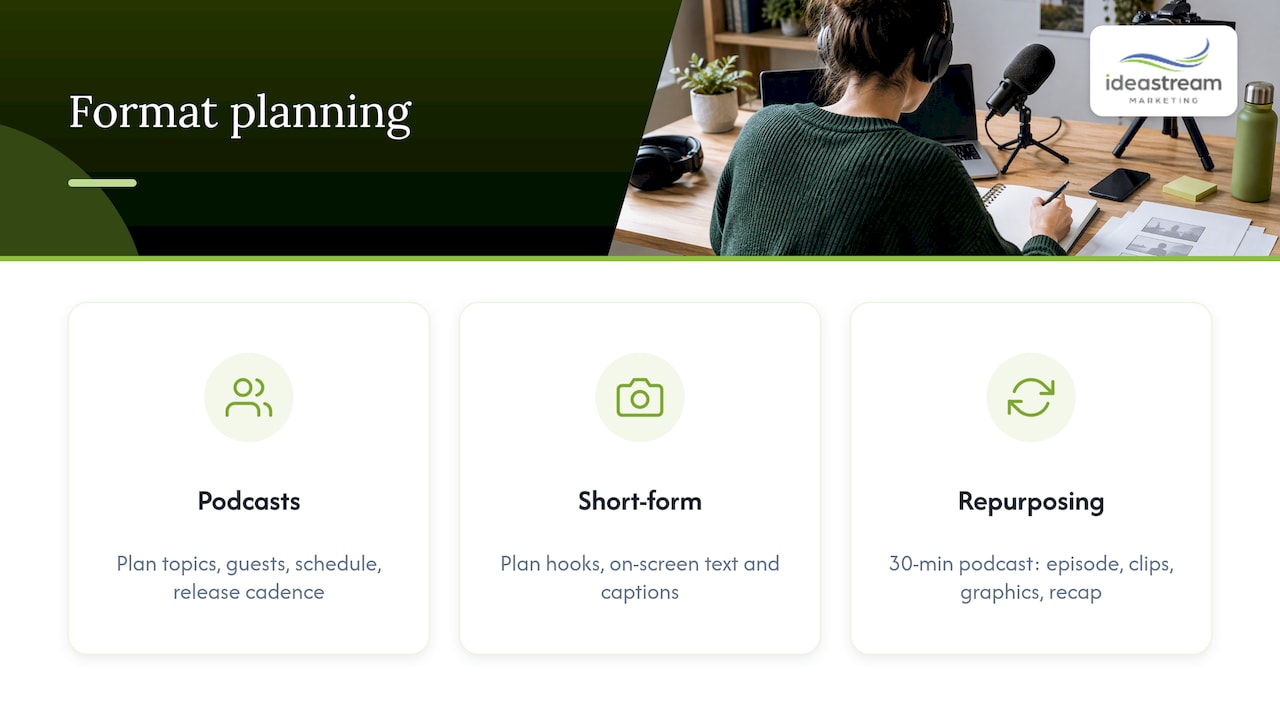
Repurposing. The most efficient plan is to shoot once and cut many. A 30-minute podcast or interview can yield a full-length episode for YouTube, several short clips for Reels, TikTok and Shorts, quote graphics and a written recap. Decide this in pre-production: capture clean audio on each speaker, frame for multiple crops, and flag the moments worth clipping in your rundown. Our video SEO best practices guide covers how titles, descriptions and transcripts help those clips get found.
Common pre-production mistakes
- No single approver. Feedback arrives late and contradicts itself.
- Vague goal. “A video about our company” is a topic, not a goal.
- Too many messages. One video, one idea.
- Skipping the scout. The location is loud, dark or unavailable on the day.
- Forgotten releases. Discovering a missing signature after the edit is expensive.
- Planning only for one platform. A widescreen shoot that cannot become vertical clips wastes content.
- No time for review. Build feedback rounds into the schedule.
Our perspective
Most video problems we see trace back to decisions that were never made, not to gear or talent. When we start a project, we want the goal, audience and next step written down before anyone talks about cameras.
We also plan with discoverability in mind. A video should be built to perform on your website, on YouTube, in search and on social platforms, so we think about titles, transcripts, captions and clip-ready moments while the script is still on paper. That is how one shoot becomes a month of content instead of a single upload.
Clients who invest an hour in a solid pre-production meeting tend to move faster through edits, because everyone already agreed on what “done” looks like. That is the approach we bring to every video and podcast project.
Dean Spinato, CEO & Founder of Idea Stream Marketing
Plan your next video with Idea Stream Marketing
We are a Long Island video production company and digital marketing agency. Our team supports projects from concept development and scripting through filming, drone cinematography, editing, color grading, motion graphics and delivery, plus podcast production, photography and short-form social video. If you would like help turning the checklist above into a real plan, we can walk through your goals and recommend the right scope.
SCHEDULE A CONSULTATION or ask about a studio session through our video production and marketing services. We work with businesses across Long Island, New York and the United States.
FAQ
How long does video pre-production take?
It depends on the project’s size and how fast approvals come back. A simple interview or testimonial can be planned in a week or two, while a multi-location brand film needs longer for scripting, scouting and scheduling. Work backward from your publish date and build in time for feedback.
What is the difference between pre-production, production and post-production?
Pre-production is planning: goals, script, storyboard, budget, crew, locations and permissions. Production is the filming itself. Post-production covers editing, color, sound, graphics and final delivery. Adobe’s guide lays out all three phases.
Do I need a storyboard for a business video?
Not always. Visual or animated videos benefit most, since a storyboard shows each frame and what it needs. Interviews and podcasts often work from a rundown and a shot list instead. Pick the lightest tool that gets everyone aligned.
Who should be involved in a pre-production meeting?
At minimum, the person who owns the goal and approvals, the producer or director, and whoever coordinates logistics on your side. Add the on-camera talent or a subject-matter expert if the content depends on their input. Keep the group small so decisions are quick.
Can I plan one shoot for both a long video and social clips?
Yes, and it is usually the most cost-effective approach. Decide the clip plan before shooting so the crew captures clean audio, flexible framing and the specific moments you want for Reels, TikTok and YouTube Shorts. This is especially useful for podcasts and interviews.
Sources
- Video production: A beginner’s guide, Adobe
- Why pre-production is essential for all videos and films, Videomaker
- Video Planning and Preproduction, Georgia Tech Library
- Complete Video Planning Resource, Smartsheet
- Enterprise Video Brief
- Video Production Planning Worksheet, MSKTC
- Creating a Video Script & Storyboard, UC Agriculture and Natural Resources
- Stages of the Video Development Process, Vanderbilt University
- Essential planning and producing checklist, WIPO
- Video Preproduction: Planning and Filming Guide, Georgia Tech
- Video Preproduction Checklist, Smartsheet
- YouTube Video to Blog Post workflow

