



September 25, 2026




TL;DR:
- A website chatbot is an AI-driven tool that automates visitor interactions, enhances lead generation, and supports customer service around the clock. Successful deployment depends on integrating live data, contextual triggers, and clear purpose, with measurable ROI through engagement and conversion rates. Starting with a focused goal, connected systems, and proper escalation paths ensures optimal performance and ongoing improvement.
A chatbot for websites is an AI-powered conversational interface embedded directly into a site to automate visitor interactions, answer questions, capture leads, and guide users toward a purchase or support resolution. The industry term for the most capable versions is conversational AI, though most marketers still use “website chatbot” as the working label. Platforms like ChatBot®, HubSpot, and Tidio have made deployment accessible to businesses of every size, and the gap between a simple FAQ widget and a full AI sales consultant has narrowed dramatically. This guide covers what you need, how to build it, and how to measure whether it’s working.
What is a chatbot for websites and why does it matter?
A website chatbot sits at the intersection of customer support, lead generation, and sales. It handles the questions your team answers repeatedly, qualifies visitors before they reach a human, and keeps your site working for you at 2 a.m. The core value is not novelty. It is availability and consistency.
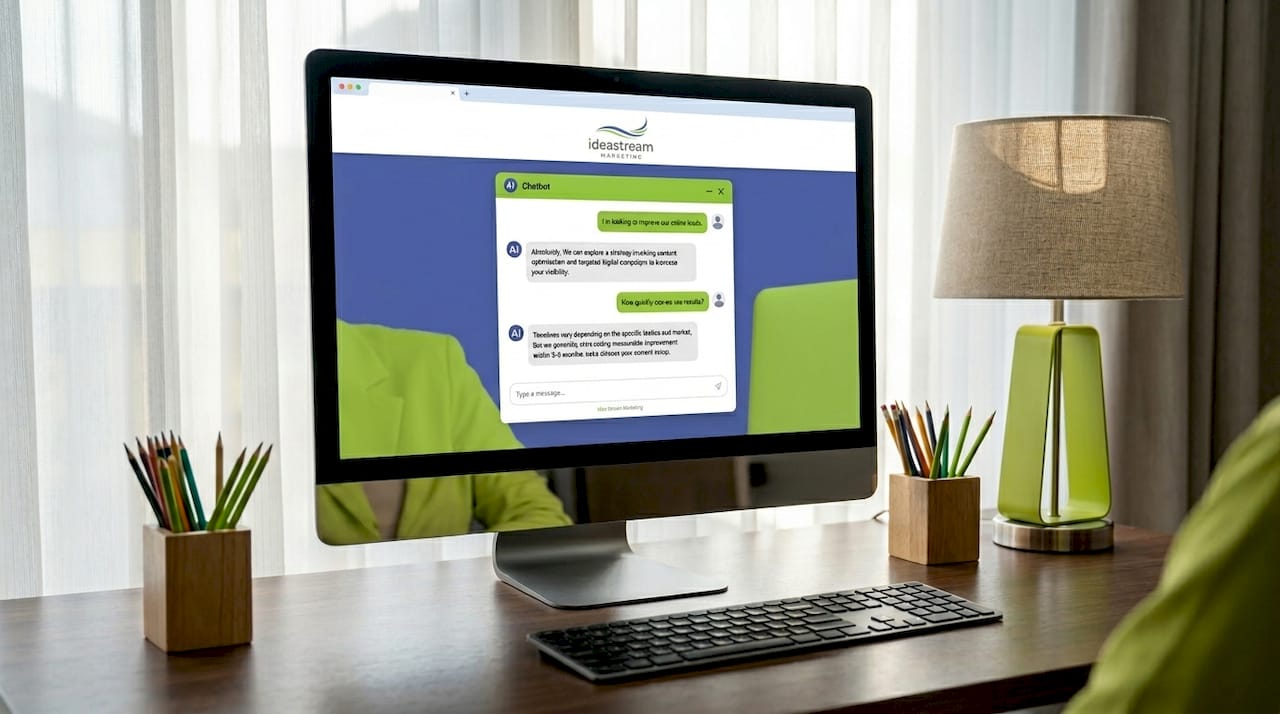
Three primary use cases drive most deployments. First, customer support chatbots deflect repetitive tickets by answering FAQs instantly. Second, lead generation bots collect contact details and qualify intent before routing to sales. Third, consultation bots act as expert advisors, asking clarifying questions and recommending specific products or services based on user input. Each type requires a different level of integration and a different definition of success.
The shift happening right now is from cost-saving support bots to revenue-driving consultation AI. That distinction matters for how you scope your project and what you measure afterward.
What tools and prerequisites do you need for chatbot integration?
Before you choose a platform, you need to answer three questions: What CMS or website platform are you running? What data will the chatbot draw from? And what does success look like in measurable terms?
Technical prerequisites
WordPress, Webflow, Shopify, and most modern CMS platforms support chatbot integration through either a plugin or a script tag. Legacy sites built on older HTML frameworks can still support a chatbot. Single script tag embedding works even without architecture changes, which removes the most common technical objection. API access matters more for consultation bots that need to pull live inventory, pricing, or CRM data.
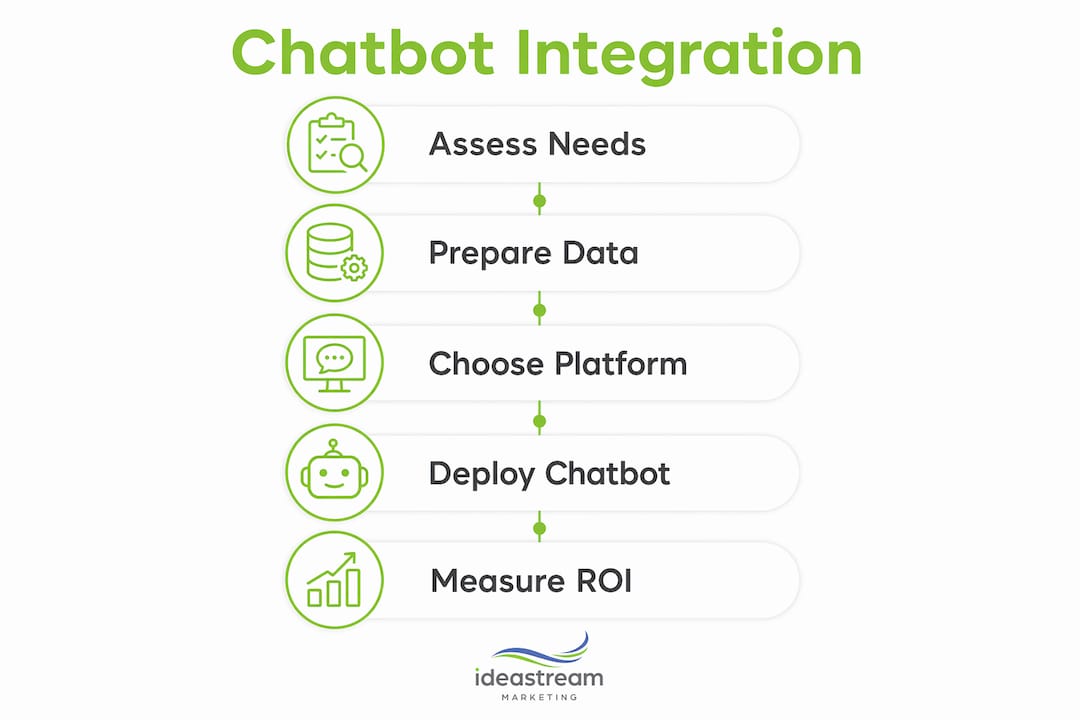
Data preparation is where most projects stall. You need a clean FAQ document, a structured product or service catalog, and ideally a connected CRM like HubSpot or Salesforce. The chatbot is only as accurate as the data behind it.
Platform comparison by pricing tier
Chatbot market pricing breaks into three clear tiers: under $50 per month for SMB tools, $50 to $100 per month for mid-market platforms, and $500 or more per month for enterprise autonomous agents. That range reflects a real difference in capability, not just branding.
| Platform | Pricing Tier | Best For |
|---|---|---|
| Tidio | Under $50/mo | Small business FAQ and live chat hybrid |
| HubSpot Chatbot | $50–$100/mo | Mid-market CRM-connected lead capture |
| Intercom | $100–$300/mo | SaaS and e-commerce with deep integrations |
| Drift | $500+/mo | Enterprise B2B sales and ABM workflows |
| Ovox AI | $197/mo flat rate | AI sales agent with no per-conversation fees |
Pro Tip: If you are a service business under 50 employees, start with a mid-market platform connected to your CRM before investing in enterprise tools. The data quality you build now will make any future upgrade far more effective.
How to implement a chatbot on your website step by step
The technical process is more straightforward than most business owners expect. The complexity lives in the content and data preparation, not the code.
- Crawl or prepare your site content. Export your FAQ pages, service descriptions, and product data into a structured format. This becomes the knowledge base your chatbot draws from. Gaps here produce wrong or vague answers.
- Create embeddings or an index for retrieval. AI chatbots using retrieval-augmented generation (RAG) search a vector index of your content to find the most relevant answer before responding. Tools like Pinecone, Weaviate, or built-in platform indexing handle this step. You do not need to write the code yourself if you use a managed platform.
- Deploy backend chatbot logic. For custom builds, services like Cloudflare Workers or a lightweight Node.js API handle the conversation logic. Managed platforms like HubSpot or Tidio handle this entirely on their end. The key decision is whether you need a custom backend for deep CRM or ERP integration.
- Embed the chatbot UI with a script tag. A single script tag placed before the closing “` tag on your site activates the chat widget. This approach avoids CMS plugin conflicts and works on virtually any site without touching the core architecture.
- Configure escalation paths. Every chatbot needs a clear handoff to a human agent when the conversation exceeds its capability. Set a trigger: after two failed responses, or when a user types “speak to someone,” the bot routes to live chat or a contact form. Skipping this step is the single most common reason users abandon chatbot interactions with frustration.
A production-ready, RAG-enabled chatbot on a legacy site takes roughly 2 hours to deploy and can run for as little as $3 to $5 per month for hundreds of weekly sessions. That figure applies to lean custom builds, not managed enterprise platforms.
Pro Tip: Use a single lightweight script tag for your initial deployment. It keeps your CMS clean, simplifies future updates, and lets you swap chatbot providers without touching your site’s core files.
Common challenges and best practices for chatbot deployment
Most chatbot projects underperform not because of bad technology but because of poor communication and shallow integration. Here is where deployments go wrong and how to fix each issue.
- Unclear purpose kills engagement. Users do not engage with chatbots that fail to communicate what they can actually do. A floating bubble with “Hi there!” tells a visitor nothing. Replace generic greetings with specific invitations: “Ask me anything about our pricing or services.” That one change measurably increases interaction rates.
- Generic placement reduces perceived value. A chatbot that appears on every page equally is a chatbot that gets ignored equally. Intent-based prompts triggered when a user spends more than 30 seconds on a complex product or pricing page outperform always-on widgets. Show the chatbot where it solves a real problem.
- Shallow integration produces wrong answers. A chatbot disconnected from your live CMS or product data will hallucinate outdated prices, discontinued services, or incorrect policies. High-performing chatbots have direct, read-only access to your CMS or PIM data so answers stay current without manual updates.
- FAQ bots and consultation bots serve different goals. A FAQ bot deflects support tickets and reduces operational cost. A consultation bot, connected to your product catalog and CRM, mimics an expert sales engineer and drives revenue. Deploying the wrong type for your goal is a common and expensive mistake.
- No monitoring means no improvement. Review chatbot conversation logs weekly for the first 90 days. Look for questions the bot answered incorrectly, topics it could not address, and points where users dropped off. Every gap in the logs is a content update that will improve performance.
The deeper principle here is that chatbot integration must be treated as a core product feature, not a UI add-on. Businesses that wire their chatbot into their CRM, CMS, and support systems see compounding returns. Businesses that deploy a standalone widget see diminishing engagement within weeks.
What does chatbot deployment actually cost and when will you see ROI?
Realistic expectations on time and money prevent the most common form of chatbot disappointment: a project that launches, gets ignored, and gets blamed on the technology.
Deployment timelines by chatbot type:
| Chatbot Type | Deployment Time | Monthly Cost Range |
|---|---|---|
| Simple FAQ widget | Under 1 hour | $0–$50 |
| AI sales agent widget | Under 10 minutes | ~$197 flat |
| CRM-connected lead bot | 1–3 days | $50–$300 |
| Custom RAG consultation bot | 1–2 weeks | $200–$1,000+ |
| Enterprise autonomous agent | 4–12 weeks | $500–$5,000+/mo |
Ongoing operational costs include platform fees, content maintenance, and periodic prompt tuning. These are lower than most businesses expect. A well-built mid-market chatbot running on HubSpot or Intercom typically costs less per month than one hour of a customer service representative’s time.
ROI metrics worth tracking from day one: engagement rate (percentage of visitors who interact), lead capture rate (contacts collected per 100 sessions), support deflection rate (tickets avoided), and conversion uplift (sales attributed to chatbot-assisted sessions). Most businesses see measurable lead capture improvement within the first 30 days if the chatbot is properly positioned and the content is accurate.
Pro Tip: Launch with a minimum viable chatbot covering your top 10 most common customer questions. Measure for 30 days, then expand the knowledge base based on actual conversation data rather than assumptions.
Key takeaways
A chatbot for websites delivers the most value when it is tightly integrated with live business data, deployed contextually based on user intent, and built with a clear purpose that visitors can immediately understand.
| Point | Details |
|---|---|
| Define purpose before platform | Choose FAQ, lead capture, or consultation bot based on your primary business goal. |
| Use single script tag deployment | Embed via one script tag to avoid CMS conflicts and simplify future maintenance. |
| Connect to live data sources | Link your chatbot to CMS or CRM data to prevent outdated or inaccurate responses. |
| Show chatbot contextually | Trigger the widget based on user intent signals, not as a permanent floating icon. |
| Measure from day one | Track engagement rate, lead capture, and support deflection to prove and improve ROI. |
What I’ve learned from deploying chatbots on real business sites
The biggest mistake I see business owners make is treating a chatbot as a set-it-and-forget-it tool. They install a widget, write five FAQ responses, and expect it to generate leads. It does not work that way. The chatbot reflects the quality of the thinking you put into it.
What actually works is starting with a specific, narrow goal. One client we worked with at Idea Stream Marketing wanted to reduce the volume of “What are your hours and pricing?” calls. We built a simple, well-labeled chatbot covering exactly those two topics, deployed it on the contact and services pages only, and saw a 40% drop in those calls within the first month. No AI, no RAG, no enterprise platform. Just clear purpose and smart placement.
The more sophisticated lesson came from a product-based client who needed a consultation bot. We connected their chatbot to a live product feed and trained it to ask clarifying questions before making recommendations. The difference between that bot and a generic FAQ widget is the difference between a knowledgeable sales associate and a vending machine. Users stayed in the conversation longer, asked follow-up questions, and converted at a higher rate.
I am also cautious about over-automating the handoff. Every chatbot I recommend includes a visible, low-friction path to a real person. Users who feel trapped in an automated loop do not just leave the chat. They leave the site. Build the escape hatch before you build anything else.
The AI in marketing space moves fast, but the fundamentals of good chatbot design have not changed: know your user, know your data, and know when to hand off to a human.
— Dean
Ready to add a chatbot that actually converts?
At Idea Stream Marketing, we build chatbot integrated marketing systems that connect directly to your CRM, website content, and lead generation workflows. We do not drop a generic widget on your site and call it done. We design chatbot experiences around your specific business goals, whether that means capturing more leads, reducing support volume, or guiding visitors toward a purchase decision.
Our team combines AI-powered SEO services with conversion-focused web design to make sure your chatbot works as part of a larger growth system, not as an isolated feature. If you are ready to deploy a chatbot that earns its place on your site, schedule a consultation with our team today.
FAQ
What is a chatbot for websites?
A chatbot for websites is an AI-powered conversational interface embedded into a site to automate visitor interactions, answer questions, and capture leads. Modern versions use natural language processing to understand user intent and respond with relevant, accurate information.
How long does it take to implement a chatbot?
Simple FAQ widgets deploy in under an hour, while CRM-connected lead bots typically take one to three days. Custom RAG-enabled consultation bots built on platforms like Cloudflare Workers can go live in approximately two hours for a basic version.
What is the difference between live chat and a chatbot?
Live chat connects visitors to a human agent in real time, while a chatbot automates responses using pre-built logic or AI. Many platforms combine both, using the chatbot to handle initial questions and escalating to a live agent when needed.
How much does a website chatbot cost per month?
Pricing ranges from free or under $50 per month for SMB tools to $500 or more per month for enterprise autonomous agents. Mid-market platforms like HubSpot and Intercom typically fall between $50 and $300 per month depending on features and contact volume.
How do I measure chatbot ROI?
Track engagement rate, lead capture rate, support ticket deflection, and conversion uplift from chatbot-assisted sessions. Most businesses with properly configured bots see measurable lead capture improvement within the first 30 days of deployment.