



September 26, 2026




TL;DR:
- Effective WordPress development relies on modern tools, secure plugin architecture, and disciplined theme customization to ensure site speed, security, and maintainability. Utilizing tools like @wordpress/build, Elementor, and best practices such as conditional asset loading and plugin separation helps businesses create scalable, reliable websites. Adopting these strategies early enables faster iteration, better SEO, and long-term cost savings for business growth.
WordPress development is the process of building and customizing websites using the WordPress CMS platform to create scalable, high-performing online presences for businesses of every size. It covers everything from WordPress site design and plugin architecture to theme customization and performance optimization. Tools like Elementor, VS Code with PHP Intelephense, and the new @wordpress/build tooling have made custom WordPress websites faster to build and easier to maintain than ever before. Whether you are launching your first business site or rebuilding an existing one, understanding the full development workflow gives you a real competitive edge in 2026.
What are the essential tools for WordPress development?
The right development environment is the foundation of every successful WordPress project. Local environments like LocalWP or DevKinsta let you build and test without touching a live server, which protects your business site from costly mistakes. Git handles version control, while Node.js and npm power the modern JavaScript build pipeline that WordPress now depends on.
The biggest shift in 2026 tooling is the arrival of @wordpress/build. Build times dropped from several minutes to mere seconds for projects with over 100 packages. That kind of speed improvement means developers can iterate faster, test more frequently, and ship better code to your site. Beyond speed, @wordpress/build auto-generates PHP registration files, which removes a significant layer of manual configuration overhead.
For visual design, Elementor powers over 5.07% of the world’s top 1 million websites, making it the most widely adopted page builder in professional WordPress work. Its drag-and-drop interface lets business owners prototype layouts without writing a line of code, while developers can extend it with custom widgets and dynamic content. The combination of a strong local environment and a capable page builder covers the full spectrum from back-end logic to front-end presentation.
| Tool | Use Case | Key Benefit |
|---|---|---|
| LocalWP / DevKinsta | Local development environment | Safe testing without affecting live site |
| @wordpress/build | Build automation and asset bundling | Reduces build time from minutes to seconds |
| Elementor | Visual page builder and theme design | Drag-and-drop design with dynamic content support |
| Git + GitHub | Version control | Tracks changes and enables team collaboration |
| VS Code + PHP Intelephense | Code editing | Autocomplete, error detection, and PHP intelligence |

Pro Tip: Install the PHP Intelephense extension in VS Code and set it as your default PHP language server. It catches type errors and undefined functions before you ever run the code, which saves hours of debugging on complex plugin projects.
How to develop custom WordPress plugins to extend site functionality
A WordPress plugin is a self-contained package of PHP code that adds or modifies site behavior without touching the core files or the active theme. This separation is what makes plugins the right place to store custom business logic. If you add functionality directly to a theme, you lose it the moment you update or switch themes.
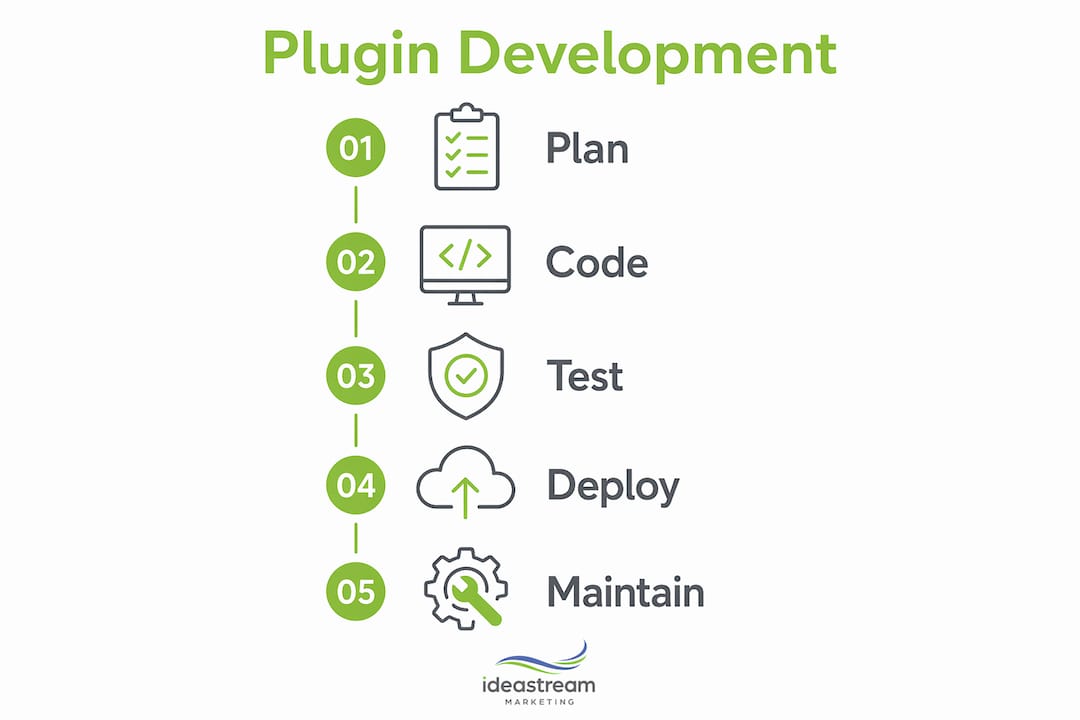
Building a plugin follows a clear six-step workflow: planning the feature scope, setting up a local environment, designing a modular architecture, implementing security, optimizing performance, and running compliance testing. Here is how each step breaks down in practice:
- Create the plugin folder and main PHP file. Place your folder inside “wp-content/plugins/`. The main file needs a plugin header comment with fields like Plugin Name, Description, Version, and Author. WordPress reads this comment to register the plugin in the admin dashboard.
- Register your functionality using hooks. WordPress uses an event-driven system built on Actions and Filters. Misuse of Actions vs Filters is a primary cause of unstable and insecure plugins. Actions execute tasks at specific points in the page lifecycle. Filters intercept and modify data before it is output. Confusing the two creates bugs that are extremely difficult to trace.
- Apply security from line one. Security hardening from the start using sanitization, escaping, nonce verification, and capability checks reduces vulnerabilities and saves development costs. Sanitize all incoming data with functions like
sanitize_text_field(). Escape all output withesc_html()oresc_attr(). Usewp_verify_nonce()on every form submission. - Structure code with OOP and namespaces. Professional plugins use Object-Oriented Programming with namespaces as the industry standard for commercial WordPress work in 2026. A namespace like
MyBusinessFeatureNameprevents your code from colliding with functions in other plugins. Classes also make unit testing far more practical. - Load assets conditionally. Only enqueue scripts and stylesheets on the pages where your plugin actually runs. Conditional asset loading reduces frontend load time overhead by significant margins, which directly affects page speed scores and user experience.
- Test before deployment. Layered testing with Plugin Check ensures stability and security before your plugin goes live. Plugin Check is a free tool from the WordPress.org team that flags coding standard violations, security issues, and performance problems automatically.
Pro Tip: Run the WordPress Plugin Check tool on every plugin you build before deploying to production. It catches issues that manual code review often misses, including deprecated function calls and missing text domain declarations.
What are best practices for WordPress theme customization and site design?
Themes control the visual presentation of a WordPress site. Plugins control functionality. Keeping these two responsibilities separate is the single most important architectural decision you will make when building a custom WordPress website. When you blur that line, you create a site that is fragile and expensive to maintain.
The most common mistake business owners make is editing the active theme’s functions.php file directly. Custom code added to functions.php gets erased the moment the theme updates. The correct approach is to place all custom functionality inside a plugin, or at minimum inside a child theme that inherits from the parent. Child themes let you override specific template files and styles without touching the parent theme’s core files.
Elementor’s AI Site Planner accelerates the design phase by generating a first draft of your site structure based on your business type and goals. This is particularly useful for entrepreneurs who need to move quickly without hiring a full design team. You can then layer in dynamic content, custom post types, and conditional display logic to personalize the experience for different visitor segments.
Here are the practices that keep a WordPress site stable and maintainable over time:
- Always use a child theme when modifying a premium or third-party theme
- Store all custom PHP functions in a site-specific plugin, not in
functions.php - Use the WordPress Customizer or theme options panels for style changes rather than direct CSS edits
- Document every customization with inline comments so future developers understand the intent
- Test theme updates on a staging environment before pushing to production
- Use Elementor’s web design capabilities to build layouts that stay intact regardless of theme updates
Following these practices means your site survives every WordPress core update, theme update, and plugin update without breaking. That reliability directly protects your business’s online presence and the revenue that depends on it.
How to enhance WordPress website performance and security
Performance and security are not optional features. They are the baseline requirements for any business website that expects to rank on Google and convert visitors into customers. A slow or compromised site loses both traffic and trust simultaneously.
On the performance side, conditional asset loading is the highest-impact change most sites can make immediately. Loading scripts and stylesheets only on the pages that need them reduces the total page weight for every other page on the site. Combine this with @wordpress/build’s automated asset management, and you get a leaner, faster front end without manual optimization work on every release.
Security hardening follows the same principle of doing the right thing early. Input sanitization, output escaping, nonce verification, and capability checks should be present in every form, AJAX handler, and REST API endpoint your site uses. These four practices address the most common attack vectors in WordPress: SQL injection, cross-site scripting, cross-site request forgery, and privilege escalation. Skipping any one of them leaves a door open.
Common performance pitfalls to avoid include loading full plugin asset libraries on every page, running unindexed database queries inside loops, and registering multiple conflicting versions of the same JavaScript library. Each of these issues compounds over time as your site grows. Catching them early through code review and performance profiling with tools like Query Monitor saves significant remediation costs later. Pairing strong development practices with a solid CMS management strategy keeps your site performing at its best as content scales.
How can businesses leverage WordPress development to grow online?
Clean, well-structured WordPress code produces measurable SEO benefits. Search engines reward fast load times, mobile-friendly layouts, and semantically correct HTML. All three of these outcomes are direct results of disciplined WordPress development practices. A site built with conditional asset loading, proper heading hierarchy, and schema markup gives your SEO team a much stronger foundation to work from.
Site reliability also connects directly to revenue. Every minute of downtime or every broken page costs you potential customers. Event-driven architecture, where custom code hooks into WordPress actions rather than overwriting core files, means updates rarely break anything. That stability keeps your site available and functional for the visitors who matter most.
Dynamic content powered by Elementor lets you personalize the visitor experience based on user behavior, location, or referral source. This kind of personalization increases engagement and reduces bounce rates, both of which signal quality to search engines. You can take this further with split testing. Running a split test in Elementor lets you compare two versions of a page element to find which one drives more conversions. For businesses running paid traffic, even a small conversion rate improvement compounds into significant revenue gains over time.
- Prioritize mobile-first design to capture the majority of web traffic
- Use schema markup to improve how your pages appear in Google search results
- Connect your WordPress site to your CRM and email platform for automated lead capture
- Run WordPress A/B testing regularly on landing pages and calls to action
- Monitor Core Web Vitals monthly and treat regressions as urgent fixes
Key takeaways
Effective WordPress development requires the right tools, clean plugin architecture, disciplined theme customization, and security practices applied from the very first line of code.
| Point | Details |
|---|---|
| Use modern build tooling | @wordpress/build cuts build times from minutes to seconds, accelerating every project. |
| Separate plugins from themes | Store all custom functionality in plugins, not in functions.php, to survive updates. |
| Apply security from the start | Sanitization, escaping, nonce verification, and capability checks must be present in every plugin. |
| Load assets conditionally | Only enqueue scripts and styles on pages that need them to protect page speed. |
| Test before every deployment | WordPress Plugin Check catches security and compliance issues before they reach production. |
What I’ve learned building WordPress sites for real businesses
After working with businesses across Long Island and beyond, the pattern I see most often is this: a company invests in a beautiful WordPress site, then slowly watches it degrade because every customization was dropped directly into the theme. Six months later, a routine theme update wipes out months of work. The fix is not complicated, but it requires discipline from day one.
The second mistake I see constantly is treating plugins as a collection of unrelated functions rather than a coherent system. When every feature is its own isolated snippet with no shared architecture, the site becomes impossible to maintain. Adopting OOP with namespaces and an event-driven approach from the start changes everything. Your code becomes predictable, testable, and safe to hand off to another developer without a lengthy explanation.
The tools available in 2026 genuinely make this easier than it has ever been. @wordpress/build removes the friction from modern JavaScript workflows. Elementor’s AI Site Planner shortens the design phase dramatically. The WordPress Plugin Check tool catches issues before they reach your customers. The businesses that adopt these tools early and build good habits around them will have sites that are faster, more secure, and far less expensive to maintain over time. That is not a theoretical benefit. It shows up directly in your Google rankings, your conversion rates, and your monthly development costs.
— Dean
Ready to build a WordPress site that actually performs?
At Idea Stream Marketing, we build custom WordPress websites designed to rank, convert, and scale alongside your business. Our team combines disciplined development practices with AI-powered SEO services to make sure your site does not just look good but actually drives measurable growth. From plugin architecture to data-driven web design, every project we take on is built to perform from day one.
If you are ready to stop patching a site that was never built right and start with a foundation that supports your business goals, we would love to talk. Schedule a consultation with our team and let’s map out what your WordPress site should actually be doing for you.
FAQ
What is WordPress development?
WordPress development is the practice of building, customizing, and optimizing websites using the WordPress CMS platform. It includes plugin development, theme customization, performance optimization, and security hardening.
How long does it take to develop a custom WordPress site?
A straightforward business site typically takes two to six weeks, depending on the complexity of custom plugin requirements, design scope, and content volume. Sites with custom post types, API integrations, or advanced Elementor layouts take longer.
Why should I use a plugin instead of editing my theme?
Custom code added directly to a theme’s functions.php file is erased when the theme updates. Storing functionality in a plugin preserves it through every theme and core update, protecting your investment.
What makes WordPress plugins secure?
Secure plugins apply input sanitization, output escaping, nonce verification, and user capability checks on every data interaction. These four practices address the most common WordPress attack vectors, including SQL injection and cross-site scripting.
Can WordPress handle large business websites?
Yes. WordPress scales effectively when built with OOP architecture, conditional asset loading, and a well-configured hosting environment. Many enterprise-level sites with thousands of pages run on WordPress without performance issues.