



September 8, 2026

Edit for the platform first, open with a hook in the first two seconds, and batch your repurposing into one sitting. That single approach, backed by workflow guidance from Sprout Social and editing rules from Adobe, cuts editing time while raising watch time. Add captions, keep effects minimal, and export one long shoot into several short clips instead of filming for every platform separately.
TL;DR:
- Creating short-form videos from one long shoot should focus on modular content, with clips between 15 and 60 seconds generating the strongest reach.
- Following a six-step editing workflow—assembly, pacing, focus, audio, captions, and platform adjustments—ensures consistency and saves time.
- Batch editing tasks such as cutting hooks or proofreading captions reduces decision fatigue and speeds up the overall process.
- Hiring a professional production partner makes sense when volume or quality drops below desired standards or when the creator prefers to focus on content strategy.
Table of Contents
- Social Media Video Editing Tips That Actually Move Engagement
- Which Editing Tools Fit Which Job?
- What Is a Repeatable Six-Step Editing Workflow?
- How Do You Turn One Shoot Into Many Posts?
- What Export Settings Keep Videos Looking Sharp?
- When Does It Make Sense to Bring In a Video Production Partner?
- Why Efficiency Beats Perfection in Short-Form Editing
- Ready to Turn One Shoot Into a Month of Content?
- Sources
- FAQ
Social Media Video Editing Tips That Actually Move Engagement
Most creators lose viewers in the first two seconds, not the last twenty. Fixing that one habit does more for retention than any transition or filter ever will.
Here are seven changes worth making before your next upload:
- Hook in the first 1 to 2 seconds. Lead with the payoff, the surprising claim, or the finished result, then explain how you got there.
- Cut dead air aggressively. Short-form performs best with beats every 2 to 3 seconds, so trim pauses, throat-clears, and “so, um” moments without mercy.
- Caption everything, then proofread the captions. Auto-caption tools misread names, numbers, and industry terms constantly.
- Build a template and brand kit once. Reuse fonts, lower thirds, and color presets so you’re not rebuilding your look every time.
- Go light on effects. Adobe’s editing guidelines recommend using transitions sparingly. Add a zoom or whip pan only when it actually redirects attention.
- Clean up audio before anything else. Normalize levels, remove background hum, and duck music under dialogue so viewers aren’t reaching for the volume button.
- Batch similar edits together. Cut all your hooks in one pass, all your captions in another. Task switching is what actually slows editors down.
Pro Tip: Watch your first draft with the sound off. If you can’t tell what’s happening from the visuals and captions alone, the hook isn’t strong enough yet.
Which Editing Tools Fit Which Job?
The right tool depends on the task, not the trend. Trying to do everything in one app is usually what makes editing feel slower than it should.
- Mobile quick editors handle fast turnarounds: trimming a clip, adding a caption, posting within the hour. Best for reactive content and daily posting rhythm.
- Browser-based template editors like Canva’s social video tools speed up production using templates, stock media, and built-in captioning, which suits creators who need consistency without a steep learning curve.
- Transcript-first editors work best for interview or podcast footage, since you edit by reading and deleting text rather than scrubbing a timeline. That’s the fastest path from a long recording to several short clips.
- Desktop non-linear editors (NLEs) are for final polish: color correction, multi-track audio mixing, and motion graphics that template tools can’t match.
Free tools usually cover creators posting a few times a week. Once you’re publishing daily or managing multiple client accounts, upgrade based on export flexibility, caption accuracy, batch export support, and whether your team can collaborate in the cloud without passing files back and forth.
What Is a Repeatable Six-Step Editing Workflow?
A workflow built around fixed passes, rather than one long editing session, is what actually saves time on a weekly basis. Sprout Social’s research on social workflows points to the same conclusion: structure beats improvisation for both speed and output quality.
- Assembly cut. Skim your raw footage, timestamp the strong moments, and pull candidate clips into a rough sequence. Don’t edit yet, just gather.
- Pacing pass. Remove filler words, long pauses, and anything that doesn’t earn its place. This is where most of your runtime disappears.
- Focus pass. Add zooms, text callouts, and cutaways that direct attention to the point you’re making, not decoration for its own sake.
- Audio pass. De-noise the dialogue, normalize levels across clips, apply light compression, and duck any music under voice.
- Caption pass. Auto-generate captions first, then proofread every line and style them to match your brand kit.
- Platform pass. Set the correct aspect ratio, check safe zones for on-screen text, and export with the right preset for each destination.
Pro Tip: Do your platform pass last, every time. Reordering aspect ratio and safe-zone checks earlier almost always means redoing them once captions shift the layout.
Following the same six passes on every project means less decision fatigue and fewer surprises during export, which is exactly the kind of consistency Hootsuite recommends when it separates content creation from scheduling as two distinct tasks.
How Do You Turn One Shoot Into Many Posts?
Plan your talking points as standalone modules before you ever hit record, and repurposing stops being an afterthought. Postory’s research on short-form video performance shows vertical clips between 15 and 60 seconds drive the strongest reach, which makes one long recording your most valuable raw material.
- Structure interviews or talking-head segments into distinct 30 to 90 second topics so each one works without the surrounding context.
- Map one long-form asset into a repurposing tree: an 8 to 12 minute interview can realistically produce 4 to 8 short clips, one or two long-form pillar posts, a transcript-based article, and several quote graphics.
- Batch your captioning and platform exports in one sitting rather than reopening the project for each platform separately.
- Set a publishing cadence, 2 to 3 short clips a week from a single shoot, so your audience sees a steady rhythm instead of feast-or-famine posting.
What Export Settings Keep Videos Looking Sharp?
A video that looks fine on your desktop can look soft, cropped, or unreadable once it hits a phone screen. Getting the specs right before export saves a second round of fixes.
- Aspect ratio: 9:16 for Instagram Reels, Facebook Reels, TikTok, and YouTube Shorts; 16:9 for long-form YouTube; 1:1 for some feed placements.
- Resolution and codec: 1080×1920 at H.264 tends to give the most consistent playback across platforms with the least upload friction, based on cross-platform testing from FlowVideo AI.
- Captions: burn captions directly into the frame rather than relying on platform auto-captions, since burned-in text stays legible regardless of a viewer’s caption settings and proofs cleanly before you publish.
- Music: license tracks through commercial libraries and confirm commercial-use rights before posting, since platform takedowns and copyright disputes are far more common with unlicensed audio than most creators expect.
Before publishing, drop your export into an actual in-feed preview. Text that reads fine in the editor sometimes lands right behind a platform’s username overlay or like button.
When Does It Make Sense to Bring In a Video Production Partner?
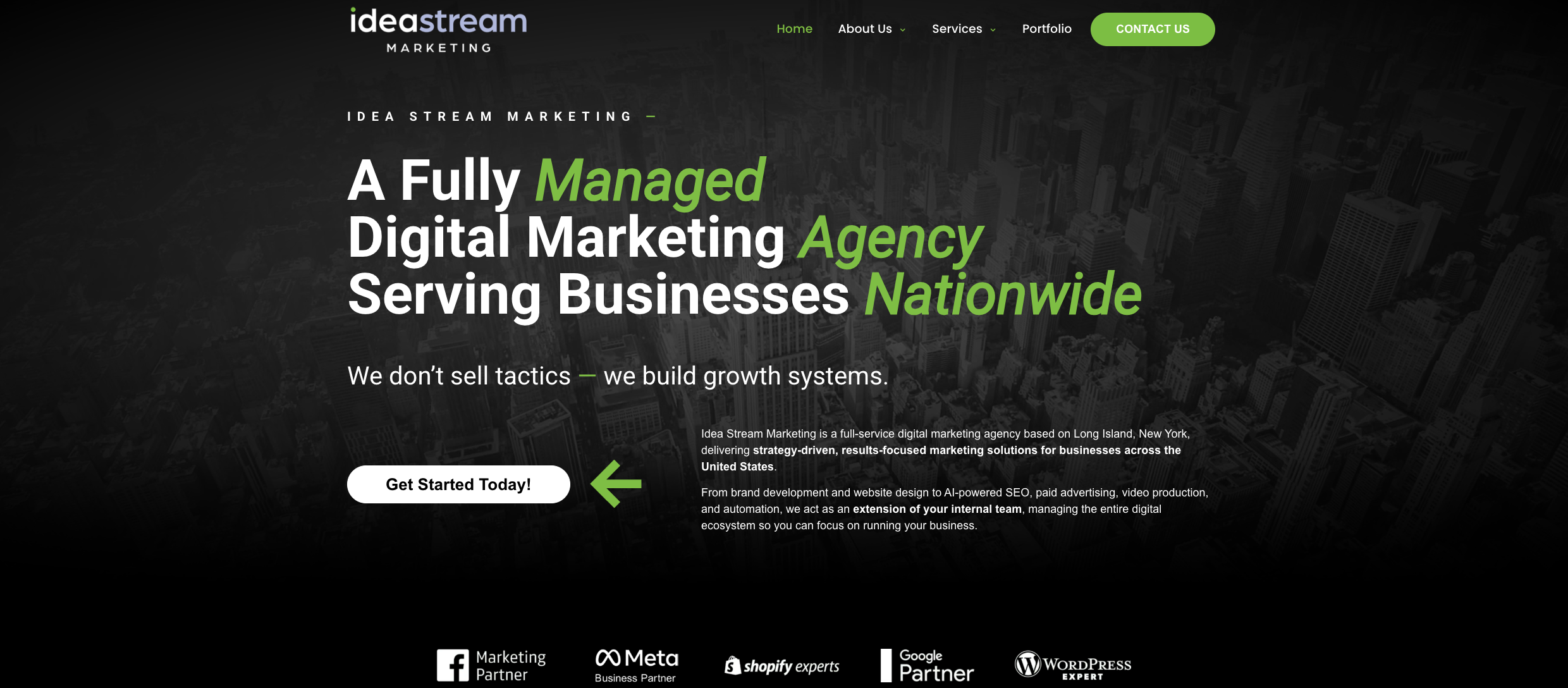
Idea Stream Marketing runs full production and post-production for businesses across Long Island and nationwide, from corporate video production to podcast recording and short-form repurposing. A typical short-form package turns one studio session or podcast episode into a batch of platform-ready clips: trimmed, captioned, and exported to spec for common short-form video platforms.
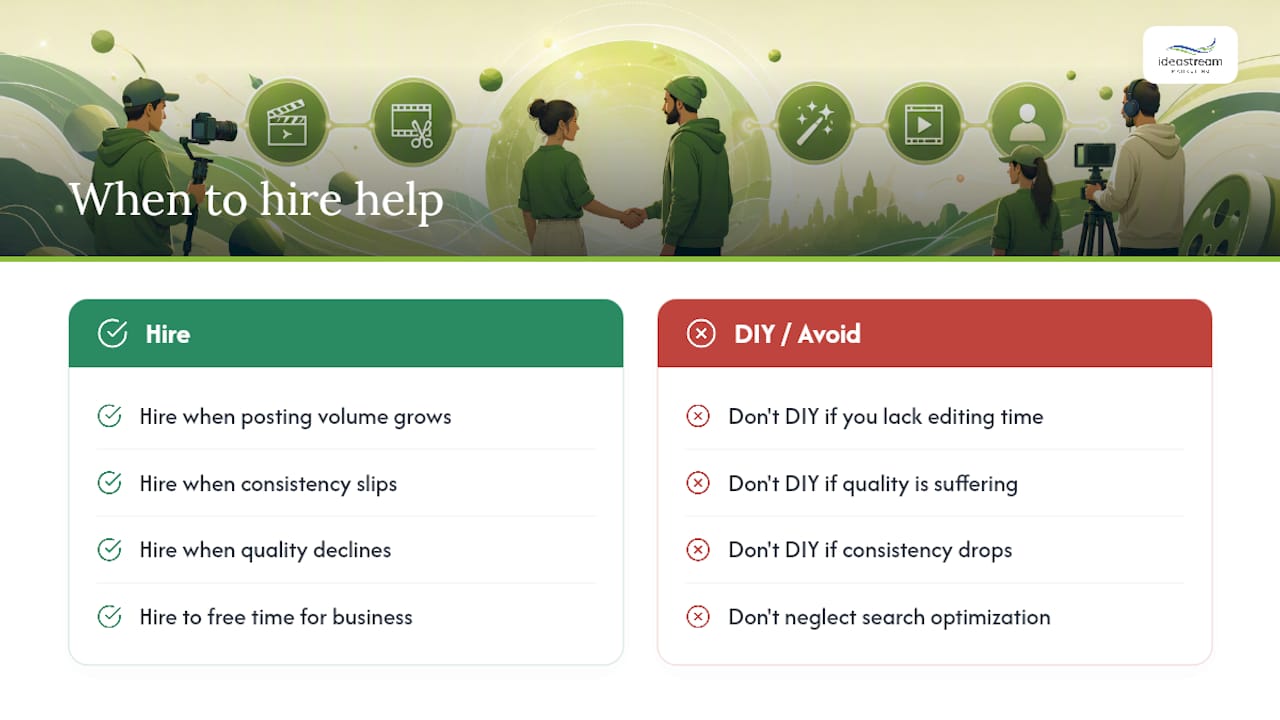
DIY editing works well when you’re posting a few times a week and have the time to run the six-pass workflow yourself. Hiring a partner makes sense once volume, consistency, or quality starts slipping, or when you’d rather spend that time on the business itself. Idea Stream Marketing also builds videos with search visibility in mind, structuring titles, captions, and metadata to perform in both traditional search and AI-powered platforms.
Why Efficiency Beats Perfection in Short-Form Editing
Most advice on social media video editing still treats each platform as its own production. That’s backwards. The creators and small businesses getting the best return on their time treat one shoot as raw material for a dozen different outputs, not one finished product.
The conventional wisdom oversells polish. A slightly rougher clip that posts on schedule beats a flawless one that sits in a project file for two weeks. What the research on workflow and repurposing actually supports is structure: fixed editing passes, a repurposing tree planned before the camera rolls, and captions treated as non-negotiable rather than optional.
If there’s one place to start, it’s the assembly-to-platform workflow, not the software. Tools change every year. A repeatable process doesn’t. Get that right first, then decide whether AI-assisted trimming or a browser template editor fits your specific bottleneck. Chasing new software before fixing your process is how most creators stay slow.
Ready to Turn One Shoot Into a Month of Content?
Idea Stream Marketing gives creators and small businesses a done-for-you alternative to the DIY workflow covered above, without a full production crew or a long-term commitment. A single podcast recording or studio session gets edited into a month’s worth of platform-native clips: hooks trimmed, captions styled, and exports formatted for Instagram Reels, Facebook Reels, TikTok, and YouTube Shorts.
Packages typically fit three situations: creators who need short-form repurposing from existing footage, businesses launching a podcast and wanting it turned into weekly social clips, and companies that need a full video production day, filmed and edited, delivered as ready-to-post content. A consultation covers your current content volume, target platforms, and turnaround needs, then maps out deliverables and a production timeline before any camera rolls.
If you want studio-level short-form content without building the editing pipeline yourself, schedule a consultation with Idea Stream Marketing and find out what a single shoot day could produce for your next month of posts.
Sources
- Social media workflow (Sprout Social)
- Social media content creation (Hootsuite blog)
- Video editing for social media: 5 tips to follow (Adobe)
- Free Social Media Video Creator (Canva)
- Intellectual property and social media usage (Mika Mooney Law)
FAQ
What Is the Best Video Editing Approach for Social Media?
The most effective approach combines a fast hook, platform-specific formatting, and burned-in captions, edited through a repeatable workflow rather than a one-off session. Businesses that want this handled without building their own process often turn to a production partner for consistent output.
How Do People Typically Edit Videos for Social Media?
Most creators follow a version of assemble, pace, refine, then adjust for platform, using mobile apps for quick turnarounds and desktop editors for polished, longer-form pieces. Batching similar edits together, rather than finishing one video start to finish before starting the next, tends to save the most time.
What Is the 3:2:1 Rule in Video Editing?
Definitions vary by creator and platform, so treat any specific version cautiously. It’s generally used as a shorthand for prioritizing story structure, pacing, and a strong finish over technical polish, rather than a fixed technical standard.
What Does the 80/20 Rule Mean in Video Editing?
It generally refers to spending roughly 80% of your editing time on story, pacing, and hook strength, and only 20% on visual polish like effects and color grading. That ratio lines up with editing guidance recommending restraint with transitions and decorative effects in favor of clear, fast-moving cuts.