






To automate lead routing, capture every lead in one system, apply a short set of ordered rules (existing owner first, then territory or segment, then a round-robin pool), alert the owner instantly, and send anything unmatched to a monitored fallback queue. Most of the work is not the software. It is deciding the rules, cleaning the data they depend on, and checking the results every month.
This guide walks through how automated lead assignment works, which rules to use, how to set up round robin lead distribution so it stays fair, and how to measure whether it is working. It is written for owners and marketing managers at small and midsize businesses who are tired of leads sitting in a shared inbox.
TL;DR
- Automated lead routing assigns each new lead to the right rep, team or nurture path without anyone triaging by hand.
- Order your rules from most specific to least: existing owner, named account, territory or segment, then round robin, then a fallback queue.
- Round robin only works fairly if it skips reps who are out, over capacity or unqualified for that lead.
- Test with messy leads (duplicates, blank fields, out-of-office reps) before you go live.
- Track time to assignment, time to first touch, and how many leads land in the fallback queue.
Table of Contents
- What automated lead routing actually does
- Why speed is the real reason to automate
- Step 1: Map every lead source
- Step 2: Decide which rules and data you will route on
- Step 3: Set up round robin lead distribution that stays fair
- Step 4: Build the alert and follow-up chain
- Step 5: Test before you go live
- Step 6: Measure whether routing works
- Common mistakes to avoid
- Our perspective on lead routing
- Let us help you connect content to conversions
- FAQ
- Sources
What automated lead routing actually does
Automated lead routing takes a lead the moment it is captured, evaluates it against your rules, picks an owner, and triggers the follow-up. HubSpot’s sales guidance describes the system as capturing the lead, checking fields such as territory, company size, product interest, account ownership, score, availability and capacity, assigning the first eligible owner, then sending notifications and follow-up actions.
That is different from a simple rotation. A rotation hands the next lead to the next person. Routing asks who should own this lead, and only then who is next in line among the people who qualify. Product, region, fit, intent and availability can all change the answer.
For a local service business, the same logic applies at a smaller scale. A law firm may route by practice area. A home services company may route by county. A medical practice may route by location or language. A Long Island contractor with two estimators may route by job type and who is on the road that day.
Why speed is the real reason to automate
The point of routing is getting a human in touch quickly. Manual triage adds delay, and delay costs leads.
A test of 114 B2B companies reported by MediaPost found fewer than 1% sent a personalized email within five minutes, none called within five minutes, and the average personalized email response took more than 11 hours. That study is from 2020, but the pattern it describes is one most owners will recognize from their own inbox.
OnceHub cites a directional 2026 benchmark that shows lead-to-opportunity conversion of 21% when contact happens in under five minutes, falling to 2.3% after 24 hours. The page itself notes that it is not a controlled experiment, so treat it as a signal of direction, not a promise for your business.
The takeaway: routing is a speed tool. If your leads reach the right person in seconds and that person is alerted, your follow-up window stays open. We cover the follow-up side in more depth in our guide to five minute lead follow up automation.
Step 1: Map every lead source
You cannot route what you cannot see. monday.com recommends starting by listing every source: website forms, chat, trade shows, partner referrals and third-party lead forms. Disconnected sources are where routing gaps come from.
For most small businesses the list looks like this:
- Website contact and quote forms
- Website chat or chatbot conversations
- Google Ads and social lead forms
- Phone calls logged by staff
- Event and trade show badge scans
- Referrals typed in by hand
- Podcast or video landing pages with a booking link
Send all of them into one CRM or one shared lead table. If a source cannot connect directly, give it a standard intake form so the data arrives in the same shape as everything else. Our CRM automation guide for SMBs covers how to get that foundation in place.
Step 2: Decide which rules and data you will route on
Rules are only as good as the fields behind them. monday.com suggests creating CRM fields for territory, lead source, product interest, lead score and owner, and standardizing the values across every form and integration. A dropdown that says “Nassau” on one form and “Nassau County” on another will quietly break territory routing.
Common routing criteria:
| Criterion | Example rule | Data you need |
|---|---|---|
| Existing owner | Returning customer goes to their account manager | Contact or domain match in the CRM |
| Territory | Suffolk County leads go to rep A | Standardized county or ZIP field |
| Segment | 50+ employees goes to the senior closer | Employee count or revenue band |
| Product interest | Video production inquiries go to the production lead | Required dropdown on the form |
| Lead score | Score above your threshold goes to a rep, below goes to nurture | A scoring model you trust |
| Language | Spanish-language inquiries go to a Spanish-speaking rep | Language field or form version |
ZoomInfo’s guide makes two useful points. Territory routing needs standardized location data and a clear choice between routing by company headquarters or by individual location. Account-based routing depends on accurate domains, company names and parent-child hierarchy.
Put the rules in order
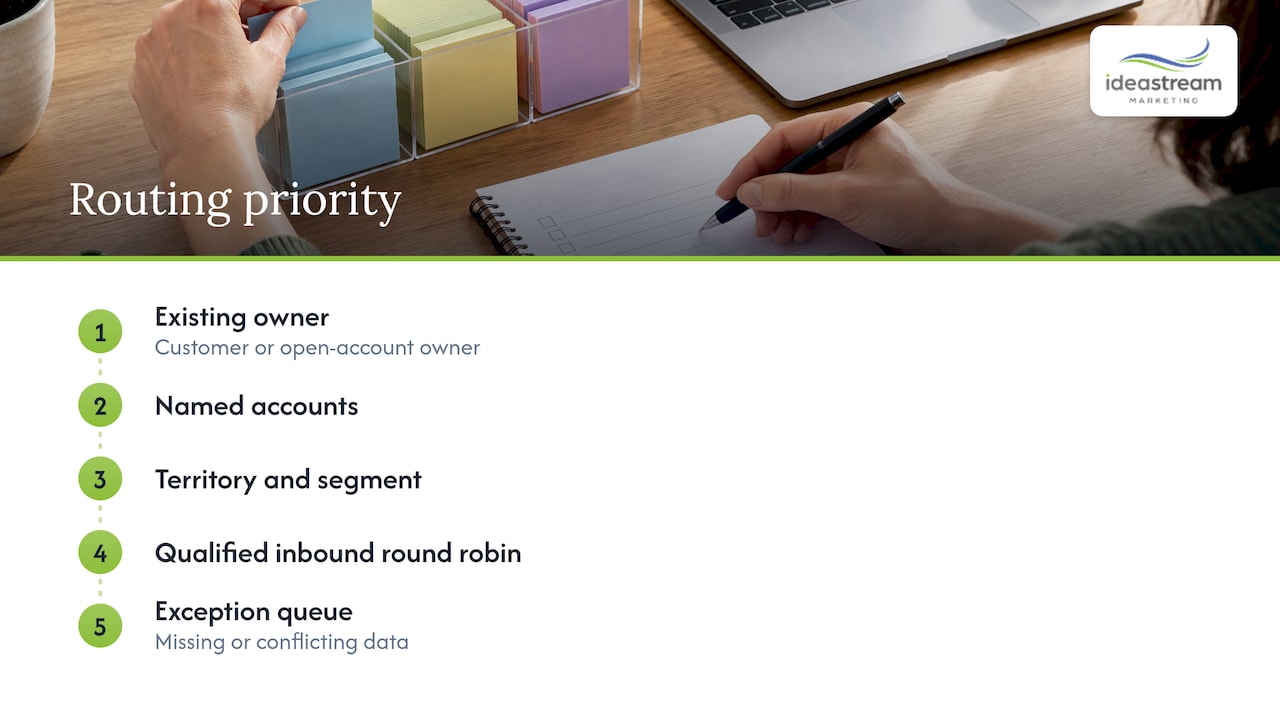
Order matters because the first rule that matches wins. AskElephant recommends this priority: existing customer or open-account owner, then named accounts, then territory and segment, then qualified inbound round robin, and finally an exception queue for missing or conflicting data.
The same source suggests documenting, for each routing field, the allowed values, the system that writes it, when the value becomes reliable, who owns its quality, and the fallback for blank, stale or contradictory data. That one-page document saves hours of debugging later.
Step 3: Set up round robin lead distribution that stays fair
Round robin is the default for a reason: it is simple and feels fair. A pointer moves to the next eligible rep, and each new lead goes to whoever is next.
The word that matters is eligible. RevenueHero’s guide says to exclude reps who are on PTO, outside working hours, over capacity, or lacking the required territory, segment or specialization before the queue is consulted. It also recommends logging each assignment and syncing the result with your CRM and notification tools.
Octave notes that basic round robin works when leads are fairly similar and reps have comparable skills and capacity, and breaks down when lead value, specialization or workload differs. In that case it recommends weighted round robin, real-time availability checks, and a catch-all queue that notifies a manager when no eligible rep matches.
A practical round robin setup
- Build the pool. List the reps who can take a given type of lead. A video production inquiry and a website redesign inquiry may have different pools.
- Add availability. Connect calendars or a simple “available” toggle so out-of-office reps are skipped automatically.
- Set weights if needed. If one rep handles twice the volume of another, give them double the share.
- Cap the load. Set a maximum number of open, untouched leads per rep.
- Define the fallback. If no one is eligible, the lead goes to a named person or shared queue, and that person gets an alert.
- Log every decision. Record who got the lead, which rule matched, and when.
The last step feeds your reporting. A June 2026 routing guide suggests logging the route reason, the matched rule key and any fallback reason, so a surprising assignment can be explained in seconds.
Step 4: Build the alert and follow-up chain
Assignment alone does not help if the rep never sees it. AI-Automated recommends a chain that runs from assignment to a contextual notification, an automatic task, an SLA timer, escalation or reassignment if nobody acts, and an audit trail with assignment and first-touch timestamps.
In practice, a good alert includes:
- The lead’s name, company and contact details
- Which form or campaign it came from
- What they asked about, in their own words
- The rule that routed it
- A deadline for first contact
If the rep does not respond in your target window, the lead should move to a backup rep or alert a manager. That escalation step is what keeps a vacation day or a busy afternoon from turning into a lost customer.
Once the alert chain is working, the next question is what the lead receives from your side. Instant confirmation emails, text replies and booking links can go out automatically while the rep gets ready. Our overview of marketing automation workflows shows how those pieces connect.
Step 5: Test before you go live
Routing breaks on edge cases, not on the clean lead you used in the demo. monday.com’s advice is to test leads with different attributes, including unmatched and duplicate leads and out-of-office reps.
Run a test sheet like this:
| Test lead | Expected result |
|---|---|
| Existing customer, new inquiry | Goes to the current account owner |
| Lead in a covered county | Goes to that territory’s pool |
| Lead outside every territory | Goes to the fallback queue, manager alerted |
| Duplicate of an open lead | Merges or reassigns to the original owner |
| Blank location field | Fallback queue, flagged for data cleanup |
| Next rep in line is on vacation | Skipped, next eligible rep gets it |
| Large company, high score | Goes to the senior rep with an immediate alert |
Fix what fails, then retest. Keep the test sheet. You will use it again whenever you add a rep, a form or a territory.
Step 6: Measure whether routing works
A routing setup is never finished. Tomba recommends recording timestamps for lead creation, assignment, first touch and first qualifying conversation, and evaluating SLA compliance by lead tier instead of as one blended number. It also suggests median time to first touch and lead leakage as outcome measures.
Start with a short dashboard:
- Time to assignment: how long from form submit to owner set
- Time to first touch: how long until a human reaches out
- Fallback volume: how many leads land in the exception queue, and why
- Reassignment rate: how often leads get moved after the fact
- Unworked leads: how many were never contacted
- Conversion by route: which rules and reps turn leads into booked meetings
- Workload balance: whether round robin is actually even
A rising fallback count usually means a data problem, such as a new form field with different values. A rising reassignment rate usually means the rules do not match how your team actually works. Review these monthly and adjust.
Common mistakes to avoid
- Routing on messy data. If territory or industry fields are free text, rules will miss. Use dropdowns.
- No fallback. Every lead needs somewhere to go, and someone watching that place.
- Ignoring availability. Round robin that assigns to a rep on vacation is a slow-response machine.
- Too many rules at once. Start with three or four, prove they work, then add more.
- No owner for the system. Someone should be responsible for the rules, the fields and the monthly review.
Our perspective on lead routing
We see routing as the point where marketing and sales meet. A business can spend on video, podcasts, SEO and ads, and still lose the lead in the handoff if nobody owns the next five minutes.
That is why we build content and routing together. When we produce a video or a podcast episode, we think about where the viewer lands, which form they fill out, and who responds. A clip that earns a click should lead to a lead that reaches the right person quickly.
Our approach is to start simple: clean fields, a handful of ordered rules, a visible fallback queue and instant alerts. Then we measure and refine. We design each system around the way your team really works, so it stays useful as you grow.
Dean Spinato, CEO & Founder of Idea Stream Marketing
Let us help you connect content to conversions
If your leads come from video, podcasts, short-form reels, search or ads, we can help you build the whole path: the content that attracts attention, the website and forms that capture it, and the automation that gets each lead to the right person fast. Our team at Idea Stream Marketing works with Long Island and New York businesses, as well as companies across the country, on AI-powered automation and lead generation systems.

Ready to talk through your lead flow? Schedule a consultation with our team and we will look at where your leads come from, where they stall, and what to automate first. You can also read our step-by-step lead generation guide before we talk.
FAQ
What is the difference between lead routing and lead assignment?
Lead assignment is the act of giving a lead to an owner. Lead routing is the broader decision process: it evaluates rules such as territory, segment, product interest and availability, picks the owner, and triggers alerts and tasks. Automated lead assignment is usually one step inside a routing workflow.
Is round robin the best way to distribute leads?
Round robin is a good starting point when your leads are similar and your reps have comparable skills and capacity. If lead value, specialization or workload differs, add rules ahead of it and use weights, so the right leads reach the right people before the rotation applies.
Do small businesses need automated lead routing?
If more than one person can respond to leads, or if leads arrive when nobody is watching the inbox, routing helps. Even a two-person team benefits from a rule that assigns by service type, alerts the owner immediately and escalates if nobody replies. Start with a few simple rules and expand as volume grows.
What should happen to leads that match no rule?
They should go to a monitored fallback queue or a named manager, who is alerted right away. Track how many leads land there and why. A growing queue is a sign that a field, form or rule needs fixing.
How do I know my routing is working?
Watch time to assignment, time to first touch, fallback volume, reassignment rate and unworked leads. Compare conversion by rule and by rep once you have enough volume. If response times are falling and fewer leads sit untouched, your routing is doing its job.
Sources
- HubSpot: Automated lead routing
- monday.com: Automated lead routing setup
- ZoomInfo: Lead routing with better data
- AskElephant: Automate CRM lead assignment
- RevenueHero: Round robin scheduling guide
- Octave: Guide to lead routing
- AI-Automated: Lead routing system guide
- Tomba: Lead management, scoring, routing and SLAs
- MediaPost: B2B firms and slow replies
- OnceHub: Automated scheduling and lead generation

