





A brand photography shot list is a written plan of every image you need from a shoot. Each line names the subject, the framing, the orientation and the place the photo will be used. Build it around your website, social profiles and sales materials first, then group the lines by location and priority so nothing gets missed on shoot day. This guide gives you the shots to include, a way to organize them and a sample list you can adapt.
TL;DR
- List shots by purpose: website, social media, sales and recruiting, and press. Work backward from where each image will live.
- Write each line with four parts: subject, framing (wide, medium or close), orientation (horizontal or vertical) and use.
- Organize by location first, then by scene, and mark each shot as must-have or nice-to-have.
- A mood board shows the look. A shot list shows exactly what to capture. You need both.
- Share a one-page call sheet with the team a few days ahead, and plan vertical frames if the images will also feed social posts.
Table of Contents
- Shot list vs. mood board: what each one does
- Start with where the images will be used
- The shots every brand photography shot list should include
- Mix wide, medium and close-up shots in every scene
- Plan orientation before the shoot
- Write each line so the photographer can act on it
- How to organize the list: location, scene, subject, priority
- Prepare the day: wardrobe, props, locations and people
- Create a one-page call sheet
- Sample brand photography shot list for a service business
- Perspective: why we plan photos and video together
- Add video and short-form clips to the same shoot
- Work with a Long Island photo and video team
- FAQ
- Sources
Shot list vs. mood board: what each one does
Most preparation problems start with mixing up these two documents. A mood board is a collection of references that communicates tone, color, light and style. A shot list is a task list. One agency guide to brand shoot prep calls this the most common planning mistake, and it matches what we see: a client arrives with a beautiful Pinterest board and no list of the actual frames the business needs.
Use the mood board to agree on style with your photographer. Then use the shot list to make sure the images that come back can be placed on a homepage, a service page, a profile or a proposal. If you only have the mood board, you will come home with lovely pictures and still be missing the team photo your About page needs.
Start with where the images will be used
Before you write a single shot, list the places the photos will appear. That list decides everything else: how many images you need, which orientations you shoot and how much variety each scene needs.
Typical destinations for a business:
- Website: homepage hero, service pages, About page, team page, contact page, blog headers.
- Social media: feed posts, carousels, Stories and cover images, plus stills that can sit next to short-form video.
- Sales and marketing materials: proposals, decks, brochures, email headers, trade show displays.
- Recruiting: careers page, job posts, LinkedIn company page.
- Press and directories: headshots, founder bio images, Google Business Profile photos.
If a shot does not have a destination, it probably does not belong on the list. If a destination has no shot, you have found a gap. For a deeper look at how business images support each channel, see our complete brand visual guide to business photography.
The shots every brand photography shot list should include
These categories work for most small and mid-sized businesses, from law firms and medical practices to contractors and restaurants. Adjust the specifics to your industry.
People: headshots and portraits
- Formal headshot against a clean background, for directories, press and email signatures.
- Environmental portrait of the owner or founder in their workspace, looking at the camera.
- Candid portrait: laughing, mid-conversation or looking away from the lens.
- Each team member, with the same framing so the team page looks consistent.
- Group team shot, one posed and one casual.
Work in action
- Hands at work: typing, drafting, measuring, plating, adjusting equipment, signing documents.
- Over-the-shoulder shots of a screen, a plan or a tool.
- Client interaction: a consultation, a handshake, a walkthrough. Use staff acting as clients if you cannot photograph real ones, or get written permission from real clients first.
- A meeting or brainstorm with the team around a table.
Place and environment
- Exterior of the building or storefront, in daylight, with signage visible.
- Entrance and reception area.
- Wide shot of the main workspace, then a medium shot of a single station.
- Details that carry the brand: a logo on a wall, a branded folder, a product on a shelf.
Products, tools and details
- Hero shot of each product or core service deliverable.
- Flat lay of the tools of your trade, arranged with brand colors.
- Close-ups of texture, packaging and finish.
- Product in use, in the hands of a person.
Story and brand moments
- The founder’s story: workspace, early materials, a favorite object.
- Behind the scenes of how you deliver your service.
- A celebration moment: a launch, a milestone or an award.
- Community or local shots that show where you operate, such as a Long Island street, shoreline or main street storefront if that is part of your identity.
Blank space for text
Ask for a few frames with intentional empty space, on one side or at the top. Web designers use these for hero banners and social graphics where text sits over the photo.
Mix wide, medium and close-up shots in every scene
A scene shot from only one distance gives you one use. A scene shot three ways gives you a hero image, a supporting image and a detail image. Photographers often describe this as a triptych: one wide frame to set the scene, one medium frame to show the action and one close frame to show the detail.
Apply it to any setup:
| Scene | Wide | Medium | Close-up |
|---|---|---|---|
| Founder at desk | Full office with the founder small in frame | Founder from the waist up, working | Hands on keyboard, notebook, coffee cup |
| Product on shelf | Whole display wall | One shelf with the product centered | Label and texture |
| Team meeting | Entire room and table | Two or three people mid-discussion | A pen on a notepad, a laptop screen |
| Storefront | Building and street | Entrance and signage | Door handle, window decal |
Wide frames work for website heroes and banners. Medium frames work for service pages and posts. Close-ups work for thumbnails, carousels and background texture.
Plan orientation before the shoot
Horizontal frames suit website banners, slide decks and YouTube thumbnails. Vertical frames suit mobile pages, Stories and Reels covers. Instagram now supports vertical feed photos at both 4:5 and 3:4, and its profile grid previews use the taller 3:4 shape, so shooting your key frames vertically with extra room around the subject lets an editor crop without cutting off heads or products.
A practical rule is to shoot every priority setup both ways: one horizontal and one vertical. It takes seconds on the day and saves a reshoot later.
Write each line so the photographer can act on it
A line like “office photos” is not a shot. A usable line names four things: subject, framing, orientation and purpose. The same agency guide recommends this structure, and it is the format we use.
Weak: Team photo.
Strong: Full team standing in the lobby, wide, horizontal, for the About page hero. Second version vertical for LinkedIn.
Here is a template you can copy:
| # | Location | Subject | Framing | Orientation | Purpose | Priority |
|---|---|---|---|---|---|---|
| 1 | Lobby | Owner, arms crossed, smiling | Medium | Horizontal and vertical | Homepage hero, press bio | Must-have |
| 2 | Lobby | Full team | Wide | Horizontal | About page | Must-have |
| 3 | Office | Hands signing a contract | Close-up | Horizontal | Service page, proposal | Must-have |
| 4 | Office | Advisor with client at a table | Medium | Vertical | Instagram carousel | Nice-to-have |
| 5 | Exterior | Storefront with signage | Wide | Horizontal | Google Business Profile | Must-have |
How to organize the list: location, scene, subject, priority
A list sorted by importance alone sends the crew running between rooms. A list sorted by location alone buries the priorities. Use both.
- Group by location. Every shot in the lobby happens while you are in the lobby. This keeps lighting changes and wardrobe changes to a minimum.
- Within each location, group by scene. For example, lobby portraits, then lobby team photo, then lobby details.
- Within each scene, list subjects. Who or what is in frame, wide to close.
- Mark priority. Tag each line as must-have, should-have or nice-to-have. If daylight fades or someone gets pulled into a client meeting, you know what to protect.
- Order the day around light and people. Exteriors go first if the building faces the morning sun. Executives, who have the tightest schedules, go early in their time block.
A realistic list for a half-day session is 25 to 40 lines. More than that and you will rush the shots that matter most.
Prepare the day: wardrobe, props, locations and people
The list is only half of the preparation. The other half is logistics.
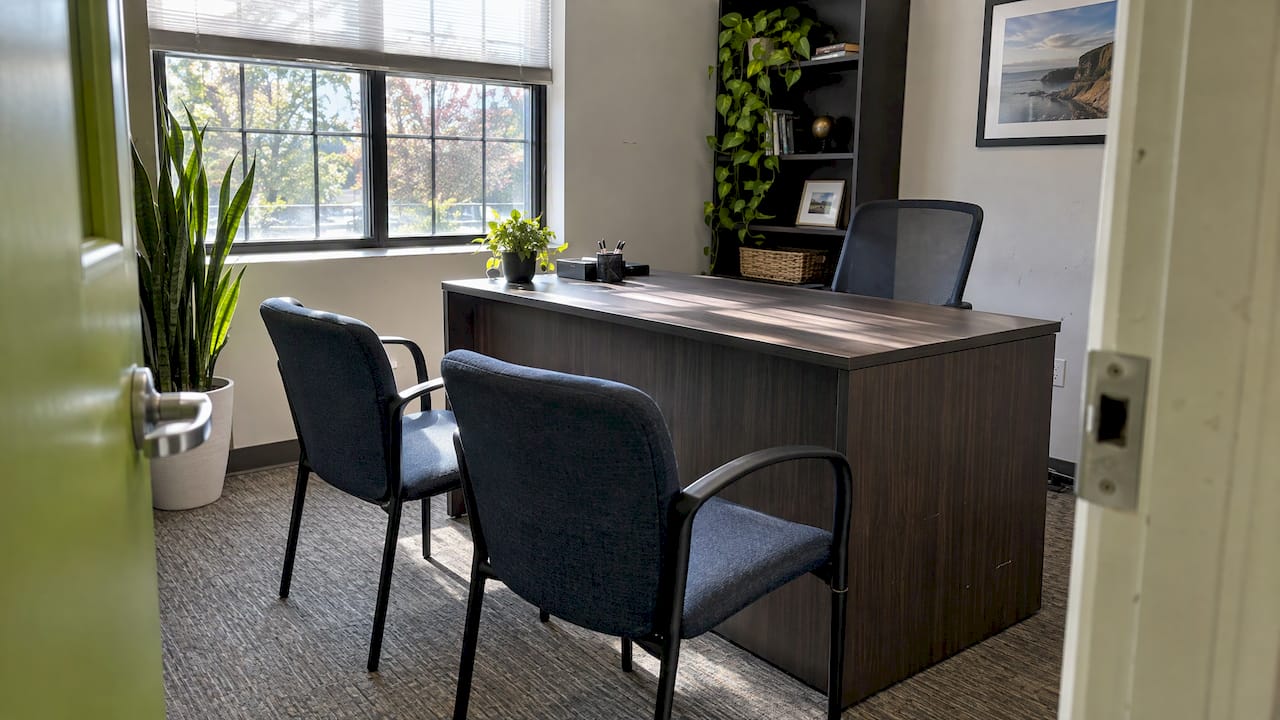
Locations. Visit each space in advance, or send the photographer phone photos. Clear desks, remove personal clutter and take down outdated signage. Check the light at the time of day you will be shooting.
Wardrobe. Ask people to bring two or three options in solid, slightly muted colors that suit your brand palette. Avoid tiny patterns and large logos. Everyone should wear clothes they are comfortable sitting and moving in.
Props. Choose items that actually belong in your work: real tools, real products, current branded materials. A few intentional extras, such as a plant, a notebook or a coffee mug, add life. Props should never crowd the frame.
People. Decide who needs to be photographed and when. Tell them the time they are needed, how long it will take and what to bring. Give nervous subjects a few simple direction prompts, such as walking through a door, reviewing a document with a colleague or laughing at something off camera.
Brand reference. If your colors, fonts and tone are written down, give them to the photographer. Our brand guidelines template shows what to include so images match the rest of your marketing.
Create a one-page call sheet
The call sheet is the shoot-day companion to your shot list. It states who, where, when and in what order, which is the same advice the shoot-prep guide gives. Include:
- Date, address, parking and building access instructions
- Arrival time for each person and each location block
- Contact name and mobile number for the day
- The shot list, either attached or summarized by location
- Wardrobe and prop reminders
- A weather backup plan for exterior shots
If your shoot involves executives or families whose location and schedule should not be broadly shared, limit the call sheet to the people who need it and keep it off open channels. For context on that, read about media security for executives before circulating schedules.
Sample brand photography shot list for a service business
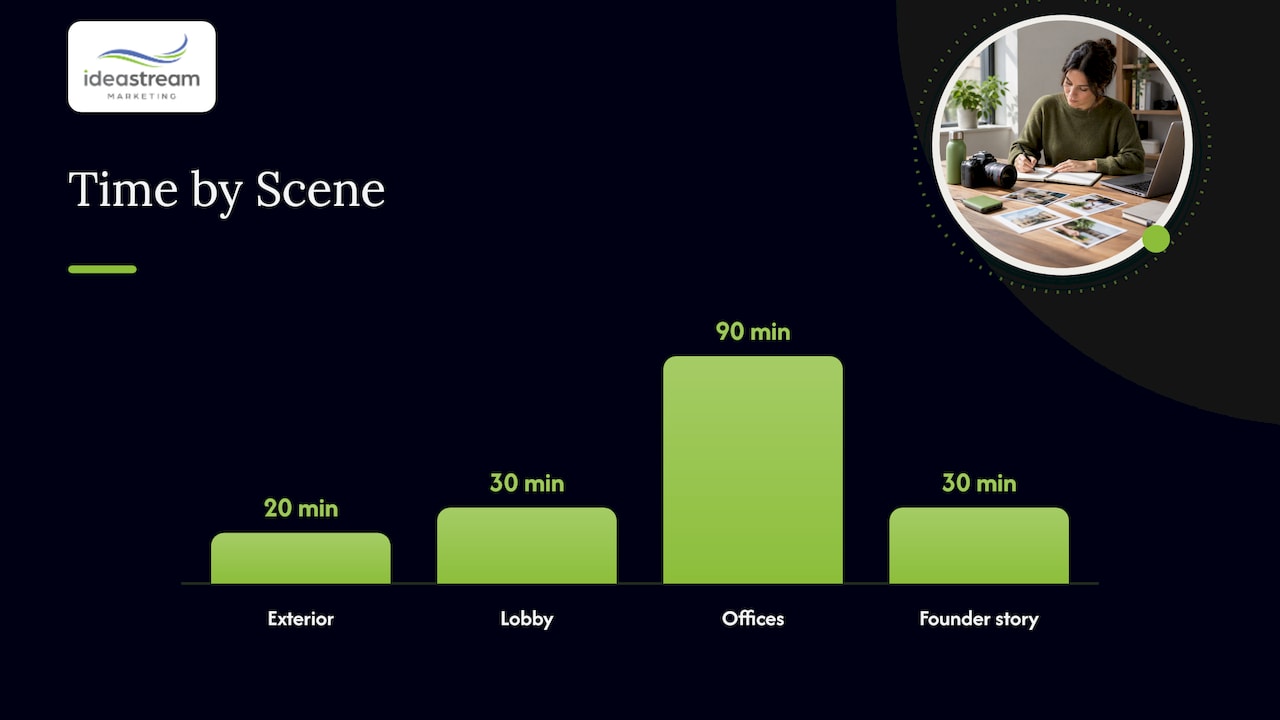
Here is a condensed example for a professional services firm, such as a law office or consultancy, shooting a half day.
Exterior (first 20 minutes)
- Building and signage, wide, horizontal
- Entrance door with logo, medium, vertical
- Founder arriving or walking in, medium, horizontal
Lobby and reception (30 minutes)
- Receptionist greeting a visitor, medium, horizontal
- Logo wall, close-up, vertical, for social backgrounds
- Full team, wide, horizontal
Offices and conference room (90 minutes)
- Formal headshots for each team member, medium, vertical
- Environmental portraits at each person’s desk, medium, horizontal
- Consultation with a client, wide then medium, horizontal
- Hands reviewing documents, close-up, horizontal
- Whiteboard planning session, medium, vertical
Founder story (30 minutes)
- Founder at desk working, wide, horizontal, hero image
- Founder speaking with team, medium, horizontal
- Detail shots of notebook, pen and awards, close-up
Extras if time allows
- Casual group laughing together
- Team walking down the hallway
- Blank-space frames with room for text
Adapt the nouns for a restaurant (plated dishes, kitchen action, dining room at golden hour) or a contractor (crew on site, tools, before and after job sites).
Perspective: why we plan photos and video together
At Idea Stream Marketing, we treat a photo shoot as one piece of a larger content plan. When we are on location for a brand shoot, we are already thinking about how those images will work on a website, in search results, on social media and next to video. A shot list that includes the stills, the b-roll and the vertical frames for short clips means one day on site produces assets for many channels.
We build every shot list around discoverability and conversion, not only looks. That means planning images that give your pages clear visual context, your Google Business Profile real photos of your space and team, and your social channels a steady supply of fresh content. Our approach is to connect creative production with measurable marketing, so the photos you pay for keep working long after the shoot.
The businesses that get the most from brand photography come in with a clear purpose for every image. We help you write that list, run the day and deliver files that are organized and ready to use.
Dean Spinato, CEO & Founder of Idea Stream Marketing
Add video and short-form clips to the same shoot
If you are already booking a crew, the marginal cost of capturing motion is low compared with a separate day later. Add a short video section to your list:
- A 10 to 15 second clip of the founder walking into the office, for a Reel or Short.
- Hands working, slow and steady, for b-roll behind a voiceover.
- A short spoken intro from each team member, filmed vertically for Instagram Reels, Facebook Reels, TikTok and YouTube Shorts.
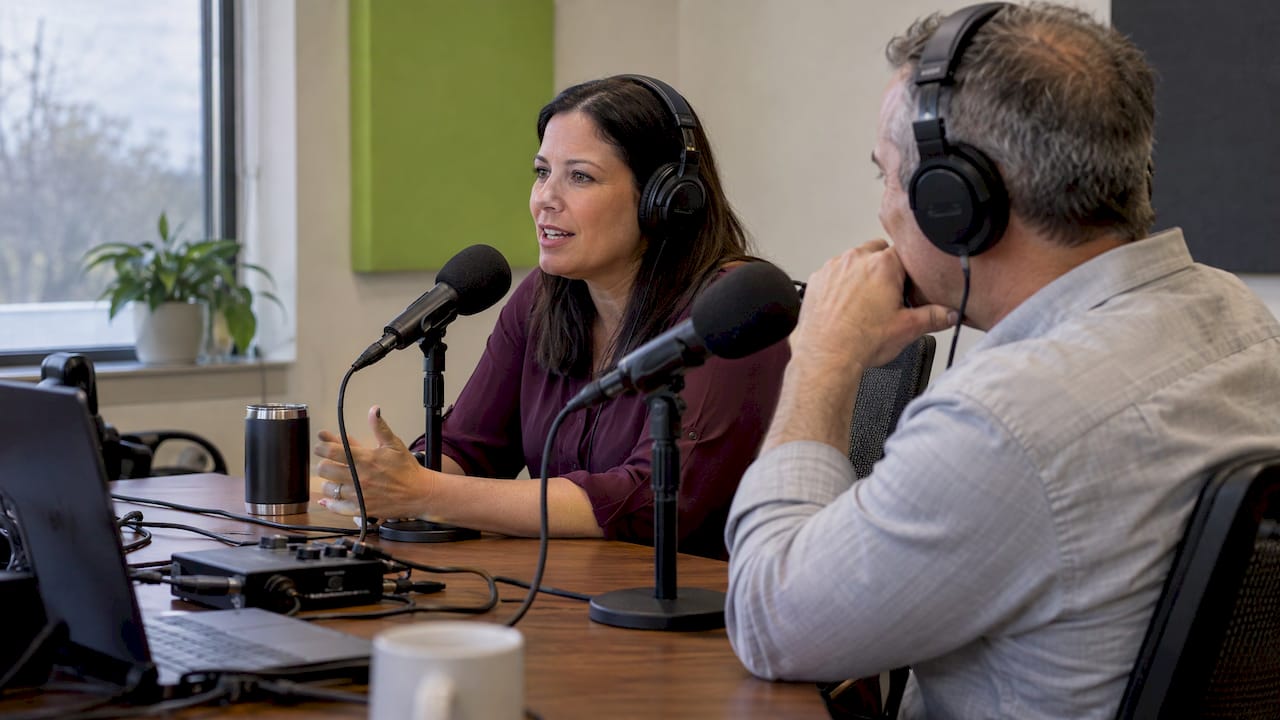
- If you record a podcast or interviews, a few stills at the microphone and a vertical clip that can be repurposed into social posts.
Plan it with the same discipline as stills. Our guides to video pre-production and video storyboard examples show the details a crew needs on set, and the video content checklist helps you decide which clips to capture.
Work with a Long Island photo and video team
If you want a partner to build the shot list, run the day and edit the final set, we handle brand photography, video production and drone footage for businesses on Long Island, across New York and nationwide. We start with your goals and your channels, then plan the shoot around them. Learn more about our photography services or the full range of services.
Ready to plan your shoot? SCHEDULE A CONSULTATION through Idea Stream Marketing and bring your goals, your locations and a rough list of where the images will live. We will help you turn it into a shot list.
FAQ
How many shots should a brand photography shot list have?
For a half-day session, 25 to 40 well-defined lines is a workable range. Each line can produce several frames, so you will receive far more images than lines. If your list is much longer, split it into must-haves and nice-to-haves so the priorities are protected.
What is the difference between a brand photoshoot shot list and a mood board?
A mood board communicates the look: color, lighting, style and mood. A shot list specifies the actual images to capture, with subject, framing, orientation and purpose. You should have both, and share both with your photographer before the shoot.
Should I shoot vertical or horizontal photos?
Both. Horizontal frames suit website banners, slides and video thumbnails, while vertical frames suit mobile pages, Stories and social feeds. Shoot your priority setups in both orientations and leave extra space around the subject for cropping.
What should I bring to a brand photoshoot?
Bring your shot list and call sheet, two or three wardrobe options per person, real props from your work, current branded materials and any brand guidelines. Also bring water, a steamer or lint roller, and a contact person who knows the building.
Can I use the same shoot for social media video?
Yes. Add a short video section to your list for vertical clips, b-roll and brief spoken intros. These can be edited into Reels, Shorts and TikTok videos, and paired with stills from the same session.
Sources
- How to Prepare for a Brand Photoshoot: A Checklist
- Instagram Image Sizes in 2026: Posts, Stories, Reels & Carousels

