






A GPT website chatbot is an AI assistant, built on a GPT-style language model, that answers visitors’ questions on your site in plain conversation. It only helps your business when it is grounded in your own approved content, written to capture leads, and connected to a real person for the conversations it should not handle. We build chatbots that way for Long Island and New York businesses through our AI chatbot consultation, and this guide walks through what to plan whether you are a law firm, a medical practice, a contractor or a restaurant group.
TL;DR
- A GPT chatbot is only as good as the content and rules behind it: your pages, FAQs and policies, plus clear limits on what it may say.
- A “custom GPT” inside ChatGPT is not the same thing as a chatbot embedded on your website. A site assistant is normally built on the OpenAI API or a platform that uses it.
- The business case is lead capture: after-hours answers, qualifying questions, contact details and a handoff to your team.
- Plan for accuracy, privacy and disclosure before launch, especially in healthcare, legal and financial fields.
- Pair the chatbot with your SEO, video and lead generation so it converts the traffic you already earn.
Table of Contents
- What a GPT website chatbot actually is
- How it generates answers from your content
- What a chatbot can do for a business website
- Custom GPT in ChatGPT vs. a chatbot on your website
- How to add a GPT chatbot to your website: the routine
- Accuracy, privacy and disclosure: what to settle before launch
- What does a GPT website chatbot cost?
- Where a chatbot fits in your wider marketing
- Promo: a chatbot built into your marketing
- Perspective
- FAQ
- Sources
What a GPT website chatbot actually is
GPT stands for Generative Pre-trained Transformer, the kind of language model behind ChatGPT. OpenAI describes GPTs as custom versions of ChatGPT that combine instructions, extra knowledge and skills, and that can be created without coding.
That definition matters because people searching for a “GPT website chatbot” often mean two different things:
- A custom GPT you build inside ChatGPT. It lives in the ChatGPT environment. You can share a link to it, but it is a ChatGPT product, not a widget on your homepage.
- A website chatbot powered by a GPT model. It sits on your site in your branding, answers from your content, and passes leads and tough questions to your team.
What most business owners want is the second. The difference from the old rule-based chat widgets is simple. A traditional bot follows a decision tree: click a button, get a canned reply. A GPT-powered bot reads the visitor’s actual question, finds the relevant information, and writes a natural answer. A visitor can type “Do you handle estate planning for small business owners in Nassau County?” and get a useful response instead of a menu.
How it generates answers from your content
A general-purpose model has never seen your price list, service area, intake process or return policy. Left alone, it either says it does not know or produces a confident answer that sounds right and is wrong. That is the core risk of a chatbot built carelessly.
The fix is a pattern called retrieval-augmented generation, usually shortened to RAG. In plain terms:
- Your approved content is gathered: website pages, service descriptions, FAQs, policy pages, PDFs and help articles.
- That content is broken into short passages and stored in a searchable index.
- When a visitor asks a question, the system pulls the closest passages and hands them to the model.
- The model writes its answer from those passages, and a well-built bot can point to the page it used.
Because the knowledge sits in an index rather than inside the model, updating your hours, pricing language or services means updating your content, not retraining anything.
The bot also needs written instructions: its role, its tone, what it must never discuss, when it should say “I’m not sure,” and when it should offer a human. Those instructions are as important as the content. A medical practice’s bot should never interpret symptoms. A law firm’s bot should never give legal advice or imply an attorney-client relationship. Writing those boundaries is the strategic work, and it is why a chatbot is a marketing and operations project, not just a plugin.
What a chatbot can do for a business website
For a service business, the value is concentrated in four jobs.
Answer common questions at any hour
Most inquiries are repeat questions: Do you serve my town? How soon can you start? What does a first visit involve? A grounded bot answers these in seconds at 9 p.m., when your office is closed and a visitor would otherwise leave.
Qualify the lead
Instead of a static contact form, the bot asks a few targeted questions: what the visitor needs, their timeline, their location, the best way to reach them. Your team receives a conversation that is already sorted, not a blank “Hi, call me” message.
Capture contact details
A conversation is a natural moment to ask for a name, email or phone number, because the visitor has just received something useful. That is where a chatbot connects directly to lead generation, and our guide on the role of AI in lead generation covers the bigger picture.
Hand off to a person
Complex, sensitive or high-value conversations should go to your staff. The handoff, whether by email alert, text, calendar booking or live transfer, is part of the design, not an afterthought.
Custom GPT in ChatGPT vs. a chatbot on your website
This is the decision that trips up most owners. A custom GPT built inside ChatGPT is quick to create and fine for internal experiments or a shareable link. A public-facing assistant on your site needs more: your branding, your content index, lead capture, analytics, handoff, and rules for what it will and will not say. Those are built around the OpenAI API or a platform that uses it.
When you compare options, think in two broad categories:
| Factor | Ready-made chatbot platform | Custom-built chatbot integrated with your marketing |
|---|---|---|
| Setup | Fast for a basic FAQ bot | Planned around your goals and content |
| Fit to your business | Generic templates | Designed for your services, tone and lead process |
| Lead capture and CRM | Often limited to what the template offers | Built into your forms, email and follow-up |
| Handoff rules | Basic | Tailored to your team and hours |
| Connection to SEO, video, ads | Usually separate | Part of one strategy |
For a growth-focused small or mid-sized business, the second column is where chatbots stop being a gadget and start producing booked consultations. That is the approach behind our chatbot integrated marketing service.
How to add a GPT chatbot to your website: the routine
Here is the process we would follow, with the places it commonly goes wrong.
1. Define the job
Pick one primary goal: booked consultations, quote requests, reservations, or fewer repetitive calls. A bot asked to do everything does nothing well. Where it goes wrong: launching with a vague goal and then judging success by “number of chats.”
2. Gather and clean your content
Collect service pages, FAQs, pricing language you are comfortable sharing, policies, hours and service areas. Remove outdated pages. Where it goes wrong: feeding the bot old or contradictory pages, so it gives old or contradictory answers. If your site content is thin, fixing that also helps your AI SEO, since the same clear, structured answers help you appear in Google and AI search.
3. Write the rules
Define tone, topics that are off limits, and the exact moments the bot must offer a human. Include a plain statement that the visitor is chatting with an AI assistant. Where it goes wrong: leaving the bot free to improvise on pricing, timelines or outcomes.
4. Design the lead path
Decide which questions qualify a lead, what you ask for and when, and where the information goes: your email, CRM or calendar. Test that notifications actually reach a person. Where it goes wrong: leads captured by the bot but sent to an inbox nobody checks.
5. Build, brand and embed
The assistant is styled to your brand and placed on the pages where it earns its keep: service pages, contact page, high-intent landing pages. On a WordPress site this is a clean integration when the site is built for it, which is part of why we pair chatbots with WordPress development and data-driven web design.
6. Test with real questions
Write 20 to 30 questions your customers actually ask, including awkward ones: price haggling, emergencies, out-of-area requests, questions the bot should refuse. Read every answer. Where it goes wrong: testing only the happy path.
7. Launch, then review the transcripts
Read conversations weekly at first. Every missed question is either a content gap to fill or a rule to tighten. A chatbot improves through this loop, so budget time for it.
Accuracy, privacy and disclosure: what to settle before launch
A fluent answer is not necessarily a correct one. Tone is easy for modern models; facts are harder, which is why grounding in your content and a human handoff matter so much. Treat anything the bot says on your site as your business speaking.
Privacy. Visitors will type sensitive things into a chat box. A U.S. House hearing record warns that users share sensitive personal information with chatbots that may retain data to improve their models, and that chatbot data breaches have exposed retained data. The practical rules for your bot:
- Read the data retention and training terms of whatever platform you use before you connect it.
- Tell visitors not to enter sensitive details such as Social Security numbers, passwords or medical information.
- Do not upload confidential client files to the knowledge base.
Regulated fields. Healthcare providers should speak with their compliance advisor or attorney before a bot touches anything involving patient information, because HIPAA obligations apply to protected health information. Law firms should review the bot’s wording against their state bar’s advertising and client-communication rules with their own counsel.
Changing law. The U.S. has no comprehensive federal data privacy law, and a Congressional Research Service report notes that more than 10 states have AI chatbot laws, with most effective dates beginning in 2027. Plan for plain disclosure that the visitor is talking to AI and an easy route to a human; that design is good practice and keeps you ahead of where the rules are heading. Confirm the current requirements for your state and industry with your attorney.
What does a GPT website chatbot cost?
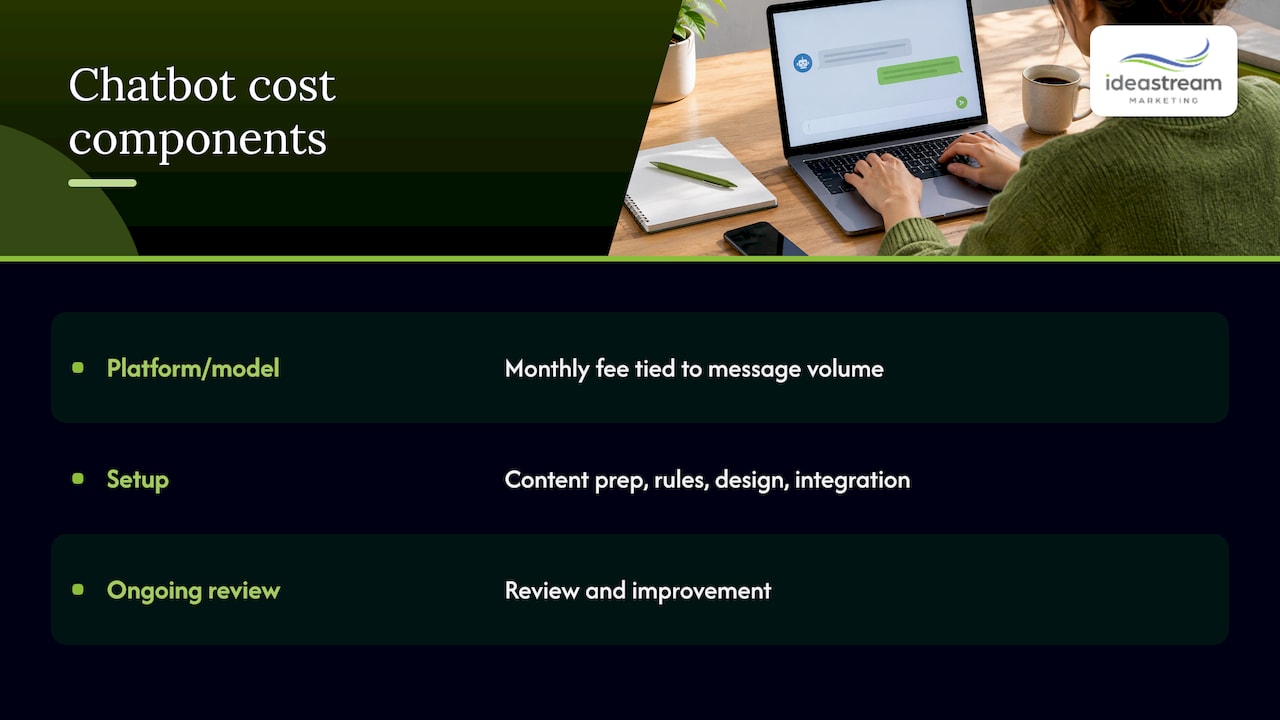
Costs fall into three parts: the platform or model usage (often a monthly fee tied to message volume), the setup (content preparation, rules, design, integration), and ongoing review and improvement. Ready-made tools advertise low monthly entry prices, but the real cost sits in the work around them: the content, the lead path and the handoff. Our chatbot services have no published price because scope depends on your site, your content and your lead process. The fastest way to get a number is a conversation about your goals through our AI chatbot consultation.
Where a chatbot fits in your wider marketing
A chatbot converts traffic; it does not create it. That is why it works best alongside the rest of your visibility:
- SEO and AI search. Clear service pages and structured data bring in visitors from Google and AI assistants. See our comparison of AI SEO and traditional SEO.
- Video. A short explainer video on a service page answers questions visually, and the chatbot picks up the visitors who still have questions. Our video production and short-form reels feed the same pages.
- Podcasts and social clips. Podcast episodes repurposed into Instagram Reels, Facebook Reels, TikTok videos and YouTube Shorts send people to pages where the chatbot can welcome them and capture the inquiry.
- Email. Captured leads flow into follow-up, which is where AI-driven email marketing picks up.
For a deeper business-owner view, see our guides to chatbots for websites and AI chatbots for business.
Promo: a chatbot built into your marketing
Idea Stream Marketing is a digital marketing, AI SEO, website development and video production agency in Kings Park, Long Island, serving Suffolk County, Nassau County, New York City and clients nationwide. Our services include AI-powered chatbots, chatbot integrated marketing, lead generation systems, custom WordPress websites and professional video, so the assistant, the site and the content around it are planned together.
If you want a chatbot that answers from your real content and sends qualified inquiries to your team, schedule a consultation with us or explore everything we offer on our main site.
Perspective
We approach chatbots the way we approach video and SEO: as one piece of a visibility and lead system, not a standalone gadget. Our positioning is built on integrated content production and AI-powered marketing, where every video and strategy is developed to be discovered in Google, AI search, YouTube and social platforms.
A GPT chatbot is the natural next step in that system. Your SEO and content bring the visitor, your videos and reels build trust, and the chatbot meets the visitor at the moment of curiosity, answers from your approved material and captures the lead while your team is busy or offline.
Our advice to owners on Long Island and across New York is to start with the lead path, not the technology. Decide what a good inquiry looks like, write the rules, give the bot clean content, and keep a person one step away. Do that and the chatbot becomes a dependable part of how customers find you and reach you.
Dean Spinato, CEO & Founder of Idea Stream Marketing
FAQ
Can I put a custom GPT from ChatGPT directly on my website?
A custom GPT is designed to run inside ChatGPT, as OpenAI’s description of GPTs frames it. A chatbot on your own site is typically built using the OpenAI API or a platform that connects to it, with your content, branding and lead capture added. We build website assistants that way for business clients.
Will the chatbot make things up?
A bot that answers from your approved pages, with firm rules about what it may say and a handoff for uncertain questions, is far less likely to invent answers than a general-purpose model. Reviewing real transcripts after launch lets you close content gaps quickly. Anything with legal, medical or financial weight should always route to a qualified person.
What content does the chatbot need to get started?
Your service pages, FAQs, policies, hours, service areas and any PDFs or help articles you are comfortable sharing publicly. Clear, current content produces better answers, and it also strengthens your search visibility.
Is a website chatbot worth it for a small local business?
It is most useful where visitors have repeat questions and inquiries arrive outside office hours: home services, contractors, restaurants, medical practices, law firms and real estate teams. Because the bot qualifies leads and captures contact details, the value shows up in the quality of your inquiries. We can scope it around your goals in a consultation.
How do I get started?
Book an AI chatbot consultation. We will review your site, your most common customer questions and your lead process, then outline what a chatbot would do for your business.
Sources
- Introducing GPTs, OpenAI
- Innovation with Integrity: hearing record, U.S. House of Representatives (govinfo.gov)
- AI Chatbots as Companions: Overview, Uses, and Policy Issues, Congressional Research Service

