



October 21, 2026



An internal linking strategy is a deliberate plan for how the pages on your website connect to each other. It decides which pages visitors and search engines find first, which pages look most important, and how easily someone moves from a blog post to a service page to a consultation request. The basics are simple: organize your pages into clear topics, link related pages with descriptive anchor text, keep your money pages close to the homepage, and audit the links on a schedule. The rest of this guide shows you how to do each of those things, in order.
We build websites, video, podcasts and search programs for Long Island and New York businesses, and weak internal linking is one of the most common problems we find. It is also one of the cheapest to fix, because you control every link on your own site.
TL;DR
- Internal links do three jobs: they help people navigate, they show which pages matter most, and they spread link equity (ranking power) across your site.
- Group your content into topics, with one strong hub page per topic and supporting pages that link up to it and across to each other.
- Write descriptive anchor text that tells the reader what they will get. Skip “click here” and do not obsess over exact-match ratios.
- Every page you care about needs at least one internal link pointing to it, and your most important pages should sit within a few clicks of the homepage.
- Audit quarterly: fix orphan pages, trim low-value links, and add links from new content to older pages that deserve them.
Table of Contents
- What an internal linking strategy actually covers
- Start with site architecture
- Topic clusters and silos, explained plainly
- Choose your priority pages first
- Write anchor text that helps the reader
- Placement: where links earn their keep
- Do not over-link
- Perspective: what we see on real business sites
- Link your video and podcast content into the site
- Local sites: link your locations and services together
- How to audit and improve your internal links
- Make linking part of publishing
- Common mistakes to avoid
- Where we can help
- FAQ
- Sources
What an internal linking strategy actually covers
Internal links are hyperlinks that point from one page on your domain to another page on the same domain. External links point to other sites. Most business owners understand that difference. What they often miss is that links are not just decoration inside a blog post. They are the road system of your website.
A strategy answers five questions:
- Which pages are the most valuable to the business (usually service pages, location pages and lead forms)?
- How are all the other pages grouped by topic?
- Which pages should link to which, and in what direction?
- What wording should the links use?
- Who checks the links, and how often?
Without answers, links get added at random. A writer drops in a link because it seems nice, a designer adds one to the footer, and the page that actually brings in leads sits four clicks deep with a single link pointing at it.
Moz lists three reasons internal links matter: they let users navigate, they establish an information hierarchy, and they spread link equity. Every decision below serves one of those three.
Start with site architecture
Searchers who type “site architecture SEO” want the same thing as those asking about links: a structure that makes sense. Your architecture is the hierarchy of pages, and your internal links are what express it.
Moz recommends determining your website’s hierarchy first: map the main categories, subcategories and individual pages, ideally as a visual sitemap, and you will see where links belong.
For a typical service business, the hierarchy looks like this:
- Homepage: the broadest page, linking to your main service categories.
- Service category pages: for example video production, SEO, web design.
- Individual service or location pages: more specific, such as corporate video or a particular town.
- Supporting content: blog posts, case studies, FAQs, podcast episode pages.
Google has been clear for years about why the structure matters. In its Search Central blog on link architecture, Google explains that crawlers typically follow links, so an intuitive link architecture matters more than relying on a search box or pulldown menus to get people to content. Google’s own SEO starter guide adds that links are how most new pages are found. If a page has no link to it, you are depending on luck.
How deep is too deep?
The same Google post advises that important pages, such as cornerstone content and key product pages, should be reachable within a few clicks of the home page. A practical rule we use: your lead-generating pages should be two clicks from the homepage, and nothing you want to rank should be more than three or four.
If your “Request a Quote” page lives only in a footer link on a deep blog post, you have a depth problem. Link to it from your main navigation and from every relevant service page.
Topic clusters and silos, explained plainly
The phrase “silo structure” gets thrown around a lot in SEO. Strip away the jargon and it describes one idea: keep related pages together and link them to each other, so each topic on your site has a clear center.
Most people now call this a topic cluster or hub-and-spoke model:
- The hub (also called a pillar page) covers a broad topic thoroughly.
- The spokes are narrower pages that go deep on one question or sub-topic.
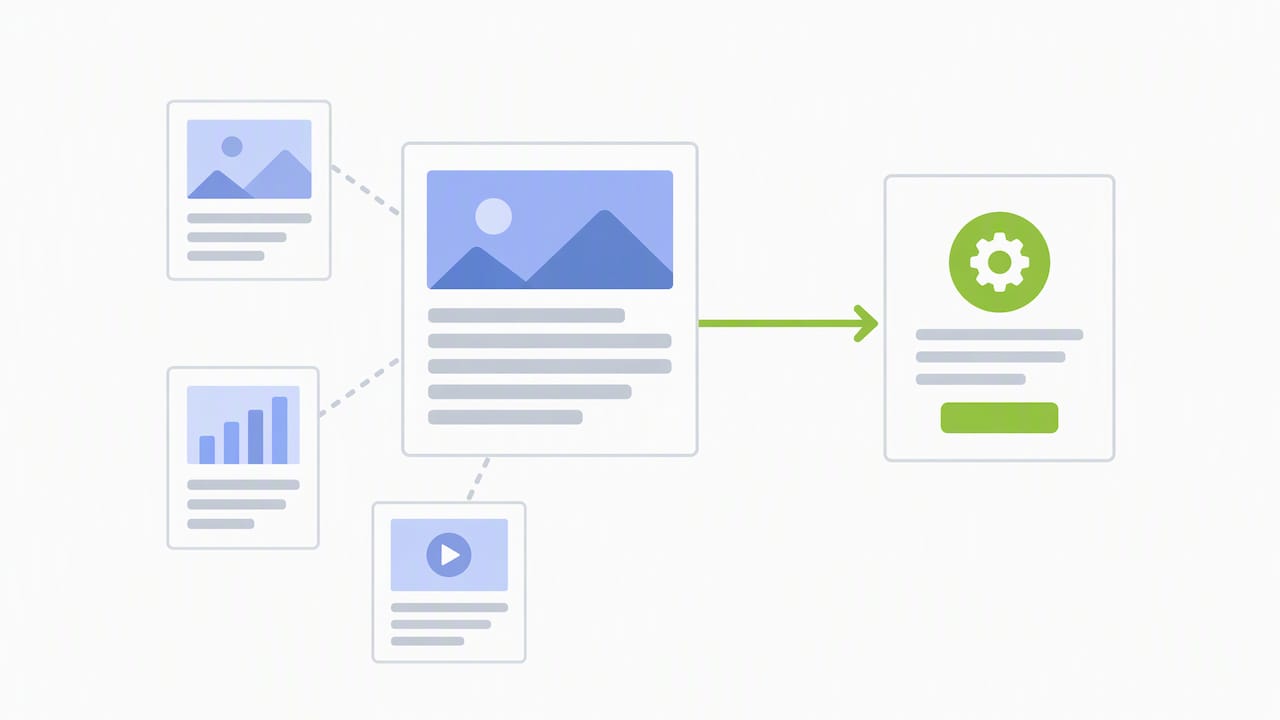
- Each spoke links up to the hub. The hub links down to every spoke. Spokes link sideways to one another when the reader would genuinely want the next page.
You do not need to wall your content off. A page about video SEO can and should link to a page about podcast production if the reader benefits. The point is that your strongest links follow topic relevance, not that you forbid every link outside a category.
A worked example
Say your business sells video production. Your cluster might look like this:
| Page type | Example | Links to |
|---|---|---|
| Hub | Video production services | Every spoke below, plus your contact page |
| Spoke | Corporate video production | Hub, testimonial video page, a case study |
| Spoke | Training videos | Hub, corporate video page |
| Spoke | Video SEO best practices | Hub, a YouTube guide |
| Supporting post | How to plan a shoot day | The relevant spoke and the hub |
On our own site, the video production services page is the natural hub for that topic. The supporting pieces, such as our guides to video SEO best practices, training videos and video in advertising, are spokes that readers can move between depending on what they need.
Choose your priority pages first
Before you add a single link, list the pages that make you money. For most service firms that is a short list:
- Service pages
- Location pages
- Your contact or consultation page
- A few high-converting case studies
Then look at your analytics to find the pages that already get traffic. Moz suggests using analytics data and authority tools to spot high-traffic pages and prioritize your linking. Your goal is to connect pages that have attention to pages that have a job to do.
A simple version of that work: open your top ten pages by organic traffic. For each one, ask whether it links to a relevant service page. Often a popular blog post has no link at all to the service that would help the reader next. Adding one sentence and one link is the fastest win in internal linking.
Write anchor text that helps the reader
Anchor text is the visible, clickable words of a link. People searching for guidance on anchor text for internal links usually want to know two things: what to write, and how much to worry.
What to write. Google’s documentation says to use descriptive, concise, relevant link text so users and search engines know what the linked page contains before they click. Its example contrasts a vague phrase with something like a link naming the actual content. Compare:
- Weak: “To learn more, click here.”
- Better: “See how we plan podcast production for business owners.”
A second technical point from the same documentation: links need to be crawlable, meaning they are standard anchor elements in your page’s HTML. A button that only runs a script may look like a link to a visitor and still be invisible to Google.
How much to worry. Not much. Moz’s advice is to stop fretting over exact-match and partial-match ratios, and instead make every link unique and natural. That approach lowers the risk of over-optimization, especially for newer sites without much authority. If you find yourself repeating the same keyword-stuffed phrase to point at one page from forty others, vary the wording the way a person would.
A few habits that keep anchor text healthy:
- Match the anchor to the topic of the destination page, not to the page it sits on.
- Keep it short, usually two to six words.
- Put the link inside a sentence that gives context. Moz notes that surrounding text or images often make a link more effective than simply linking existing words.
- Never use the same anchor for two different destinations. That confuses readers and invites your own pages to compete with each other.
Placement: where links earn their keep
Not every link carries equal weight for readers. Links in the body of your content, surrounded by relevant text, serve people best. Navigation links and footer links serve a different purpose: they make sure every key page is always reachable.
A sensible mix:
- Main navigation: your top service categories and your consultation page.
- Body links: contextual links inside articles and service pages.
- Related-content blocks: short lists at the end of posts that suggest the next read.
- Breadcrumbs: a trail showing where the page sits in the hierarchy.
- Footer: privacy, contact, and a handful of core pages. It is not the place for fifty keyword links.
Moz’s Whiteboard Friday on this topic puts engagement first: if adding a link does not help someone find relevant content, it probably is not adding value. Use that as a test for every link you place. Would a real visitor on this page want to click it?
Do not over-link
More links are not automatically better. Moz points out that a page with an excessive number of links can dilute the value passed by each one, and recommends periodically trimming low-value, irrelevant or non-engaging links so equity concentrates on your most important pages.
In practice that means a 1,000-word article might carry three to eight thoughtful internal links, not thirty. A long guide can carry more. The better question is whether each link has a reason to exist.
Perspective: what we see on real business sites
When a new client comes to us, we usually find the same pattern. The site has solid services and some good content, and none of it is connected. A blog post about hiring a videographer sits alone. The page that sells video production gets one link from the menu. The podcast page is orphaned entirely.
Our approach is to treat links, content and media as one system. Every video we produce has a page on the site, and that page links to the service behind it, to related videos and to a next step. Every podcast episode gets its own page with a transcript or show notes, links to the topics discussed, and a path to book a consultation. When we repurpose an episode into short-form clips for Instagram Reels, Facebook Reels, TikTok and YouTube Shorts, those clips point back to the episode page, so social attention lands on a page that is already wired into the rest of the site.
That is the practical meaning of building content with discoverability in mind. Search engines and AI-powered search tools both read the structure of your pages and the relationships between them. A clean link architecture gives them a clear picture of what you do, who you serve and which pages are your best answers. Our guide to AI SEO versus traditional SEO covers how that plays out.
If you take one thing from us, make it this: do not wait for a redesign. Internal linking is the highest-return, lowest-cost work on most small business sites, and you can start today.
— Dean Spinato, CEO & Founder of Idea Stream Marketing
Link your video and podcast content into the site
Media often gets stranded. A video embedded on a page with no surrounding links, or a podcast hosted only on a third-party platform, produces no internal link value at all. Here is how we avoid that.
For video:
- Give every important video its own page with a descriptive title and a short written summary.
- Link from that page to the matching service, for example a testimonial video to your video production page.
- Embed the video on the service page too, so the link goes both ways.
- Link out to supporting reading, such as a video content checklist.
For podcasts:
- Publish an episode page with show notes, a transcript and the guest’s details.
- Link each episode to the topic hub it belongs to.
- Link back to the show’s main page and a consultation or studio session booking page.
For short-form clips:
- Cut the best 30 to 60 seconds of each episode for Reels, TikTok and YouTube Shorts.
- Put the link to the full episode page in your bio, description or caption wherever the platform allows.
- Mention the topic in the same words you use on the page, so the journey feels continuous.
Our article on maximizing content for multi-platform reach walks through this repurposing workflow in more detail.
Local sites: link your locations and services together
If you serve more than one town, your internal links do extra work. A Huntington page and a Garden City page should each link to the services offered there, and your service pages should link back to the locations. Avoid copying one template across every town with only the place name changed. Give each page real local detail, and link them logically.
For businesses with many locations, see how we approach local landing pages and multi-location SEO. For single-location firms on Long Island, the same principles apply at a smaller scale, as covered in our piece on SEO opportunities for Long Island with AISEO.
How to audit and improve your internal links
Here is the process we follow, which you can run yourself with a crawling tool and a spreadsheet.
- Crawl your site. Export every URL, its depth from the homepage, the number of internal links pointing to it, and the anchor text used.
- Find orphan pages. Google’s guidance is that every page you care about should have at least one incoming internal link. List pages with zero and decide to link, merge or remove each.
- Check depth. Flag priority pages more than three clicks from the homepage and bring them closer through navigation, hub pages or contextual links.
- Review anchors. Look for generic anchors, one anchor used for several destinations, and pages whose only incoming links use odd wording.
- Spot cannibalization. If two pages target the same topic and link to each other with the same anchors, decide which one is the primary and point links to it.
- Add opportunities. For each priority page, search your own site for mentions of its topic and link them.
- Trim. Remove links that serve no reader, broken links and redirected links.
If your site has hundreds of pages, finding opportunities by hand gets slow. Moz’s Everett Sizemore describes using vector embeddings to surface related pages that should be linked but are not, with a crawler, an AI API and a spreadsheet. It is a technical workflow, but it shows that even sites that look well linked often miss hundreds of opportunities.
A simple 30-day plan
| Week | Task |
|---|---|
| 1 | Crawl the site, build a sitemap view, list priority pages |
| 2 | Fix orphan pages and clean up navigation |
| 3 | Add contextual links from your top-traffic posts to service pages |
| 4 | Rewrite weak anchors, link new media pages, set a quarterly review date |
Make linking part of publishing
An audit fixes the past. A habit protects the future. Add three steps to your publishing checklist:
- Before publishing, link the new page to at least two relevant existing pages.
- After publishing, go back to one or two older pages and link to the new one.
- Every quarter, review your top service pages to confirm they link to your freshest, most useful content.
That last step gets forgotten most often. Older pages usually hold the most authority, so a link from them to new content is among the most useful ones you can add. Our content marketing strategies for SMBs and digital marketing checklist pages can help you build that routine.
Common mistakes to avoid
- Linking only from the menu. Navigation links are necessary, but they do not provide context.
- Using “read more” as anchor text. It tells no one anything.
- Burying money pages. If a service page takes five clicks to reach, it will struggle.
- Linking everything to everything. Relevance beats volume.
- Forgetting mobile. Check that links are tappable and visible on a phone, since that is where many visitors arrive.
- Never revisiting. Sites change, pages get deleted, and links break.
Where we can help
If you would rather have a team handle this, we combine search engine optimization, website design, video production and podcast production under one roof, so your content and your site structure are planned together. We can review your current link structure, map your topic clusters and build the pages that need to exist. Schedule a consultation and we will look at your site with you.
FAQ
What is an internal linking strategy?
It is a plan for how your pages link to one another so visitors and search engines can find your most important content. It covers site structure, which pages link where, the wording of links and a schedule for reviewing them.
What is an example of internal linking?
A blog post about planning a corporate video that links, in a relevant sentence, to your video production service page. That one link sends readers toward a service they may need and tells search engines the two pages are related.
How many internal links should a page have?
There is no official number. Use as many as help the reader and no more. Excessive links can dilute the value each one passes, so a typical article does well with a handful of relevant links.
What are two ways to classify internal links?
By location and by purpose. By location: navigation, footer, breadcrumb and contextual links within body content. By purpose: links that help people move through the site and links that signal which pages matter most. Contextual links usually do the most work.
Should internal links open in a new tab?
Generally no. Keeping visitors in the same tab is the usual practice for links within your own site, and it does not affect how Google reads the link. Use a new tab only when there is a clear reason, such as a form someone is halfway through.
Sources
- Internal Links SEO Best Practices, Moz
- 5 SEO Tactics to Maximize Internal Links, Moz
- Importance of link architecture, Google Search Central Blog
- SEO Link Best Practices for Google, Google Search Central
- How I Found Internal Linking Opportunities With Vector Embeddings, Moz
- SEO Starter Guide, Google Search Central

