



October 23, 2026
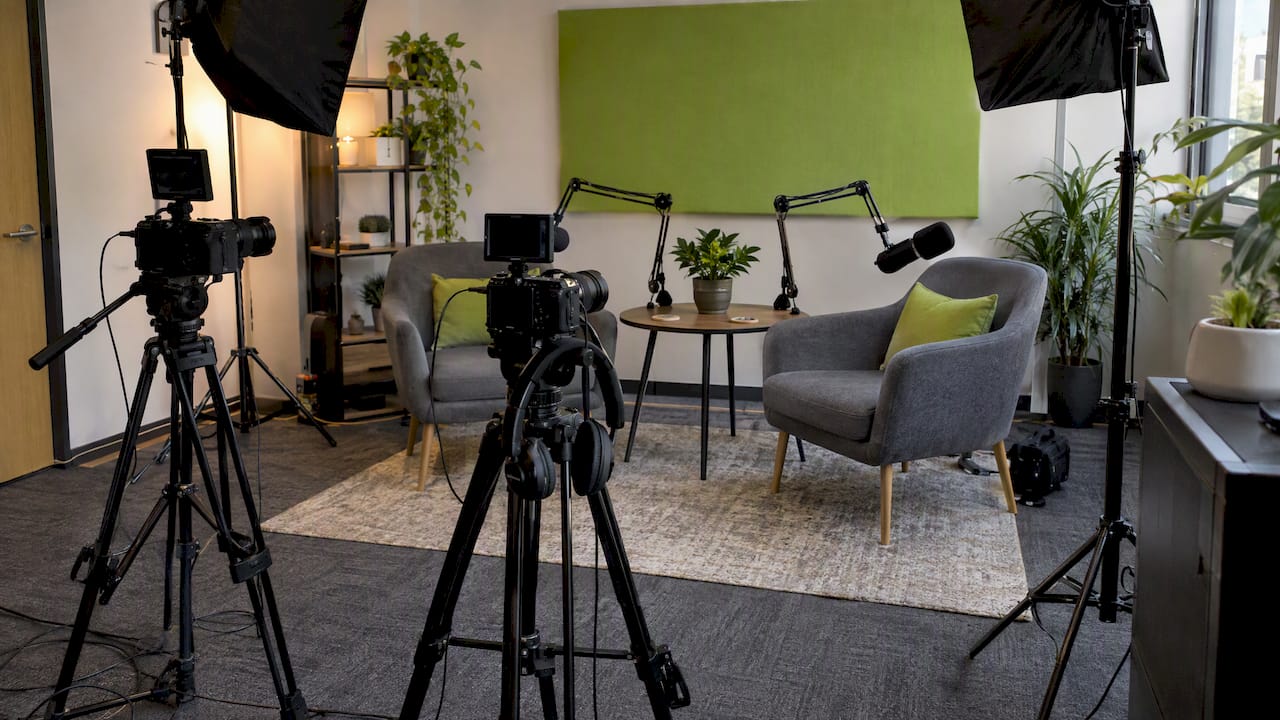
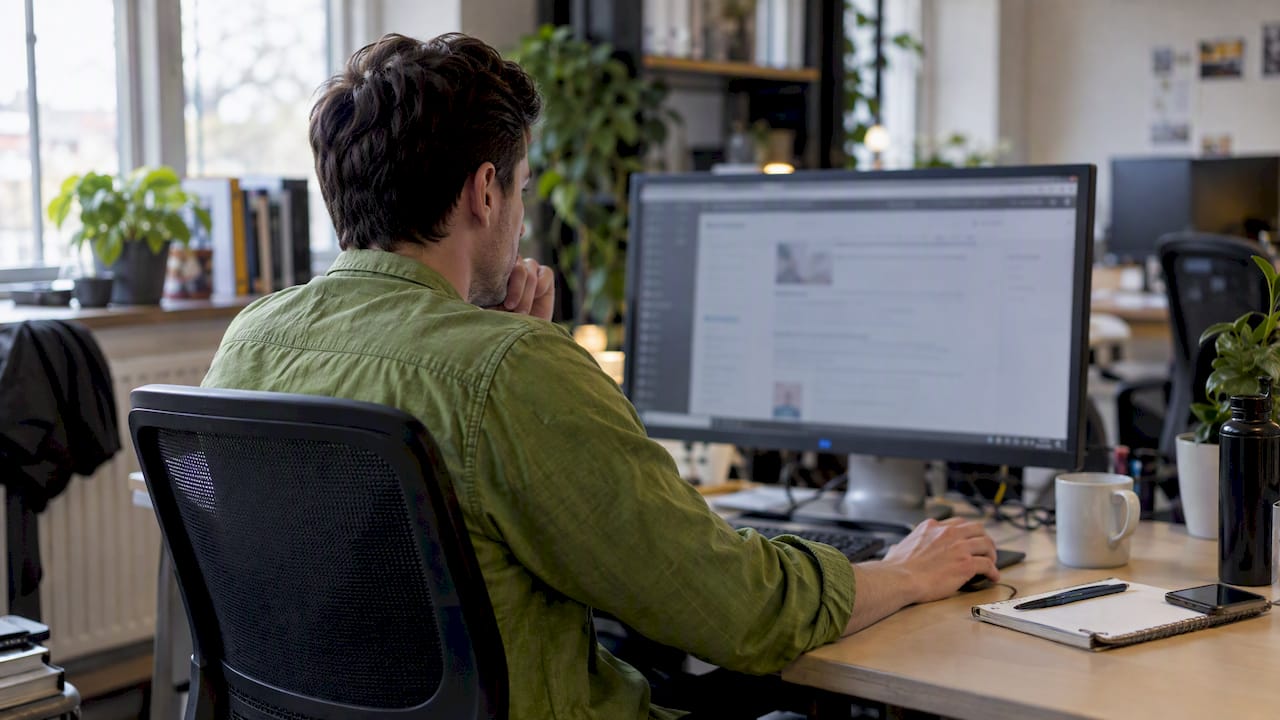

A good video podcast setup comes down to five decisions: how many people are on camera, which microphones capture their voices, how you light them, where you record, and how you will turn each episode into clips. Get those five right and a smartphone-level budget can look credible. Get them wrong and a $5,000 camera still looks amateur.
We produce video and podcast content for businesses on Long Island and across New York, so this guide is written for owners, executives and marketing managers who want a show that builds trust and brings in leads, not a hobby rig. We cover gear at three budget levels, lighting, room treatment, software, publishing and the clip workflow that makes the whole thing pay off.
TL;DR
- Start with the format of your show (solo, two-person interview, remote guests) and choose gear to fit it. The right kit depends on the format and genre of your show, from a smartphone to a multi-camera studio.
- Audio comes first. Viewers forgive a soft image faster than bad sound, so spend on microphones and a quiet room before you upgrade cameras.
- Light your guests with a three-point setup (key, fill, backlight) or, on a tight budget, a window and one soft lamp.
- Record at 48 kHz for video, keep camera and mic positions fixed, and plan clips before you press record.
- Publish the full episode on YouTube and cut Shorts, Reels and TikTok clips from it.
Table of Contents
- Decide the Format Before You Buy Anything
- The Gear: Three Budget Levels
- Lighting: Where Most Home Setups Fall Down
- The Room: Sound and Background
- Recording Settings and Workflow
- Remote Guests
- Publishing: Where the Episode Goes
- Turn Every Episode Into Short-Form Clips
- Our Perspective: Build for Discovery, Not Just Looks
- When to Bring in a Production Partner
- A Simple Plan for Your First Month
- FAQ
- Sources
Decide the Format Before You Buy Anything
Equipment lists tempt you to buy first. Do the opposite. Write down the answers to four questions:
- Who is on camera? One host, a host and one guest, or a panel of three or four.
- Where do you record? Your office, a conference room, a rented studio, or remotely over a call.
- What is the show for? Brand authority, client education, recruiting, or lead generation. This sets how polished it needs to look.
- How often will you publish? Weekly shows need a setup you can leave standing. Monthly shows can tolerate setting up each time.
A solo founder recording weekly tips needs one camera, one microphone and a corner of the office. A law firm interviewing clients and referral partners needs two microphones, at least two camera angles and a calm, private room. A restaurant group recording on location needs portable gear. Same hobby, very different shopping lists.
The Gear: Three Budget Levels
The essential hardware for a video podcast is cameras, microphones, lenses, lights, tripods and headphones, with a multi-camera switcher and an audio interface for XLR microphones added as shows grow. Here is how we think about the tiers.
| Level | Cameras | Audio | Lighting | Best for |
|---|---|---|---|---|
| Starter | Smartphone on a tripod, or a webcam | USB dynamic microphone and wired headphones | Window light plus one soft LED lamp | Solo shows, testing a concept |
| Growth | One or two mirrorless or camcorder-style cameras | XLR dynamic microphones into an audio interface or mixer | Two or three LED panels with softboxes | Interview shows, B2B thought leadership |
| Professional | Three cameras, one per seat plus a wide shot | XLR microphones on boom arms, mixer, dedicated recorder | Full three-point lighting per seat, controlled background | Panels, branded series, high-volume publishing |
Cameras
Beginners can often start with the smartphone they already own, as long as the lighting is good, according to Videomaker’s gear guide. Use the rear camera, lock focus and exposure, and record horizontally for the main episode. Vertical crops for social come later in editing.
When you move up, add a second angle before you add a better first angle. A wide shot and a close-up per speaker give an editor the cuts that keep a 45-minute conversation moving. Keep every camera at eye level, and match frame rate and resolution across all of them so footage cuts together cleanly.
Microphones
The same guide notes that premium microphones such as the Shure SM7B typically cost $200 or more, while budget-friendly options like the Samson Q2U come in under $100. Both are dynamic microphones, which reject more room noise than condenser models. That matters if your office is not a studio.
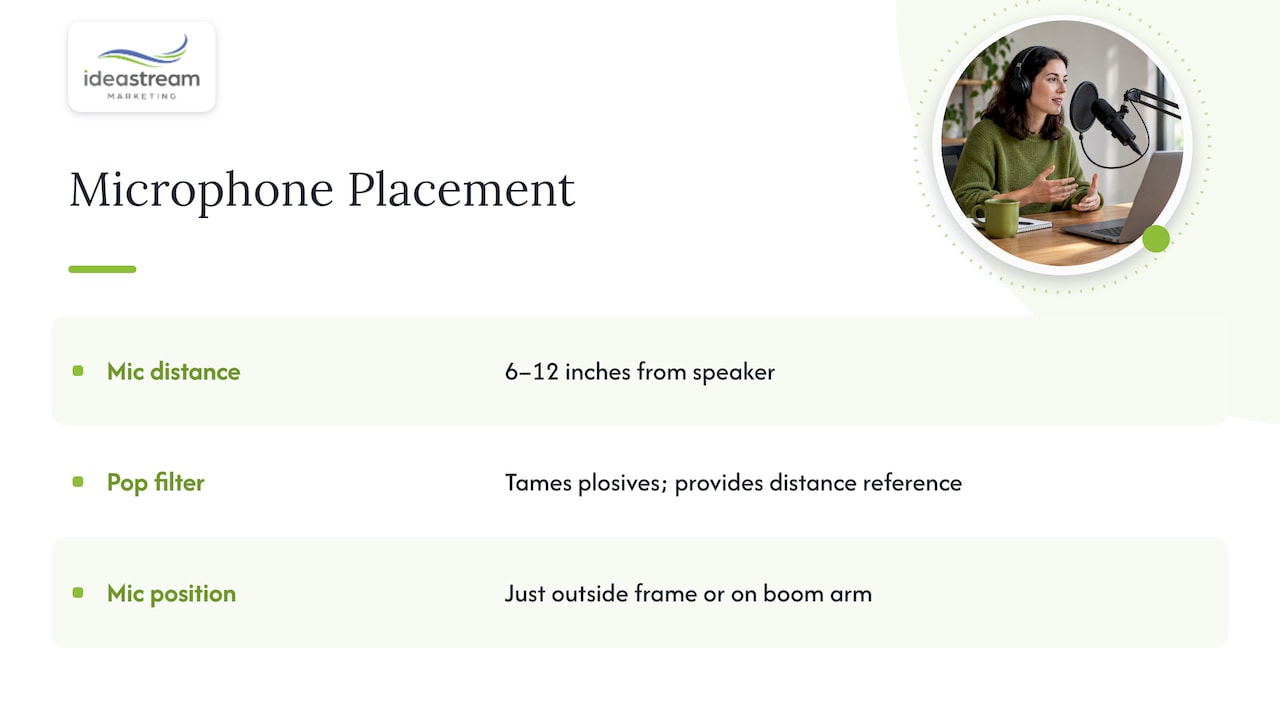
Two placement rules do most of the work. Keep the microphone about 6 to 12 inches from the speaker to balance clarity with a full, radio-style sound and cut down on room echo. And use a pop filter to tame plosive “p” and “t” sounds, which also gives the speaker a consistent distance reference. Position the mic just outside the frame or on a boom arm so it does not hide a face.
If you want the technique behind it, Shure’s microphone techniques guide includes a section on recording spoken word and podcasts.
Headphones, Interface and Recorder
Every person who speaks should wear closed-back wired headphones. They stop the sound from bleeding into the microphone and let you catch problems live. Wireless headphones add latency and a possible point of failure. For two or more XLR microphones, an audio interface or a small podcast mixer gives each person a separate track, which is what makes cleanup and editing practical.
Lighting: Where Most Home Setups Fall Down
Videomaker’s production experts point out that lighting often determines video quality more than the camera itself. A modest camera with good light beats an expensive camera in a dim room every time.
The three-point setup
The three-point lighting setup, with a key light, a fill light and a backlight, is the standard for professional interviews because it lights the subject while adding dimension and separating them from the background. In practice:
- Key light: your main source, placed to one side of the camera at roughly 30 to 45 degrees and slightly above eye level. Use a softbox or diffused LED panel.
- Fill light: a dimmer, softer light from the opposite side to lift the shadows.
- Backlight: a small light behind and above the speaker that traces the shoulders and hair so they do not melt into the wall.
Avoid mixing light colors. Set every fixture to the same color temperature and turn off overhead fluorescents or warm bulbs that fight with it.
The budget version
Adobe’s podcast experts note that simple techniques, such as placing speakers near natural window light, can raise production value without expensive upgrades. Face the window rather than sitting with it behind you, and add one soft lamp on the shadow side. Close the blinds if clouds make the light change mid-recording.
A note on green screens
Green screens are tempting, but they punish sloppy lighting. The screen has to be stretched flat and lit evenly from side to side and top to bottom, as an Adobe community thread on podcast green screens explains. For most business shows, a real, tidy background with a few props and some depth looks more trustworthy and costs less.
The Room: Sound and Background
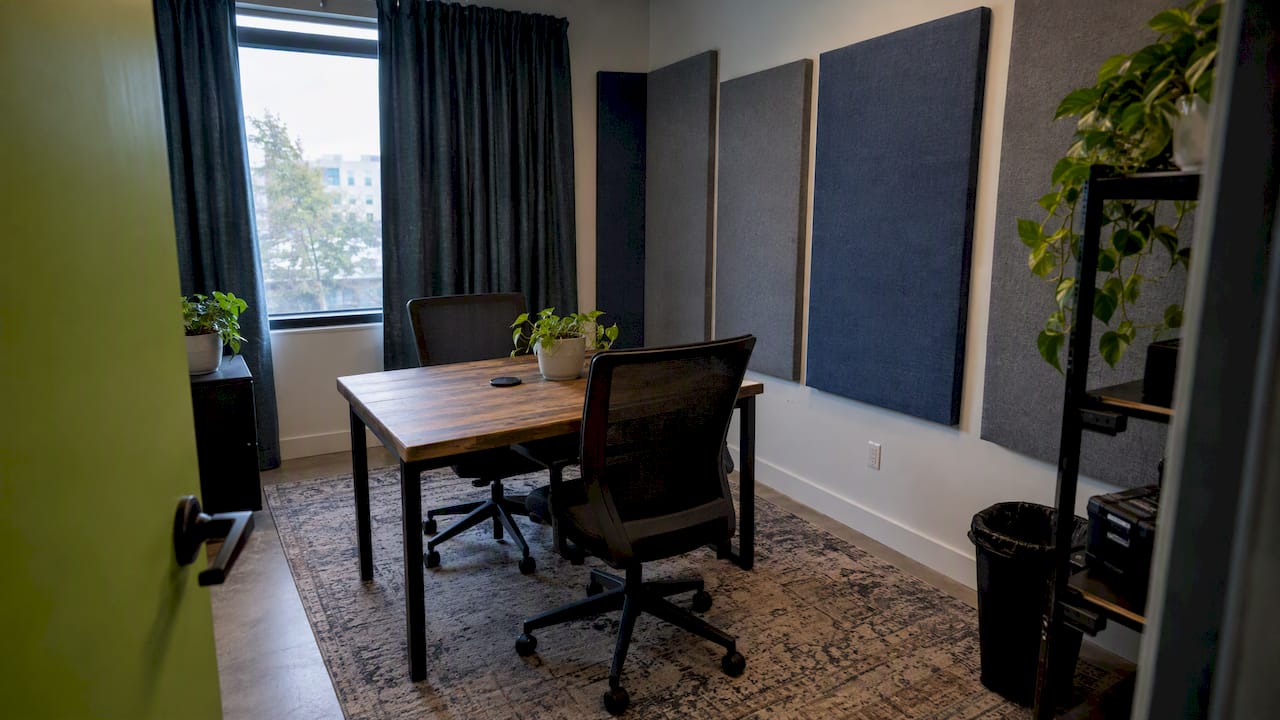
You can fix a lot in post-production, but not everything. Pick the quietest room you have, away from HVAC vents, street-facing windows and hard parallel walls. Soft surfaces help: rugs, curtains, upholstered chairs, bookshelves with books. Long Island offices often have glass and drywall everywhere, which means echo. A few acoustic panels or thick blankets just outside the frame make a measurable difference.
AI tools now help too. Modern editing software can automatically reduce background noise and improve voice clarity, which makes studio-quality sound more reachable for small businesses. Treat that as a safety net, not a plan. Clean source audio is always faster to edit and sounds better.
For the background, check what the viewer sees behind each guest. Remove clutter, branded items you do not want associated with the show, and anything that blinks or glares. A neutral wall with your logo and a practical lamp is enough.
Recording Settings and Workflow
Technical settings
For podcasts delivered as video, Adobe recommends a 48,000 Hz sample rate, compared with 44,100 Hz for audio-only shows. Record audio as WAV for editing, and export MP3 or AAC for distribution. Those formats are the most widely accepted because of their smaller file sizes.
On the video side, choose one resolution and frame rate (for example 1080p at 30 frames per second) and use it on every camera. Lock exposure and white balance so the image does not drift during the conversation.
Keep everything fixed once the show starts
Efficient multi-camera interviews depend on consistent camera, lighting and microphone positions throughout the session, so nobody stops the conversation to adjust something. The same source recommends testing wireless signals for interference and confirming that graphics and titles are finalized before recording begins. We would add a short checklist taped to the wall:
- Phones silenced, notifications off.
- Headphones on, levels checked with each speaker talking normally.
- Clap or count-in so audio and video sync easily.
- Guest name and title confirmed for lower-third graphics.
- Backup recording running on at least the audio.
Live switching or edit later
A multi-camera switcher lets you cut between angles in real time, and the finished sequence can be streamed or exported straight away with little post-production. If you go that way, set up and test the switcher well in advance. Most business shows are better off recording each camera separately and editing afterward, because it leaves room to fix mistakes, add b-roll and build clips.
Remote Guests
Not every guest can come to your office. For remote interviews, have the guest wear wired headphones, use an external microphone if they have one, face a window and sit in a quiet room. Record each person locally if your software allows it, since a call recording suffers from internet dropouts. Send the guest a short instruction sheet a day ahead. A guest who looks good makes your show look good.
Publishing: Where the Episode Goes
YouTube is the center of a video podcast, and it treats podcasts as playlists. Creators can upload videos directly to a playlist designated as a podcast, or submit an RSS feed, which typically creates a static-image video for each audio episode. YouTube also notes that content ingested by RSS is exclusive to YouTube and YouTube Music, so you still need a podcast host to reach other directories. For a video-first show, uploading real video is the better path.
Discoverability does not happen by accident. Give every episode a clear title, a description and an organized place in your playlists so search engines and platform algorithms can understand it. We go deeper on that in our guides to podcast SEO with episode pages, transcripts and schema and podcast distribution platforms for brands.
Turn Every Episode Into Short-Form Clips
A single 40-minute conversation holds a month of social content. YouTube Studio’s video clips and Shorts tool lets you cut engaging segments from long-form videos and publish them as separate clips or Shorts, and Shorts made this way link back to the source video. YouTube also lets you turn audio-first videos into Shorts if the video has a text transcript and is in English.
The same clips work as Instagram Reels, Facebook Reels and TikTok videos. A workable routine:
- Read the transcript and mark three to five moments with a clear point: a surprising answer, a concrete tip, a story.
- Cut each to 20 to 60 seconds, starting on the strongest sentence.
- Reframe to vertical, keeping the speaker’s face in the upper third.
- Add captions. Many people watch with sound off.
- Post natively on each platform with its own caption, and link back to the full episode.
This is why camera placement matters at the setup stage. If you frame the speaker with room above and beside the head, a vertical crop still works. Our walkthroughs on transcript-first podcast clips for social media and social media video editing show the full workflow.
Our Perspective: Build for Discovery, Not Just Looks
Most video podcast advice stops at the gear list. In our experience working with Long Island and New York businesses, the shows that earn their keep were designed around how people will find them. That means thinking about the title of each episode, the transcript, the YouTube description, the clip strategy and the website page before the first recording day.
We approach every video as a marketing asset. A podcast episode should support search visibility on Google and on emerging AI search platforms, feed your social channels and give prospects a reason to trust you before they ever call. A beautiful setup that nobody finds is an expensive hobby. A modest setup with a consistent publishing system builds brand presence episode by episode.
Our advice to business owners is simple. Spend on audio and lighting, keep the format repeatable, and decide in advance what each episode will become: a full video, a transcript page, a handful of clips and an email mention. If you do that, the equipment you own matters much less than the habit of publishing.
— Dean Spinato, CEO & Founder of Idea Stream Marketing
When to Bring in a Production Partner
Plenty of businesses start by recording themselves, and that is a fine way to test a format. Outside help makes sense when editing eats your week, when you want multiple camera angles and consistent sound, or when you want clips and SEO handled alongside the episodes.
Idea Stream Marketing handles podcast production, including podcast video editing, clip creation and the marketing around it, for businesses on Long Island and throughout New York. If you would like a recommendation on gear, a setup review or a full production plan, schedule a consultation with our team and tell us about your show.
A Simple Plan for Your First Month
- Week 1: Choose your format, pick a room, buy the microphone and headphones, and test your lighting with a smartphone.
- Week 2: Record a pilot with a friendly guest. Watch it critically: check sound, framing, and whether the conversation holds attention.
- Week 3: Fix what the pilot exposed, write episode titles and descriptions, and set up your YouTube playlist and podcast host.
- Week 4: Record and publish your first two episodes, then cut three clips from each.
For a wider view of how video fits into your marketing, see our video marketing guide for small businesses, and if you are filming guests, our notes on corporate interview videos cover interview technique.
FAQ
What equipment do I need for a video podcast?
At minimum you need a camera (a smartphone works), a microphone, headphones, a tripod and decent lighting. As your show grows, add XLR microphones with an audio interface, extra cameras, softbox lights and possibly a multi-camera switcher. Audio quality and lighting give the biggest return for the money.
How do I light a video podcast on a small budget?
Face a window for soft natural light and add one diffused lamp on the opposite side to soften shadows. When you can spend more, move to a three-point setup with a key light, fill light and backlight. Keep all the lights the same color temperature.
Should I record audio and video on separate devices?
Yes, when you can. Recording audio through a dedicated microphone and interface gives cleaner sound than a camera’s built-in mic. Clap once at the start so the editor can sync audio to each camera angle. Keep a backup recording running in case one device fails.
Can I upload a video podcast to YouTube and podcast apps?
Yes. On YouTube, you can upload videos to a playlist set as a podcast or submit an RSS feed. RSS-ingested episodes are exclusive to YouTube and YouTube Music, so use a podcast host to reach other directories.
How do I repurpose episodes into Reels, TikToks and Shorts?
Pick the strongest moments from the transcript, cut them to under a minute, reframe to vertical and add captions. YouTube Studio can cut Shorts directly from your long-form videos. Post each clip natively on every platform and point viewers to the full episode.
Sources
- Everything you need for a video podcast setup, Videomaker
- 5 professional lighting setups for interviews, Videomaker
- Adobe Premiere AI dialogue fixes, Videomaker
- How to direct a livestream using a video switcher, Videomaker
- Podcast Publishing 101, Adobe
- Podcasts on YouTube, YouTube Help
- Video clips and Shorts in YouTube Studio, YouTube Help
- Create a Short from an audio-first video, YouTube Help
- Green screen and mask for a podcast, Adobe Community
- Microphone Techniques for Recording, Shure

