



October 24, 2026
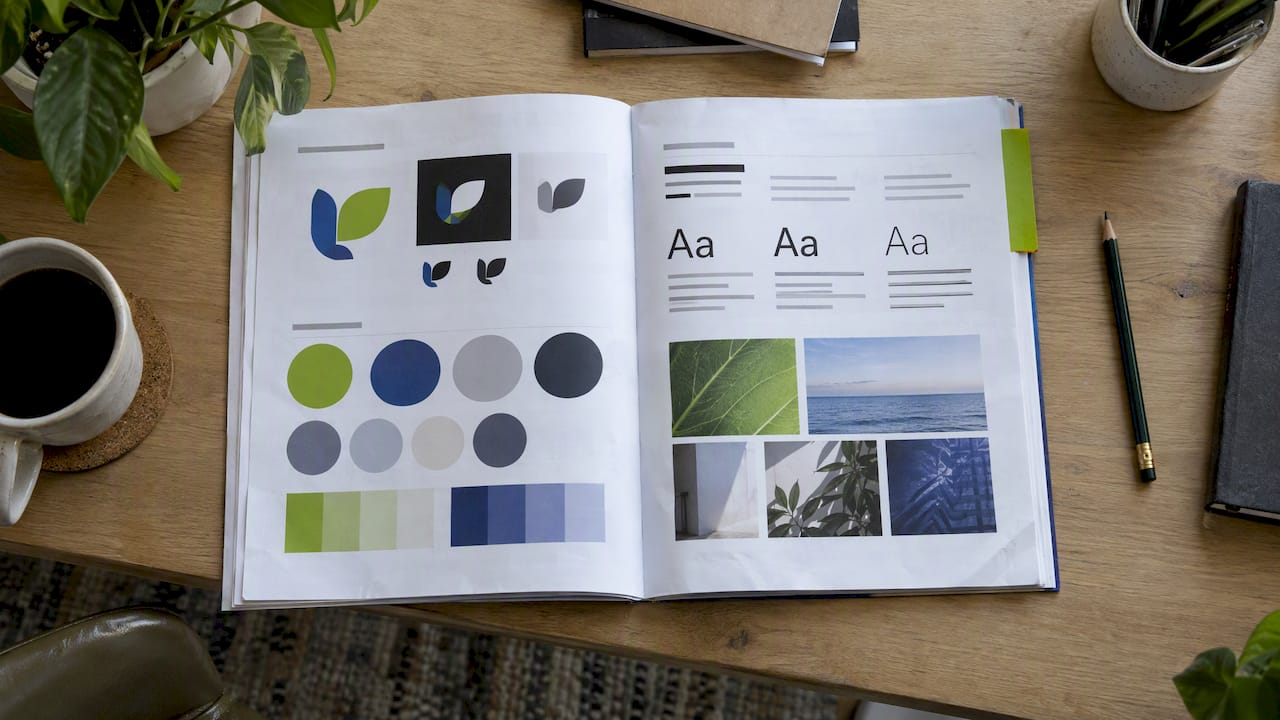


A brand guidelines template is a fill-in outline for the rules that govern how your business looks and sounds: logo use, colors, typography, imagery, voice and the do’s and don’ts that keep them consistent. The template below gives you ten sections to complete, a worked example for each, and a short list of mistakes that make guides sit unused. You can finish a solid first version in a week, and it will save you hours every time a designer, a freelancer, an editor or a video crew asks, “Which logo do I use?”
TL;DR
- Brand guidelines are your central rulebook for visual and verbal communication. A good one covers logo, color, type, imagery, voice and accessibility.
- Document specific values: HEX codes for screens, CMYK and Pantone for print, named fonts with named uses, and a clear-space rule for the logo.
- Add a tone of voice section. Most small business guides stop at visuals, and the brand then sounds different on every channel.
- Build accessibility in from the start. It is far cheaper than retrofitting later.
- Extend the guide to video, podcast and short-form social so your motion content matches your static brand.
Table of Contents
- What brand guidelines are and why a template helps
- The brand guidelines template: ten sections
- How to fill in each section
- Write a tone of voice guide, not only a visual one
- Build accessibility into the guide
- Extend the guide to video, podcast and short-form social
- Brand guidelines examples worth studying
- Brand guidelines for a small business
- Our perspective on brand guidelines
- Want help turning your guidelines into content?
- A quick brand guideline checklist
- FAQ
- Sources
What brand guidelines are and why a template helps
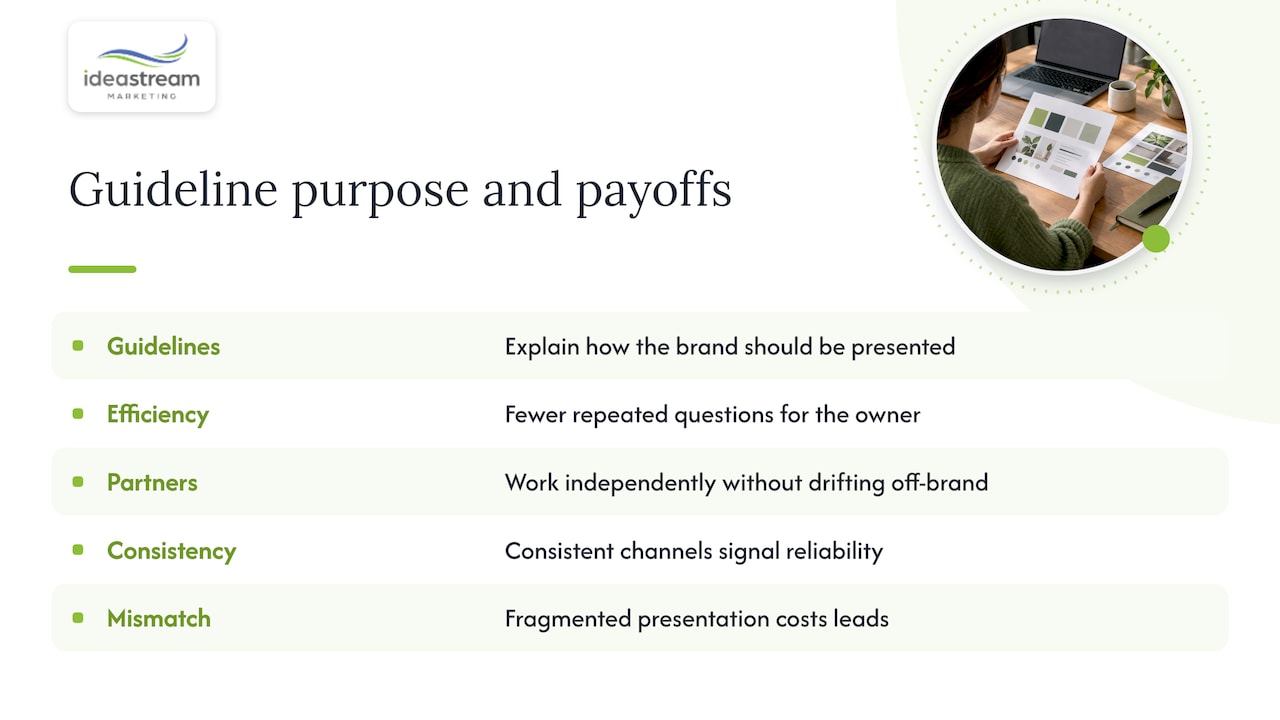
Brand guidelines, also called a brand style guide or brand standards, are the document that explains how your brand should be presented. The American Marketing Association describes its style guide template as a toolkit that helps marketing teams formalize their brand guidance, which is the job you are doing here at a smaller scale.
The biggest payoff is efficiency. When the do’s and don’ts are written down, the owner stops answering the same questions, and outside partners can work on their own without drifting off-brand. The second payoff is trust. A customer who sees the same logo, colors and tone on your website, your email and your social profiles reads you as reliable. When the pieces do not match, you look fragmented, and that costs you leads.
Organizations that depend on public trust take this seriously. The U.S. Census Bureau says its identity guidelines exist to present the bureau in a unified and credible way. The Department of Veterans Affairs publishes graphic standards that separate unchangeable elements from flexible ones. A Long Island dental practice, law firm or restaurant group does not need a hundred pages, but it needs the same logic.
The brand guidelines template: ten sections
Copy this outline into a document or slide deck. Each section has a prompt for what to write.
| # | Section | What to document |
|---|---|---|
| 1 | Brand story and purpose | Mission, vision, values, who you serve, one-sentence positioning |
| 2 | Brand personality and voice | Three to five traits, tone by channel, words you use and avoid |
| 3 | Logo | Primary, secondary and icon versions, clear space, minimum size, backgrounds |
| 4 | Color | Primary and secondary palette with HEX, RGB, CMYK and Pantone values |
| 5 | Typography | Heading and body fonts, weights, sizes, line spacing, fallback fonts |
| 6 | Imagery | Photography style, subjects, editing look, illustration and icon style |
| 7 | Layout and templates | Grids, spacing, slide, email, social and document templates |
| 8 | Motion, video and audio | Intro and outro, lower thirds, captions, music, podcast cover art |
| 9 | Accessibility | Contrast ratios, alt text patterns, color-independent cues |
| 10 | Governance | Who owns the guide, where files live, who approves exceptions |
The essentials echo what HubSpot’s brand style guide PDF lists: logo variations and clear-space rules, specific color codes, approved fonts with defined uses, photography and iconography standards, and brand voice. Sections 8 to 10 are the ones most free downloads skip, and they are the ones that matter most when your business starts producing video and content at volume.
How to fill in each section
Brand story and purpose
Write this first, in plain language. Answer four questions: what do you do, for whom, why do customers choose you, and what do you want them to feel? Keep it to half a page. Every later decision, from color to caption style, should trace back to this page. If you are still shaping your positioning, our guide to a brand messaging framework walks through it step by step.
Logo rules
Show every approved version: full color, one color, reversed for dark backgrounds, and a compact icon for profile photos. Then state three rules in numbers: the clear space around the logo (for example, the height of the first letter on every side), the minimum size in pixels for screens and in inches for print, and the backgrounds it may sit on.
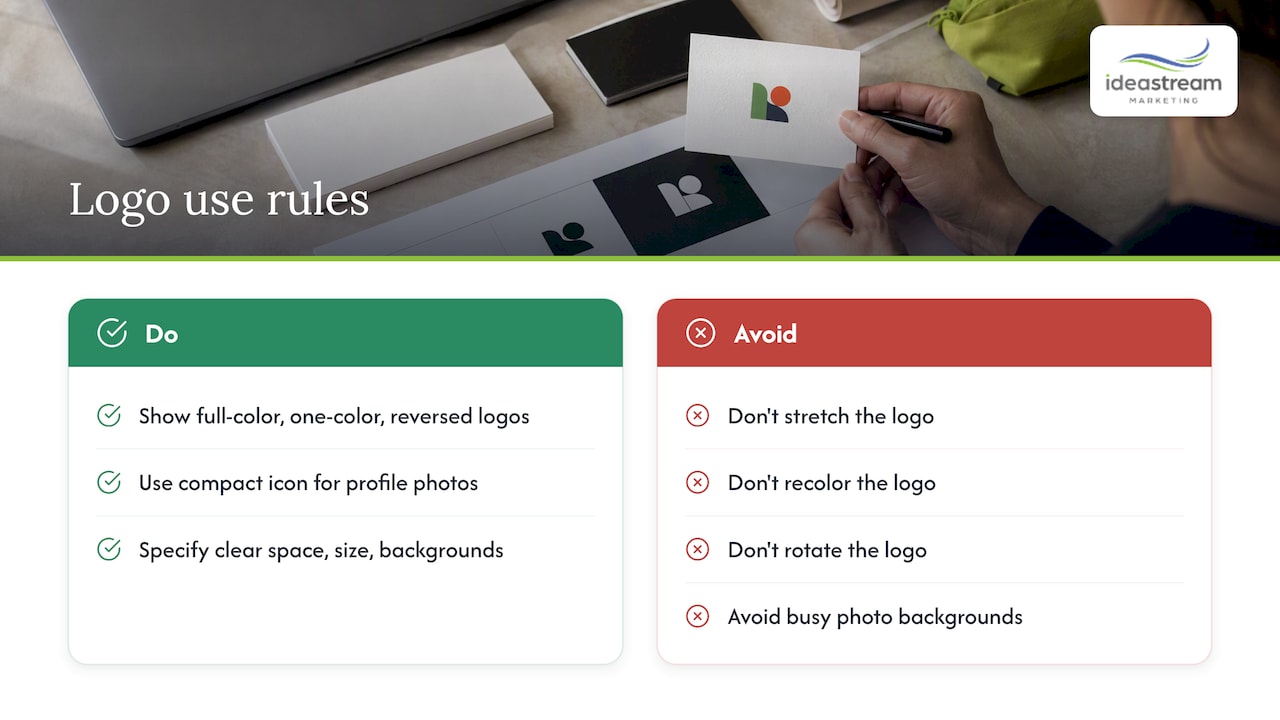
Include a short “incorrect usage” panel: stretched, recolored, rotated, placed on a busy photo. HubSpot’s guide notes that showing incorrect usage is standard practice, because it prevents the mistakes people make when they are in a hurry.
Color palette
List each color with its name and its values for every medium:
- HEX for websites and apps
- RGB for digital video and presentations
- CMYK for standard print
- Pantone (PMS) for signage, business cards and trade show displays
Pantone codes matter because they give a printer an exact reference, instead of leaving the match to guesswork between screen and paper. Also say how much of each color to use. A simple 60/30/10 split of dominant, supporting and accent colors keeps layouts steady.
Typography
Name one heading font and one body font. Specify where each is used, the weights allowed, and a fallback such as Arial or Georgia for emails and documents where your brand font will not load. If you pay for a font license, note who holds it and how many seats are covered, so a freelancer does not install a pirated copy.
Imagery and photography
Describe the look in words a photographer can act on: natural light or studio, real staff or stock, candid or posed, warm or cool grade. Add five approved sample images and three rejected ones. If you commission shoots, our business photography guide shows how a consistent visual style is planned before the camera comes out.
Layout and templates
Guidelines work best when people do not have to build from scratch. Attach ready-made files: an email signature, a slide deck, a one-page flyer, a proposal cover, social post frames. A template is the guide put to use, and it is the quickest way to stop off-brand work.
Write a tone of voice guide, not only a visual one
Many business owners focus on visuals and forget the editorial side. HubSpot’s guide points out that voice, tone and vocabulary keep emails, captions and blog posts sounding like the same company. If you skip them, you can have perfect colors and still feel inconsistent.
Keep the voice section short and usable:
- Pick three to five traits. For example: knowledgeable, direct, warm. Add “but not” for each: knowledgeable but not jargon-heavy.
- Show tone by channel. Your LinkedIn post, your Instagram Reel caption and your invoice reminder should differ in energy but not in character.
- List preferred and banned words. Decide whether you say “clients” or “customers,” “patients” or “members.”
- Add before and after examples. Take a stiff sentence and rewrite it in your voice. One example teaches more than a paragraph of adjectives.
- Set grammar and formatting habits. Oxford comma, title case or sentence case in headlines, how you write phone numbers and dates.
If your brand is professional but at risk of sounding dull, our piece on keeping branding professional but not boring offers practical ways to add personality without losing credibility.
Build accessibility into the guide
Accessibility is easiest to add on day one. The University of Arizona’s accessible branding page shows an organization checking every color pairing, font and template against WCAG 2.2 Level AA as part of its brand rules. You can copy that approach.
Put these items in your guide:
- Contrast ratios. WCAG’s contrast minimum asks for 4.5:1 for normal text, and the accessible branding guidance applies 3:1 to larger elements and interface components such as buttons and icons. Test every text and background pair in your palette and record the approved ones.
- Approved pairings. A small grid of “this text color on this background” saves designers from guessing.
- Alt text pattern. Describe what the image shows and why it matters, in one sentence, without “image of.”
- No color-only meaning. Pair a red or green status with an icon or label.
- Captions on video. Make burned-in or uploaded captions part of your motion standards.
If your website is part of the problem, see our website accessibility guide for a 90-day plan.
Extend the guide to video, podcast and short-form social
A brand guide written only for logos and brochures breaks down the first time you publish video. Section 8 of the template closes that gap. Add these items:
- Video look. Color grade, framing style, whether presenters look to camera, and the b-roll you prefer.
- Graphics package. Logo animation, lower thirds, title cards, end screens, with the fonts and colors from your palette.
- Captions and safe zones. Vertical formats like Instagram Reels, Facebook Reels, TikTok videos and YouTube Shorts have interface elements covering parts of the frame. Define a safe area for text and a caption style that stays readable on a phone.
- Audio. Approved music, volume levels, and a standard intro and outro for podcast recording.
- Podcast identity. Cover art, episode title format, show notes template, guest release language.
- Repurposing rules. When you turn a podcast episode into social clips, say which moments qualify (a clear answer, a story, a stat), how long clips run, and which end card and call to action they use.
This is where consistency pays off. One long interview can become a full episode, a YouTube video, several vertical clips and a set of quote graphics. If each piece follows the same rules, your audience recognizes you at every touchpoint. Our overview of video production’s role in brand growth and our video content checklist go deeper on planning.
Brand guidelines examples worth studying
You do not have to look at consumer giants to learn. Public-sector guides are free, detailed and written for broad teams and contractors:
- The GSA graphic standards apply to communications produced by employees, contractors, grantees and partners, and they separate fixed requirements from inspirational guidance.
- The VA’s guide opens with “absolutes,” the essential and unchangeable elements. That is a smart structure for a small business: decide which five rules are never broken, and let everything else flex.
- The Census Bureau’s identity page shows how a brand program ties directly to credibility with the public.
When you review any example, ask three questions. What is fixed? What is flexible? How does the guide help someone who is not a designer? Then borrow the structure, not the look.
Brand guidelines for a small business
If you run a ten-person firm, a forty-page guide will go unread. Aim for six to twelve pages, and use this order of priority:
- Logo files and rules
- Color values and approved text pairings
- Two fonts
- Voice traits and a short word list
- Five sample photos
- One page of templates and contacts
Store it as a PDF plus a shared folder with the actual assets: logo files in vector and PNG, fonts, and templates. Name one person who owns it. Review it once a year or whenever you add a major channel.
A few frequent mistakes: leaving out file formats, so vendors pull a low-resolution logo from your website; listing colors only as HEX, so print comes back off; writing voice rules so vague that nobody can apply them; and never updating the guide after you launch video or a podcast.
Our perspective on brand guidelines
We see the same pattern with Long Island businesses of every size. The logo is fine, the website is fine, and then the video, the podcast artwork, the social clips and the ads each look like they came from a different company. The guide is rarely missing because owners do not care. It is missing because nobody has time to write it.
Our view is that brand guidelines should work for discoverability as much as for design. The same naming conventions, descriptions and visual rules that keep a brand consistent also help your content show up and make sense in Google, YouTube, social platforms and AI search. A video with a clear title format, captions, a consistent thumbnail style and matching website page is easier for people and for search systems to understand. That is why we build video, content and marketing strategy from one set of standards instead of treating them as separate jobs.
We also think a guide should be short enough to use. Decide the few rules that protect trust, document them with real values, and give your team templates. Everything else can evolve.
— Dean Spinato, CEO & Founder of Idea Stream Marketing
Want help turning your guidelines into content?
If you have a guide and need video, podcast production, photography or social content that follows it, we can help. If you have no guide yet, our branding services cover the foundation, and our full list of services shows how video, podcast, photography and digital marketing connect. SCHEDULE A CONSULTATION and tell us what you are building.
For more on why this work pays off, read why branding matters for growth and trust and our branding strategy examples.
A quick brand guideline checklist
Before you share the document, confirm each item:
- Every logo version is included, with clear space and minimum size.
- Colors list HEX, RGB, CMYK and Pantone values.
- Fonts are named, licensed and paired with a fallback.
- Voice traits come with before and after examples.
- Contrast-tested color pairings are listed.
- Video, podcast and vertical social standards are written down.
- Templates are attached, not only described.
- One owner is named, and the file location is clear.
FAQ
What is the difference between brand guidelines and a brand style guide?
The terms are mostly used interchangeably. A style guide often focuses on visual and writing rules, while brand guidelines can also include mission, values and positioning. A practical document combines both.
How long should brand guidelines be?
For a small business, six to twelve pages is enough if it contains real values and examples. Larger organizations with many departments and vendors add detail, like government agencies do. Length matters less than whether people can find an answer in under a minute.
Do I need a designer to use a template?
Not to start. You can fill in the outline above with your existing logo, colors and fonts. A designer or agency helps when your identity is inconsistent, or you need templates, motion graphics and video standards built to match.
How often should I update my brand guidelines?
Review them once a year and whenever you add a major channel, such as a podcast or short-form video. Update the file in one place and tell everyone who uses it, so old versions stop circulating.
Sources
- AMA Sample Style Guide Template
- How to Create Effective Brand Guidelines (HubSpot PDF)
- Accessible Branding, University of Arizona
- Understanding SC 1.4.3: Contrast (Minimum), W3C
- Corporate Identity and Branding Standards, U.S. Census Bureau
- VA Tier 1 Graphic Standards
- GSA Graphic Standards

