



October 21, 2026




Yes, implement schema for AI search. It’s a low-cost, high-upside signal that helps large language models identify who you are, what you offer, and how your content connects, even though it won’t single-handedly force a citation.
Start with two moves this week:
- Technical: Add Organization and Article JSON-LD with a stable
@idto your three highest-traffic pages. - Strategic: Audit whether your visible page content actually says what your schema claims, since mismatches undercut everything else.
Key Takeaways
Schema for AI search works by giving large language models structured, verifiable facts about your entities, attributes, and relationships, which supports but never guarantees citation.
| Point | Details |
|---|---|
| Start with Organization and Article | Add @graph JSON-LD with stable @id values to your top pages first. |
| Match schema to visible content | Every structured fact needs a visible anchor on the page, or it undermines trust. |
| Validate, then monitor | Use validator.schema.org for syntax and Search Console for indexing, then track AI citations manually. |
| Treat it as a complement | Schema supports strong content and brand signals; it doesn’t replace them. |
| Get help when scale outpaces capacity | Idea Stream Marketing’s AI SEO service handles audits, @graph implementation, and ongoing monitoring for growing sites. |
Authoritative Resources to Read Next
- Schema — the canonical vocabulary reference for every type and property.
- Validator — checks syntax and required fields before you publish.
- Microsoft’s Bing Copilot announcement — confirms structured data’s role in LLM content understanding.
- Search Engine Land’s schema and AI search guide — a measured, non-hyped breakdown of entity graphs.
- Complete AI schema markup guide — deep dive on completeness, freshness, and entity grounding.
Table of Contents
- How Schema for AI Search Actually Works
- Which Schema Types Should You Prioritize for AI Search?
- The Entity-Graph Pattern: Using @id and @graph
- Step-by-Step: Implementing and Validating Your Schema
- What’s Confirmed and What’s Still Unproven
- Common Pitfalls and Errors to Avoid
- Tools and Resources for Schema Generation and Validation
- Is Schema Worth the Investment for Your Site?
- When to Hire a Schema Specialist Versus Doing It Yourself
- Sources
- FAQ
How Schema for AI Search Actually Works
AI systems don’t read your page the way a human does. They extract entities, attributes, and relationships, then decide whether your content is trustworthy enough to cite. Schema markup gives them a shortcut for all three:
- Entity definition: clearly naming who or what a page is about (a business, a person, a product).
- Attribute clarity: structured facts like founding date, author credentials, or price, instead of buried prose.
- Entity relationships: connections between your Organization, your authors, and your content pieces.
JSON-LD with a consistent @id and @graph structure functions like a mini internal knowledge graph, linking your homepage entity to your author entities to your article entities in a way crawlers and LLMs can traverse. Microsoft has confirmed that structured data helps its LLMs understand page content for Bing Copilot, and a controlled experiment found the page with well-implemented schema was the only one to appear in a Google AI Overview among three otherwise similar test pages. That’s a signal worth acting on, not a guarantee.
Which Schema Types Should You Prioritize for AI Search?
Not every schema type carries equal weight. Rank your implementation effort this way:
- Organization — the foundation. Practitioner testing consistently points to Organization schema with sameAs links as the single most critical piece for reducing brand confusion in AI answers.
- Person/Author — establishes who wrote what, which matters when AI systems weight expertise.
- Article/BlogPosting — ties content to both the author and the publisher entity.
- FAQPage — strong candidate for direct extraction into conversational answers.
- HowTo — useful for process-driven content, though platform support varies.
- Product/Service — critical if you sell something and want AI shopping or comparison surfaces to represent you accurately.
- LocalBusiness — essential for any location-based service.
- Breadcrumb — low effort, helps establish site hierarchy.
One rule overrides all of it: every fact in your schema needs a visible match on the page. Schema describing a service, price, or credential that never appears in your actual copy is a red flag, not a shortcut.
The Entity-Graph Pattern: Using @id and @graph
A single Article schema block sitting alone on a page tells an AI system almost nothing about how that content connects to your brand. The fix is an entity graph: a @graph array where Organization, Person, and Article nodes reference each other through stable @id values, the same way Wikidata links entities. Search Engine Land recommends exactly this structure for helping AI disambiguate who’s publishing what.
Here’s a minimal starter you can adapt:
{
  "@context": "https://schema.org",
  "@graph": [
    {
      "@type": "Organization",
      "@id": "https://example.com/#organization",
      "name": "Example Company",
      "url": "https://example.com",
      "sameAs": ["https://linkedin.com/company/example"]
    },
    {
      "@type": "Person",
      "@id": "https://example.com/#author-jsmith",
      "name": "Jane Smith",
      "sameAs": ["https://linkedin.com/in/janesmith"]
    },
    {
      "@type": "Article",
      "@id": "https://example.com/blog/post/#article",
      "headline": "Article Title Here",
      "author": {"@id": "https://example.com/#author-jsmith"},
      "publisher": {"@id": "https://example.com/#organization"},
      "mainEntityOfPage": "https://example.com/blog/post/"
    }
  ]
}
Customize name, url, @id, sameAs, and mainEntityOfPage for every page. The @id values are internal anchors, not public URLs that need to resolve, but they must stay identical across every page that references them.
Pro Tip: Never change an @id once it’s live. If Organization’s @id shifts from /#organization to /#org next year, every Article node pointing to the old value breaks silently, and you won’t get an error, just a quietly disconnected graph.
Step-by-Step: Implementing and Validating Your Schema
Treat this as a sequence, not a checklist to tackle in random order:
- Identify priority pages — homepage, top service pages, cornerstone blog content, and anything already ranking for competitive queries.
- Build the @graph JSON-LD — Organization and Person nodes first, then link Article or Service nodes to them.
- Validate syntax — run every page through Validator, which checks structure and required properties.
- Submit for indexing — use Google Search Console’s URL inspection tool to prompt recrawling.
- Monitor results — track coverage reports, rich result eligibility, and whether brand mentions in AI answers become more accurate over time.
A few tools matter beyond the validator itself. Google’s Rich Results Test shows how a page might render in traditional search. Search Console’s coverage and indexing reports tell you whether Google even sees the markup. For AI-specific monitoring, there’s no universal dashboard yet, so tracking brand mentions and citation accuracy across ChatGPT, Perplexity, and Google AI Overviews manually, on a monthly cadence, remains the most reliable method. Re-audit schema quarterly, since Schema.org’s vocabulary and best practices keep shifting.
What’s Confirmed and What’s Still Unproven
Two platform-level facts are worth building a strategy around. Microsoft has said outright that structured data helps Bing Copilot understand page content. Separately, a controlled test showed schema quality correlating with AI Overview inclusion, though it was one experiment, not a repeatable industry standard.
What nobody can confirm yet:
- Whether schema alone guarantees a citation on any platform.
- How consistently large language models ingest JSON-LD at scale versus relying on visible text.
- Whether the entity-graph pattern scales the same way for a ten-page site as it does for a ten-thousand-page one.
The practical stance: treat schema as a complement to strong content and a clear brand identity, not a replacement for either. It’s cheap to implement, reversible if done wrong, and the downside of skipping it is invisibility in a channel that’s only growing.
Common Pitfalls and Errors to Avoid
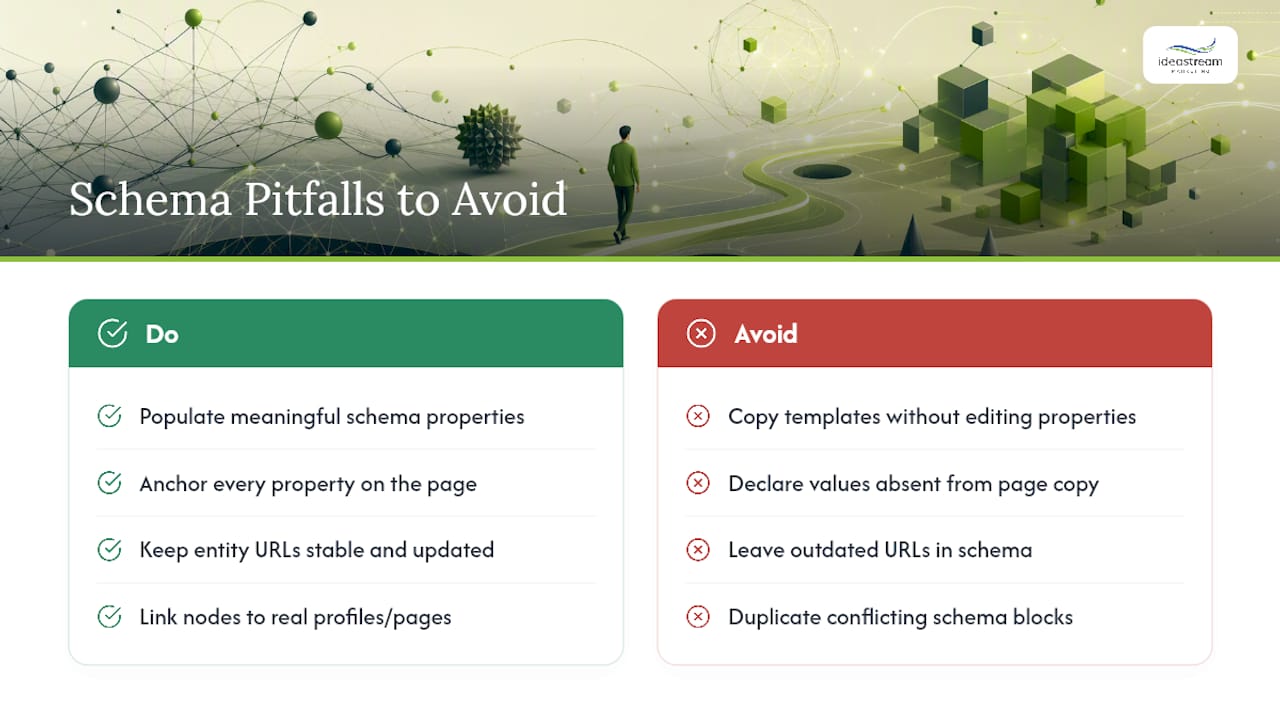
The most frequent mistake is treating schema as decoration rather than data. Marketers copy a JSON-LD template, swap in a company name, and never touch the properties that actually matter, like sameAs or dateModified. That produces markup that passes validation but tells an AI system almost nothing useful.
Mismatched content is the second big trap. If your schema states a price, service area, or credential that doesn’t appear anywhere in your visible copy, you’ve created a contradiction search engines and AI crawlers can flag as untrustworthy. Every property in your markup needs a visible anchor on the page.
Unstable @id values quietly break entity graphs. Teams redesign a site, change URL structures, and forget that @id references throughout their @graph still point to the old paths. The graph doesn’t throw an error. It just stops connecting.
Duplicate or conflicting schema is another common issue, especially on sites that layer a plugin’s auto-generated schema on top of manually coded JSON-LD. Two Organization blocks with different sameAs links or different names confuse more than they clarify.
Finally, teams stop at validation and call it done. Passing validator.schema.org confirms syntax, not semantic completeness. A technically valid Person node with no sameAs link to a real professional profile does far less work than one that ties back to LinkedIn or an author bio page. Validation is the floor, not the finish line.
Tools and Resources for Schema Generation and Validation
For generating markup, Schema remains the canonical reference for every available type and property, and it’s worth bookmarking over any third-party cheat sheet. For sites on WordPress, plugin-based schema generators handle basic types well but often need manual JSON-LD edits layered on top for entity linking and @graph relationships.
For validation, run two checks, not one. Validator.schema.org confirms syntax and required properties. Google’s Rich Results Test shows how eligible markup might render as a rich snippet in traditional search results. Neither tool checks whether your sameAs links point to real, authoritative profiles, so that step stays manual.
For ongoing monitoring, Google Search Console’s coverage and indexing reports tell you whether pages with new markup actually get recrawled and recognized. There’s no dedicated AI-citation tracker yet that works across every platform, so pairing Search Console data with manual spot-checks in ChatGPT, Perplexity, and Google AI Overviews is the current best practice.
If your content strategy leans on conversational or Q&A-style content, tools built around conversational interfaces are worth exploring alongside FAQPage schema, since both aim to surface direct answers rather than forcing users to dig through a page. Pairing structured data with genuinely well-organized content strategy tends to outperform either approach alone.
Is Schema Worth the Investment for Your Site?
The honest answer depends on three questions. First, how much content do you already have that’s well-written but poorly structured? If your site has strong articles, service pages, and author bios but zero markup, schema is close to free lift, since you’re organizing information that already exists rather than creating new content.
Second, how competitive is your niche for AI visibility? A local service business competing for a handful of high-intent queries gets more relative value from tight LocalBusiness and Service schema than a national brand competing across thousands of keywords, where content depth and backlinks likely matter more.
Third, do you have the technical capacity to maintain it? Schema isn’t a “set it and forget it” tactic. Stable @id values, accurate dateModified fields, and content-schema alignment all require upkeep as pages change. If nobody on your team owns that maintenance, half-implemented schema can sit stale for years and quietly mislead AI systems about content that’s since changed.
If you answered “yes, decent content already exists” and “yes, we can maintain it,” schema for AI search is worth prioritizing this quarter. If your content itself is thin, fix that first. Structured data organizes information; it doesn’t invent it.
Agency Perspective: Where Schema Actually Moved the Needle
Entity identity is where schema earns its keep, especially for FAQ and HowTo content built for extraction. One client’s service pages sat unindexed for AI Overviews for months. After adding @graph linked Organization and Service nodes with matching visible copy, several pages began appearing in AI-generated answer summaries within weeks, not months.
When to Hire a Schema Specialist Versus Doing It Yourself
Handling schema in-house works fine for a small site with a handful of page types and a team member comfortable editing JSON-LD directly. It stops working once your site scales past a few dozen pages, your CMS fights you on custom code injection, or your entity graph needs to represent multiple locations, authors, and service lines simultaneously without breaking @id references.
Idea Stream Marketing runs schema as part of a full AI SEO engagement rather than a one-off task: an audit of your current markup and content-schema alignment, @graph JSON-LD implementation across priority pages, entity linking through verified sameAs profiles, and ongoing validation and monitoring as your site grows. That combination matters more than any single schema block, because a perfectly coded Article node means little if your underlying technical SEO foundation can’t get the page indexed in the first place.
If your team is stretched thin or your CMS makes custom code a headache, that’s the clearest signal to bring in outside help rather than let schema sit half-finished for another quarter. Idea Stream Marketing typically scopes an initial audit and implementation plan within a couple of weeks of kickoff. Reach out through the digital marketing team to get a specific timeline and deliverables for your site.
Sources
- How schema markup fits into AI search — without the hype
- Reinventing search with a new AI-powered Microsoft Bing and Edge — your copilot for the web
- Validator
FAQ
How Should You Structure Information for AI Search?
Organize content around clear entities (your brand, authors, products) and connect them through JSON-LD using @id and @graph, while making sure every structured fact also appears in your visible page content.
What Is an AI Schema?
An AI schema isn’t a separate vocabulary. It’s Schema.org markup implemented with greater completeness: deeper descriptions, verified sameAs entity links, stable @id values, and accurate freshness dates.
What Are the Four Types of Schema Most Marketers Should Prioritize?
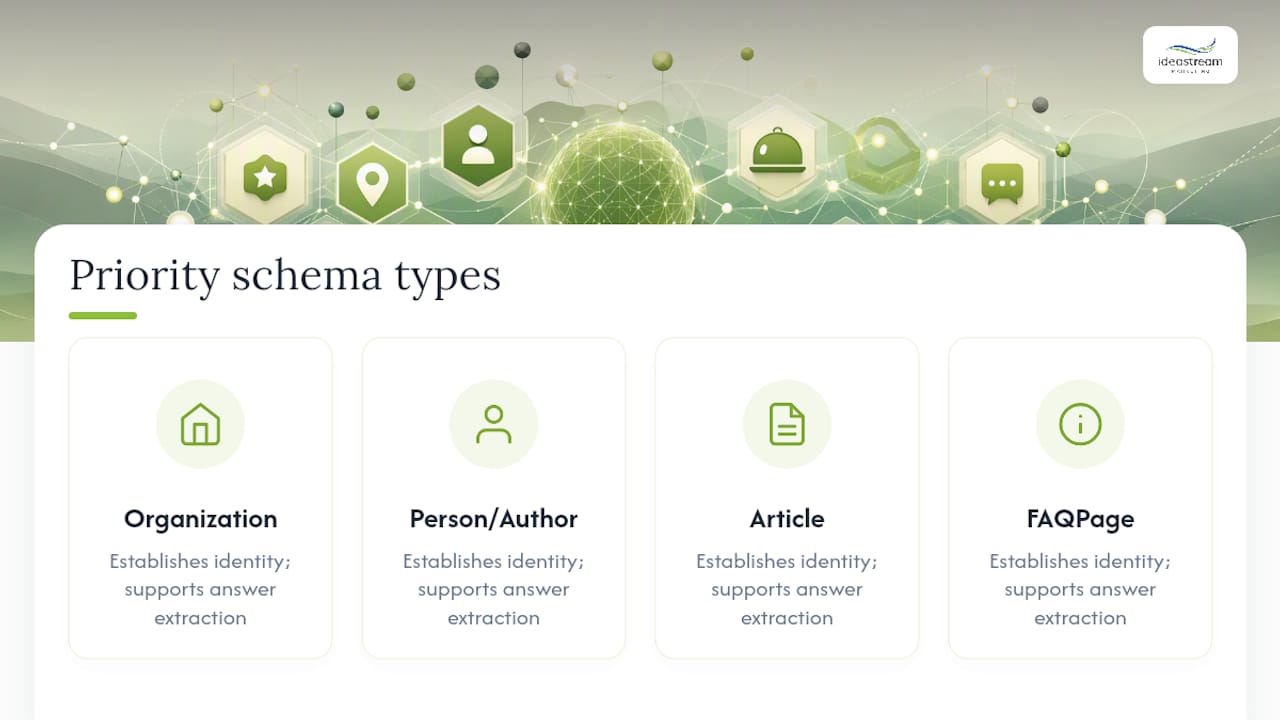
For AI search visibility, prioritize Organization, Person/Author, Article/BlogPosting, and FAQPage schema first, since these establish identity and support direct answer extraction.
What Model Powers Google’s AI Search Features?
Google hasn’t published a single definitive model name tied exclusively to AI Overviews, and it changes as the underlying systems evolve. What’s confirmed is that structured data plays a supporting role in how Google’s systems understand and surface page content, alongside traditional ranking signals.

