





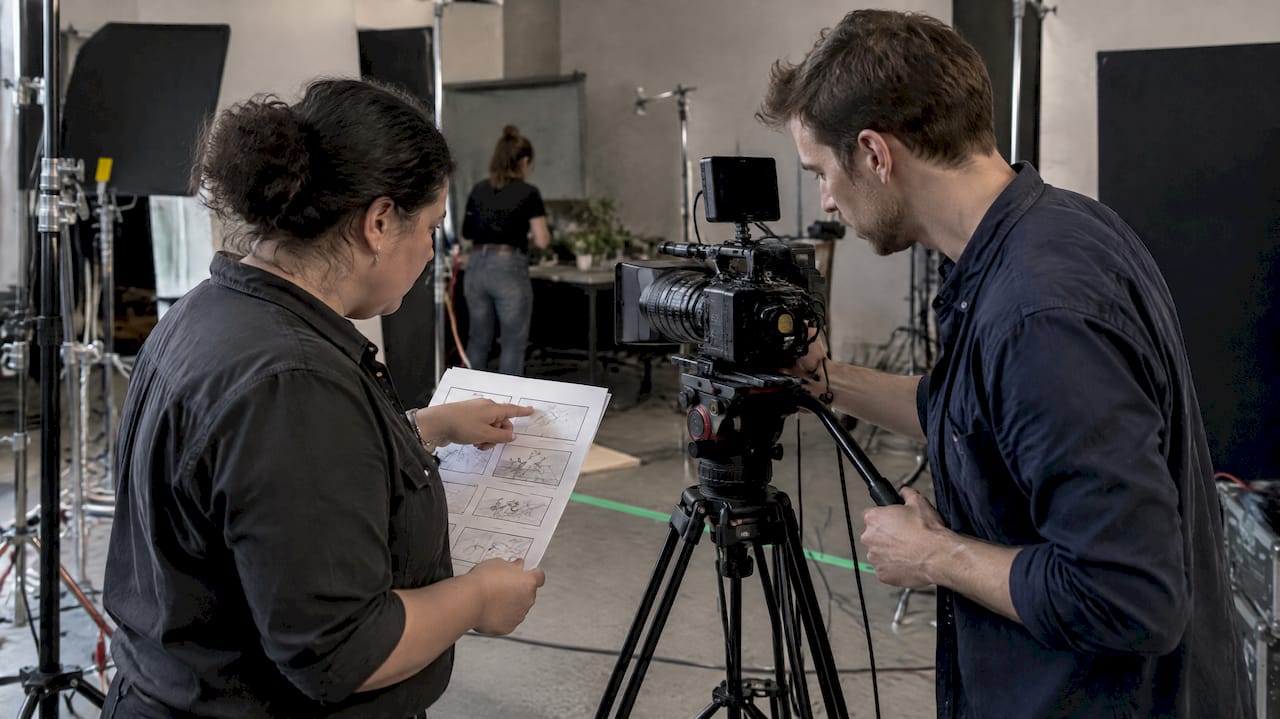


The fastest way to choose a format: export 16:9 for wide-screen platforms and 9:16 for mobile-first short-form platforms, and use 1:1 or 4:5 for feed posts. An aspect ratio is simply width to height, written as width:height. Pick your primary platform first, export one master in its native ratio, then crop or reframe that master for every other destination.
TL;DR:
- TikTok permits uploads up to 60 minutes, but recommends 9–15 seconds for engagement; its 540×960 vertical ad minimum sits below the 1080×1920 standard.
- For vertical social clips, capture in 4K for reframing latitude, then export at 1080×1920; platforms downscale uploads, so 4K delivery rarely adds visible detail.
- Keep subjects and captions away from frame edges: app controls can cover them, and Instagram may crop a Reel differently in its profile grid.
- Shoot vertically when short form is the priority; for mixed destinations, capture wide with the subject centered, since edge action may disappear in vertical crops.
Table of Contents
- What are the most common video aspect ratios and when should you use each?
- Which aspect ratio does each platform want?
- How is aspect ratio different from resolution and pixel aspect ratio?
- How do you choose the right aspect ratio for your shoot?
- What export and delivery habits prevent upload problems?
- Why do we plan formats before we ever press record?
- Ready to get every format right the first time?
- FAQ
- Sources
What are the most common video aspect ratios and when should you use each?
Every frame you shoot has a shape, and that shape is its aspect ratio. Aspect ratio) is the ratio of width to height expressed as width:height, and the common display ratios include 4:3, 3:2, 16:9, 1:1 and 21:9. Here is how each one shows up in real production work:
- 16:9 (landscape): The default for YouTube, websites, presentations, and broadcast. The standard pixel sizes are 1920×1080 (1080p) and 3840×2160 (4K). If you are recording a podcast episode with two cameras, 16:9 is usually the right master.
- 9:16 (vertical): The shape of a phone held upright. The standard export is 1080×1920, and it is the native format for TikTok videos, Instagram Reels, Facebook Reels, and YouTube Shorts.
- 1:1 (square): Equal width and height, such as 1080×1080. It works in feed placements where a square takes up more screen than a wide frame does, and it crops cleanly from a centered talking head.
- 4:5 (portrait feed): Slightly taller than wide, such as 1080×1350. It fills more of a phone feed than 1:1 while still sitting inside the feed rather than going full screen.
- 4:3: The legacy television shape. You will meet it in archival footage, some presentation decks, and sensor-crop situations where a camera captures a taller frame than you need.
- 21:9 and cinematic ratios: A deliberately wide look that signals film. Use it as a creative choice for brand films and cinematic b-roll, not as a default for social platforms.
16:9 in practice
Landscape remains the right choice when viewers will watch on a laptop, a TV, or a website embed. Interviews, product walkthroughs, training videos, and full podcast episodes all live comfortably here. Shooting 4K gives you room to punch in during editing, which matters when you later need a tighter crop for a vertical version.
9:16 in practice
Vertical fills a phone screen edge to edge, with no bars above or below. That is why it is the working format for short-form social media reels. Frame your subject near the center, because apps place captions, buttons, and usernames over the edges of the frame.
1:1 and 4:5 in practice
Feed-first formats are a middle path. If your audience scrolls a feed rather than swiping through a full-screen player, a 4:5 frame takes up more vertical space than a landscape clip and stops thumbs a little longer. They also give you a safe second deliverable when a client wants one edit to serve both a feed post and a website.
Less common ratios worth recognizing
You may also run into 14:9, a compromise ratio that was used in some broadcast contexts, and 2.39:1, the very wide theatrical standard. You rarely need to deliver in either, but knowing these ratios exist helps when a client sends footage from an older project or a cinema camera.
Which aspect ratio does each platform want?
Each platform has a native shape, and it will fit anything else into that shape by padding, cropping, or rejecting it. Choosing the native format up front is cheaper than fixing it afterward.
YouTube
YouTube displays videos with different aspect ratios depending on platform and format. The standard on desktop is 16:9, and YouTube adapts non-16:9 videos by adding padding as needed. The common 16:9 resolution ladder includes 1920×1080 (1080p) and 3840×2160 (4K).
That means a 4:3 upload is not rejected, but it will sit inside the player with bars on the sides. For standard long-form videos, stay at 16:9. For YouTube Shorts, export vertical at 1080×1920.
TikTok, YouTube Shorts, and Instagram Reels
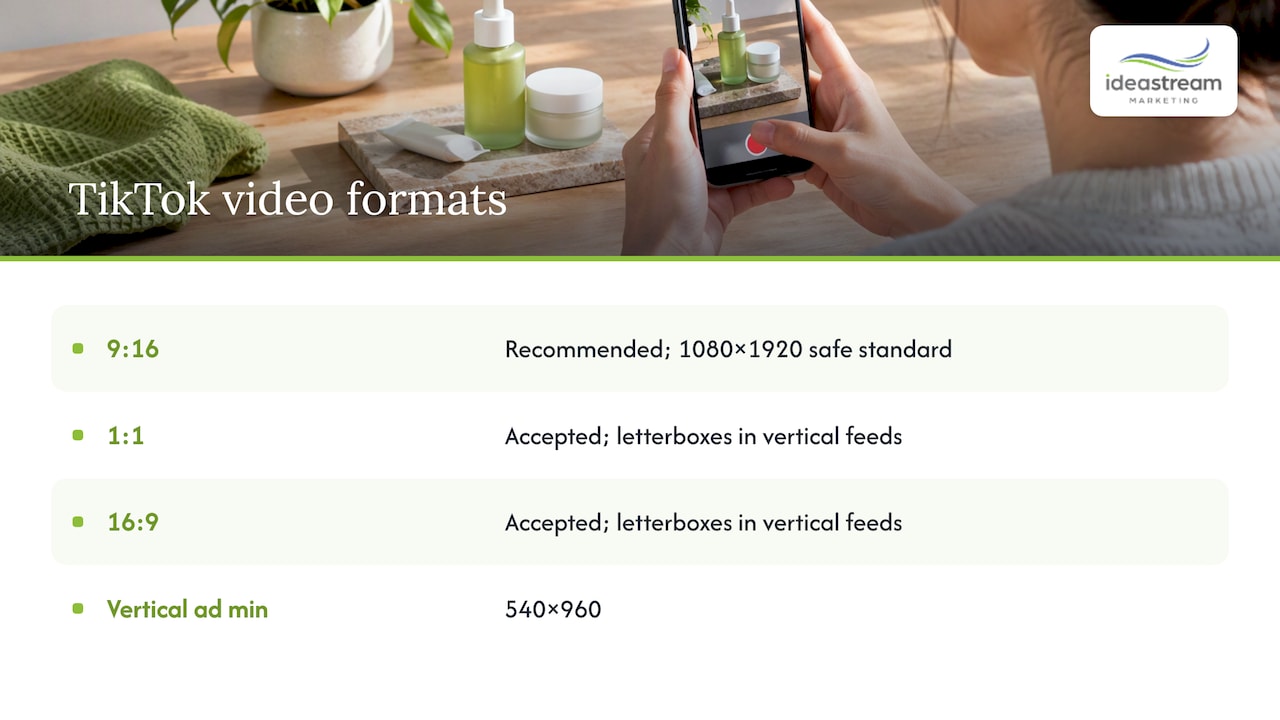
All three are built around a full-screen vertical player. Our recommendation is a single 9:16 master at 1080×1920 for all of them. TikTok accepts 9:16 vertical, 1:1 square, and 16:9 horizontal, but 9:16 is strongly recommended for native-feed performance. TikTok publishes a vertical ad minimum of 540×960, so a 1080×1920 file clears it comfortably.
The 1080×1920 export is the safe standard for vertical video because it matches phone screens. Square and horizontal uploads are accepted but letterbox in vertical feeds, so a landscape clip posted to TikTok shows up as a small band in the middle of the screen with empty space above and below.
Length matters too. TikTok allows uploads up to 60 minutes, but shorter videos of 9–15 seconds are recommended for engagement. A long upload being allowed does not mean viewers will stay for it.
Instagram: feed versus Reels
Instagram treats feed posts and Reels differently, and that is where many creators get tripped up.
- Reels: Instagram Reels accepts aspect ratios between 1.91:1 and 9:16. The help center gives a minimum resolution of 720 pixels, while ad-specific documentation lists concrete resolutions such as 1440×2560 for some ad paths.
- Cropping behavior: Meta may crop or require different cover sizes depending on how a reel is shared. A Reel that looks fine in the Reels tab can be trimmed when it appears in the profile grid.
- Feed posts: For regular feed video, 4:5 and 1:1 are the practical picks, as covered above.
Because the profile grid crops differently from the full-screen player, keep the key subject and any title text away from the extreme edges of the frame.
Facebook and Meta Reels
Facebook Reels follows the same vertical-first logic as Instagram Reels. The common problem we see is a landscape video uploaded as a Reel: it displays small, framed by bars, and loses the full-screen impact that the format is designed for. If your goal is a Reel, build it vertical from the start, or reframe your landscape footage in post rather than uploading it as-is.
LinkedIn is the most forgiving of the group for professional content. For company updates, thought-leadership clips, and executive interviews, 16:9 reads well on desktop, while square works better for mobile-heavy feeds because it takes up more room. If your audience is business owners scrolling on their phones, a 1:1 or 4:5 cut of the same interview is worth the extra export.
Repurposing across platforms
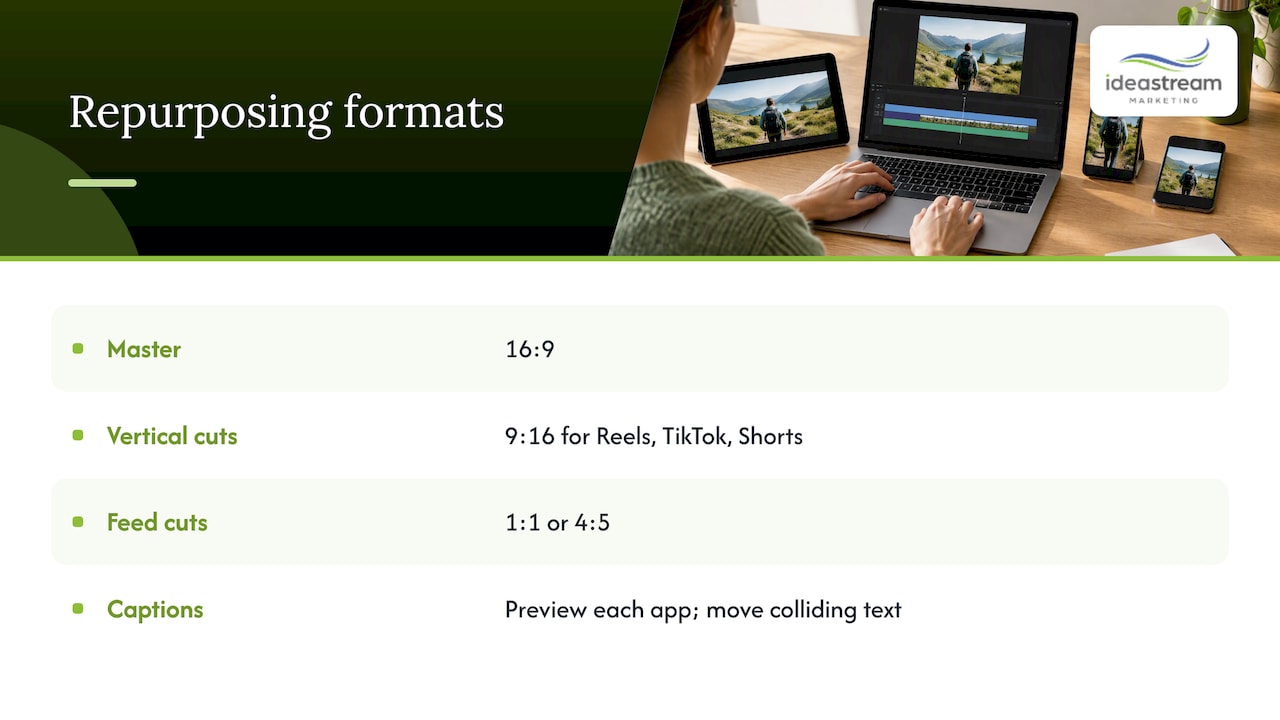
The fastest workflow is one master, several reframes. Shoot or edit a 16:9 master, then build a 9:16 version for Reels, TikTok, and Shorts, and a 1:1 or 4:5 version for feeds. Each app places its interface elements differently, so safe area templates vary across TikTok, Instagram Reels, and YouTube Shorts. Before you finalize captions, preview the clip in each app and move any text that collides with buttons or usernames.
If you want creative inspiration for what to put inside that vertical frame, this guide to TikTok brand content ideas pairs well with the specs above.
TikTok publishes a 540×960 minimum for vertical ads, which means 1080×1920 is already above the floor. Exporting at that size gives you room to spare without paying a file-size penalty for pixels the platform will not use.
How is aspect ratio different from resolution and pixel aspect ratio?
These terms get mixed up constantly, so here is the clean version. Aspect ratio is a shape. Resolution is a pixel count. They describe different things, which is why two files with very different sizes can share the same ratio.
16:9 describes the shape, and 1920×1080 is one pixel count that has that shape. Flip the frame and you get 9:16, and 1080×1920 is the same pixel count turned upright. So when someone asks whether 1920×1080 is the same as 16:9, the answer is yes: it is one resolution that matches that ratio, and 3840×2160 matches it as well.
| Name | 16:9 landscape | 9:16 vertical |
|---|---|---|
| 1080p (Full HD) | 1920×1080 | 1080×1920 |
| 4K (Ultra HD) | 3840×2160 | 2160×3840 |
| 720p (HD) | 1920×1080 | 1080×1920 |
Pixel aspect ratio, briefly
Pixel aspect ratio (PAR) describes the shape of each individual pixel. Almost everything you will edit today uses square pixels, where PAR is 1:1, so the frame’s shape follows directly from its pixel dimensions. Non-square pixels show up with anamorphic footage and some older broadcast formats, where the image is stored compressed and stretched back out for display. If a clip looks squeezed or stretched in your editor, a PAR mismatch is the first thing to check.
Why 4K vertical rarely pays off
Higher resolution does not change the ratio. It only adds more pixels inside the same shape. For vertical social video, that extra detail rarely reaches the viewer, because 1080×1920 is the industry-standard export that matches modern smartphone screens and exporting 4K for vertical usually gains nothing because the platform downscales uploads. Where 4K does help is at the camera: shoot 4K, edit at 4K, then export 1080×1920. That gives you more room to crop and reposition without softening the image.
How do you choose the right aspect ratio for your shoot?
Use this workflow before you pick up a camera. It takes a few minutes and prevents a lot of rework.
- Name your primary platform. Decide where the video will perform most. If it is a YouTube interview, shoot for 16:9. If it is a TikTok or Reels campaign, shoot for 9:16.
- List the secondary platforms. Write down every other place the video will run, such as your website, LinkedIn, or an email.
- Frame for your tightest crop. A talking head can be reframed from wide to vertical easily. A wide landscape shot with action at both edges cannot. Compose so the subject survives the crop you will need.
- Decide native vertical or reframe in post. If vertical short-form is the main goal, shoot it vertical. If you need one shoot to serve many outputs, shoot wide and reframe.
- Count your deliverables. Each additional format means more editing time. Budget for it up front rather than discovering it at delivery.
- Check your gear. Camera sensors are wider than tall, so shooting native vertical often means rotating the camera or cropping. With multiple cameras, confirm they are synced and framed consistently so cuts between angles still work after a reframe.
Pro Tip: Record in 4K, keep the subject centered with generous headroom, and leave empty space on the left and right. That one habit lets you pull a clean 9:16 and a 1:1 out of the same 16:9 shot.
For a deeper look at the editing side of this workflow, see our social media video editing guide.
What export and delivery habits prevent upload problems?
Most upload headaches come from exporting in the wrong shape or burning in details that the platform later covers. A short list of habits prevents nearly all of them.
- Export at the native aspect ratio. Do not hard-code letterbox or pillarbox bars into the file. If you place a landscape clip inside a vertical frame with black bars baked in, the platform cannot adjust it, and viewers see a shrunken image.
- Use widely supported formats. MP4 with H.264 is the safest container and codec combination. H.265 can reduce file size where a platform supports it, but test before relying on it.
- Do not starve the bitrate. A heavily compressed file looks soft after the platform re-encodes it. Export with a healthy bitrate and let the platform do its own compression from a clean source.
- Respect safe areas. Keep captions, logos, and calls to action inside the center of the frame, away from the edges where buttons and usernames sit.
- Check length and file size limits. Each platform has its own caps, so confirm them before you export a long file.
- Test on a real phone. Upload privately or use the platform’s preview and watch it on the device your audience uses.
Run this short checklist before publishing: preview the file in the app, confirm captions do not collide with interface elements, check that the first frame makes a good thumbnail, and confirm the aspect ratio matches the placement.
Safe areas are not universal: each app places interface elements and captions differently, so a caption position that works on one platform can be covered on another. If you are delivering to several apps, build a template for each rather than assuming one layout fits all.
For a broader view of what goes into a polished video program, our video content checklist for marketing pros covers the planning that surrounds export.
Why do we plan formats before we ever press record?
Most of the format problems we see are not editing problems. They are planning problems. A client records a great landscape interview, then asks for a vertical Reel, and the subject is sitting off to one side with nothing around them to crop. We would rather settle those questions at the planning stage.
My view is that the aspect ratio belongs in the creative brief, next to the goal and the audience. When we decide up front which cuts we need, we frame with the crop in mind, light the set to suit it, and deliver a set of masters instead of one file. That is also better for discoverability: the same podcast conversation can become a full YouTube episode, a handful of vertical clips, and a square cut for LinkedIn, each one native to the place it appears. The format is part of how the video gets found.
Ready to get every format right the first time?
If you want deliverables that fit each platform without the guesswork, we handle it end to end. Our team produces video, edits it for social, repurposes podcast episodes into short clips, adds motion graphics, and delivers the finished files in every format your plan calls for. Whether you are recording a business podcast in our studio, producing a branded video, or building a run of Reels, we plan the aspect ratios up front so every cut is ready to publish and built to be found.

Schedule a consultation or studio session through our video production page, and tell us where your video needs to run. We will map out the formats and get your project moving.
FAQ
What is the best aspect ratio for a video?
It depends on where the video will play. Use 16:9 for YouTube and websites, 9:16 for TikTok, Reels, and Shorts, and 1:1 or 4:5 for feed posts. TikTok recommends 9:16 for native-feed performance.
Is 1920×1080 the same as 16:9?
Yes, 1920×1080 is a resolution that has a 16:9 shape. Aspect ratio describes the shape, and resolution describes the pixel count, so other sizes such as 3840×2160 also match 16:9.
Are 1080p and 4K the same aspect ratio?
Yes, both are 16:9. 4K has more pixels than 1080p but the same width-to-height shape, so a 4K video fits a 16:9 player exactly the way a 1080p one does.
Is 16:9 or 4:3 better for YouTube?
16:9 is better. It is the standard player shape, and YouTube adds padding to videos in other ratios, which is why a 4:3 upload shows bars at the sides.
Sources
- Skedsocial
- Instagram Reels Video Specs: What Instagram Really Says | Clapr Blog
- TikTok Aspect Ratio and Video Specs (Official, 2026)

